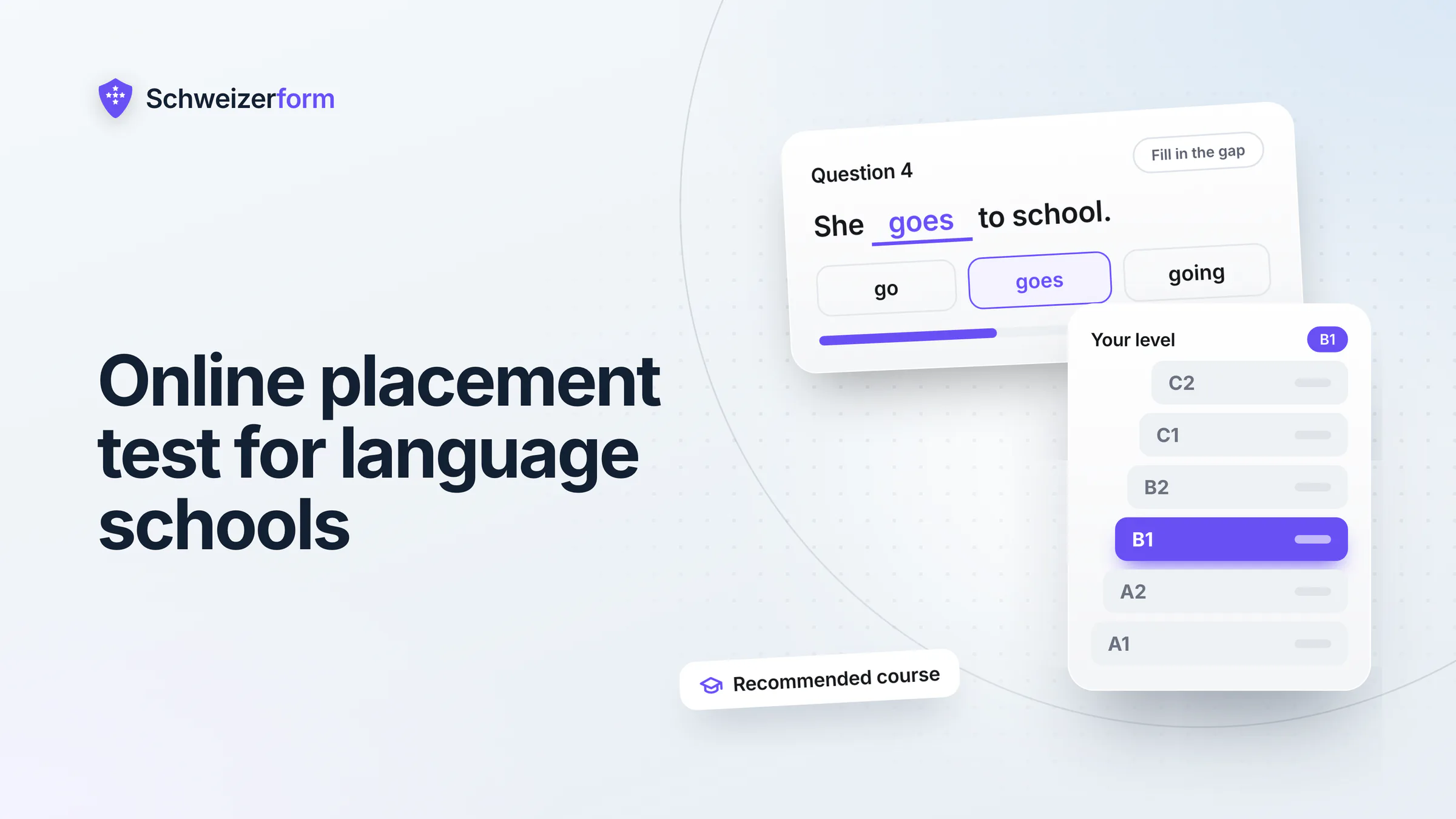
Language schools know the moment: a new learner joins the Tuesday evening course, and within ten minutes it is clear that the group is wrong for them, either too easy or far too hard. The level talk by phone or at the counter did happen, but it was a guess, it cost front-desk time and it left nothing written down. An online placement test for your language school moves the level question to before the first lesson: the learner answers scored questions, sees a result with a course recommendation, and your office reads the score only after unlocking it with the Vault key.
This page is for Swiss language schools, adult-education providers, integration and migration course providers, tutoring institutes and music or IT course providers. It shows how to build a placement test with the Assessments module, connect it to course registration, an oral placement talk or trial lesson, the papers for funding and a feedback form at the end of the course, and where the limits are. The main limit first: a placement test you build yourself is an orientation for grouping learners, not a recognised language certificate.
Who this page is for
Heads of school, course coordinators, programme managers and administrators at language schools, adult-education centres, integration course providers, tutoring institutes and music or IT academies. For the wider picture of forms at educational institutions, see forms for educational institutions.
Why an Online Placement Test Matters for Language Schools
Wrong-group placement is expensive in a quiet way. A learner who is too advanced gets bored and does not return after the second lesson; a learner who is too weak slows the group and stops asking questions. Either way the instructor loses time and the school loses a re-enrolment. The usual remedies, a phone call, a short chat at the counter or a paper test marked by hand, work, but they scale badly in the week before a term starts, when fifty registrations arrive at once.
- Identity and contact data: name, e-mail, phone, often a date of birth for the course contract
- The result itself: a score and a level are personal data about one named adult, and for a learner a low score can feel like a judgement
- Registration details: chosen course, preferred days, sometimes employer or funding body
- Papers: a previous certificate, a Kostengutsprache (cost-coverage confirmation) or voucher letter from an employer or a funding body, sometimes an ID copy
- In integration courses: context that can reveal more than a school needs, such as residence status or the support a person receives
A placement test is not a language certificate
A test you build yourself gives an orientation for placing learners in your own course levels. You can use the CEFR scale A1 to C2 as the frame for naming those levels, but a result from this test is not a recognised language certificate and does not correspond to official exams such as fide, telc, Goethe, DELF or CELI. Say so on the start screen and on every result page, so that nobody takes the score to an employer or an authority as proof of a level.
Swiss data protection law applies as usual. Under the nFADP (nDSG) you process only what you need for the purpose (Art. 6 nDSG) and you tell people what you do with their data (information duty, Art. 19 nDSG); see also our nFADP guide for online forms. For a placement test that means: ask for a name and a way to reach the learner, not for nationality or residence status; keep the result only as long as course planning needs it; and for children and teenagers in tutoring, address the parents or legal guardians, as a rule. Your privacy statement should say that test results are stored and who can read them.
How a Placement Test Works With Schweizerform
The lead module is Assessments: a form whose answers earn points and that ends with a result. Scoring runs in the learner's browser, and the score, the band and the answers are encrypted before they are sent. In six steps:
- 1
Write the questions per language
Create one assessment for each language you teach. Use single choice, multiple choice, dropdown, short text with a list of accepted answers for gap-fill sentences, and number or date questions where they fit. A placement test needs questions across all levels you teach, from easy to hard. Free allows 15 questions per assessment, Pro allows 100.
- 2
Give each question points
Mark the correct answer, or give points per option. Switch on 'Shuffle options' so the right option is not always in the same place; an option such as 'None of these' stays last.
- 3
Map the score to your own course levels
In the Scoring tab define one to ten score bands as percentage ranges and name them after your own courses, for example 'Beginner A1', 'Beginner A2' or 'Intermediate 1'. The bands are your decision: Schweizerform does not assign CEFR levels, it only maps a score to the band you defined.
- 4
Write a result page per level
Each band can tell the learner which course fits and link to registration for it. Pro and Business give one result page per band, with band colours. On Free you have one result page for everyone, which can still name the levels in general and link to your course overview.
- 5
Add a start screen and, if you want, a time limit
The start screen carries the title, an introduction and your sentence that this is a placement orientation, not a certificate. A time limit (Pro and Business) runs as a countdown and submits the answers automatically at zero.
- 6
Share it
As a link, as a QR code on the flyer, or embedded on your school website (Pro and Business). The buttons and instructions of the test appear in German, French, Italian or English, while the questions are in whatever language you wrote them: a French test stays French.
The correct answers travel with the form
For placement this is acceptable, and we say it plainly: the correct answers and points are sent to the browser together with the form, so a technically skilled person can read them. It is also why Assessments are not meant for exams with consequences, and why nothing here is called proctored or tamper-proof. Scoring in the learner's browser means the stored score is whatever that browser calculated. More on the logic in online assessments and scoring explained.
Where Language Schools and Course Providers Use Schweizerform
Placement test per language
One assessment per language keeps each test short and each result clean. A gap-fill such as 'Ich ___ seit drei Jahren in Winterthur.' with the accepted answer 'wohne' checks grammar better than a guess among four options. Music and IT course providers use the same pattern: ten questions on notation or on spreadsheet basics place a learner in the right group.
Result page per level, with a link to registration
The result page is where a placement test earns its keep. A learner in the 50 to 69 percent band reads: 'Your result points to Intermediate 1, roughly B1. This is an orientation, not a certificate. The next evening course starts in February.' and clicks through to registration. Messages can use placeholders for the score, the maximum, the percentage and the band; each page can carry up to five links, one redirect address or one file such as a course description. A redirect tells the target website the result through the address that opens, so link to your own registration page.
Course registration form
The registration is an ordinary Schweizerform form: name, contact, chosen course and level, preferred days, the learner's language and a consent line for your privacy statement. For under-age learners, ask for the contact of a parent or legal guardian. Conditional questions (Pro) show the guardian block only when the learner is a minor.
Booking an oral placement talk or trial lesson
Some levels cannot be judged from multiple choice, and speaking is the obvious case. A booking page lets learners pick a free slot for a ten-minute placement talk or a trial lesson. Times are shown in Swiss time, and what the learner writes is encrypted; the time and the service name are readable by the server, so slots, calendar and e-mails work. Use a neutral service name such as 'Placement talk'. Free covers one staff profile, e-mail confirmations and reminders need Pro, and several teachers in one calendar need Business. For a school example see parent-teacher meeting booking.
Document request for funding papers and previous certificates
Learners funded by an employer, a funding body or a voucher have to hand in a Kostengutsprache or a confirmation before the course starts; others bring a previous certificate so that you can see where they stand. A document collection gives each learner a personal link with a checklist: 'Funding confirmation', 'Previous language certificate (optional)'. The learner uploads, comes back with the same link and sees what is still missing. File contents, original file names and the learner's name are encrypted; the item names and the due date are readable by the server. Free allows three requests per collection, Pro fifty, Business five hundred; reminders and sample files need Pro. There is no e-signature and no virus scanning.
Contacts groups per course and a client page
Contacts keeps learners in groups such as 'Italian A2 evening', 'Spring intake' or 'Funding pending'. The address book is encrypted in the browser with the Vault key; groups and CSV import and export work on every plan, but Free holds five contacts, Pro 100 and Business 2,500. From a group you send the placement test or the registration link to many learners at once: on Business through Schweizerform (plain links without secrets only), otherwise through your own mail program with a mail-merge file. Pro and Business also give each learner a personal client page that shows only what is still open (the test, the registration, the missing papers) without account or password, see client page instead of a portal.
Feedback form at the end of a course
A short form at the end of the course asks about pace, materials, the instructor and the next step: a few choice questions and one free text field. Offer it without asking for a name if you want honest answers, and remember that a form is only as anonymous as the questions you put in it. Answers are encrypted and you read them with the Vault key; the figures export to CSV on every plan.
Integration and migration courses: collect less
Providers of integration and language courses for migrants often work for a cantonal or communal office and may have to report attendance or results. Placement itself does not need residence status, nationality or the reason for the stay. Keep those out of the test and the registration form unless your contract with the funding body really requires them, and then tell people why. If you must see a document that shows such a status, request it as a document with a due date and delete it by hand, one by one or in bulk, once the purpose is served.
Who Sees What: Encrypted and Not Encrypted
Schweizerform encrypts what people write and upload in their own browser: we can see the questions you ask, never the answers people give. Not everything falls under that sentence, and a school should know where the line runs. More in the security overview.
| Data | Protection | Who can read it |
|---|---|---|
| Test questions, correct answers, points, bands | Not encrypted: part of the form and sent to every browser that opens it | The server and anyone who opens the test |
| Learner's answers, score, band, pass or fail | Encrypted in the learner's browser; the server never sees a score | You, with the Vault key |
| Registration answers (name, e-mail, phone, notes) | Encrypted in the browser | You, with the Vault key |
| Booking: time, service name, staff name, status | Not end-to-end encrypted: needed for slots, calendar and e-mails | The server; shown in calendar and e-mails |
| Booking: the client's name, e-mail, phone, message | Encrypted in the browser | You, with the Vault key |
| Documents: file contents, original file names, learner's name and note | Encrypted in the browser | You, with the Vault key |
| Documents: item names (the checklist), due date, number of visits | Not encrypted | The server; whoever holds a request link also sees what is open |
Handle links with care
A request link or client page link shows whoever holds it what is open, and for a document request the progress and the file names. A forwarded link is never harmless. Send these links only to the learner, through your own mail program, and let a client page expire or revoke it. The optional e-mail address for booking updates is stored readable and deleted one day after the appointment.
Features That Matter for Placement
These are the building blocks, with the plan each one needs. Limits are on the pricing page; staff-training teams will recognise the same scoring in staff training and compliance tests.
- Scored questions, shuffled options, pass mark, up to ten score bands and one result page: Free (15 questions per assessment, 3 forms in total, 100 responses a month)
- Result page per band, band colours, time limit and maximum attempts per personalised link: Pro and Business (up to 100 questions per assessment on Pro)
- Start screen and a test interface in German, French, Italian and English: every plan
- Embedding on your school website as inline frame, popup or floating button: Pro and Business
- Results view with average score, band split and hardest questions, plus export of score, percentage and band: results and CSV on every plan; Excel, JSON, PDF and ZIP on Pro and Business
- Booking page for oral placement talks or trial lessons: Free with one staff profile; e-mail confirmations and reminders on Pro and Business; several teachers on Business
- Document collection with personal links, due dates and per-item review: Free with three requests per collection; reminders and sample files on Pro and Business
- Contacts with groups and CSV import: every plan; notes, saving respondents as contacts and the client page: Pro and Business
What Language Schools Ask
Is the result a language certificate?
No. Official exams such as fide, telc, Goethe, DELF or CELI are run by their own organisations under their own rules, and a test built in Schweizerform does not correspond to them. Schweizerform issues no certificate or diploma PDF at all. The learner gets a result page and, if you switch it on (Pro and Business), a PDF copy of their own answers with the score, made in their own browser and never sent to us. Use the result only to place the learner in your courses.
Can learners cheat?
A technically skilled learner can read the answer key, and a learner can ask a friend. A time limit (Pro) makes looking things up harder but does not prevent it. For placement the damage is small: someone who lands in a group that is too hard is back with the instructor after one lesson. If a decision carries more weight, such as an entrance exam with consequences, use a supervised exam on site instead.
Can I test listening and speaking?
Not inside the test. Assessments offer text, choice, number, date, rating and scale questions; there is no audio question and no voice recording. Test listening and speaking in a short oral talk booked through the booking page, and judge the level yourself; the outcome goes into your own notes.
What about minors in tutoring?
As a rule, the parents or legal guardians are the contact and receive the result, and for younger children they are the ones who agree to the processing. Ask only what the placement needs: a first name and a school year are enough, grades, diagnoses and family circumstances are not. Results about a child's ability are sensitive in practice, so keep the circle of readers small.
Does Schweizerform manage courses, invoices or learners?
No. There are no payments or deposits, no invoicing, no timetable or attendance, no course management, no learner accounts, no learning management system and no SCORM. Schweizerform covers the entry: placement, registration, talks, papers, groups and feedback. After registration your school software or spreadsheet takes over. Data leaves as an export; there is no public API, no webhooks and no integrations.
Who at the school can see the results?
In a team workspace (inviting members is Business only) every member can open results after entering the Vault key, viewers included. There is no per-teacher view: whoever can unlock sees every result of that test. Decide who gets a seat, for example the coordinator and the office rather than every instructor. Review status and internal notes on responses are Business features.
Getting Started
- 1
Pick one language and one range of levels
Start with the language that has the most registrations and the levels you actually offer. Write down which course each level leads to.
- 2
Build the test on Free
Start from a blank assessment or with 'Create with AI', and check every correct answer yourself, as the app asks you to. Fifteen questions are enough to try the idea.
- 3
Define the bands and a result page
Name the bands after your courses, write the sentence that this is an orientation and not a certificate, and link to your registration form.
- 4
Try it with colleagues and one real learner
Take the test yourself and let two instructors take it. If the bands do not match your impression, move the limits.
- 5
Publish and share
Add a privacy sentence to the start screen, share the link or the QR code on the flyer, and move to Pro when you need a page per band, a time limit or the website embed.
A Placement Test That Stays an Orientation
A good placement process feels like help, not like an exam. One test per language, bands you own, a result page that says what to do next and a registration form that asks for little: that is enough for many schools, and it takes an afternoon to build.
Schweizerform handles the entry to your courses and keeps what people write encrypted, with the Vault key as the only way in. It does not replace your course software and issues no certificates. The features overview lists every module.
Start on Free: build one placement test with up to 15 questions, your own bands and one result page, and try it with colleagues. Read online assessments and scoring explained for the scoring logic and apprenticeship selection tests for a related use of scored tests.
Disclaimer: This page is general information and marketing content, not legal, data-protection, educational or integration-law advice. References to the nFADP (nDSG) and to language frameworks and exams are simplified and subject to interpretation and to cantonal and funding-body rules. A placement test built with Schweizerform is an orientation and not a language certificate. Responsibility for the data of learners, parents and funding bodies remains with your organisation. Consult a qualified professional before relying on this page for decisions.