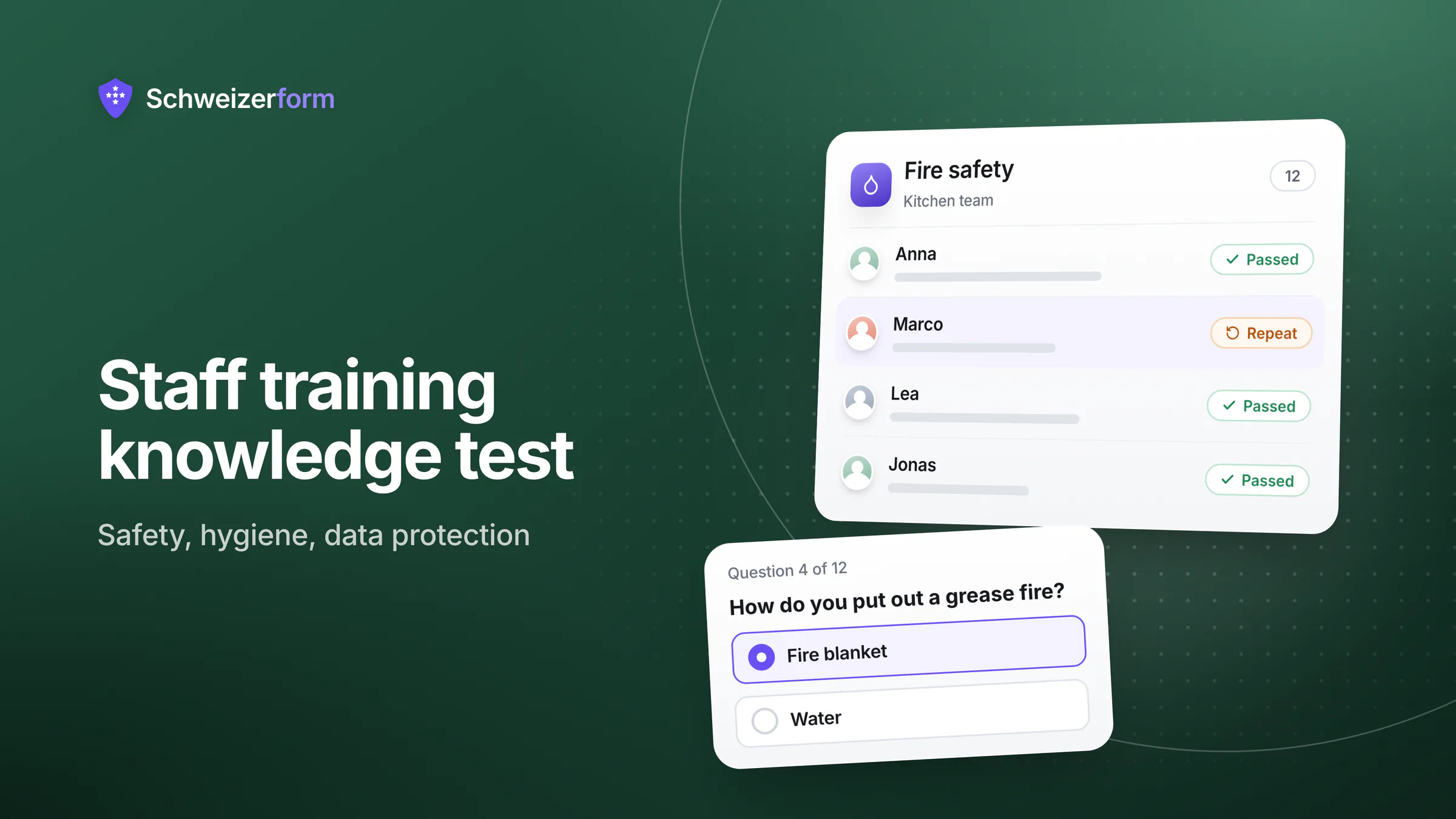
A Swiss employer who instructs staff on workplace safety, food hygiene or data protection normally wants two things: that the instruction happened, and that it was understood. A signature on an attendance sheet proves the first at best. A short staff training knowledge test proves a little more: each person answered ten or fifteen questions about what they were just taught, got a score, and was told what to repeat.
Schweizerform's Assessments module is built for exactly this. You turn the content of your instruction into scored questions, set a pass mark, send the test to your staff (on Pro and Business with a personal link per employee) and export the results as a training record. The answers and the scores are encrypted in the employee's browser, so only your Vault key opens them. This page shows how an online test for employee training works in a Swiss SME, where it fits, and, just as important, where it stops: it is a learning check, not an exam and not a certificate.
Who this page is for
Owners, office and HR managers, safety officers, kitchen and shop managers, IT contacts and association boards at small Swiss organisations that have to instruct their staff and want a simple, honest way to show it was understood. No learning platform, no per-user licence.
Why Staff Instruction Needs a Record That It Was Understood
Instruction is rarely optional. Under Art. 6 ArG (Employment Act) and Art. 82 UVG (Accident Insurance Act), the employer has to take the measures needed to protect health and to prevent accidents and occupational diseases; Art. 6 VUV (Accident Prevention Ordinance) adds that staff must be informed about the hazards and instructed in the protective measures. Swiss food law expects people who handle food to be trained in hygiene according to their tasks. The nDSG expects appropriate organisational measures (Art. 8 nDSG), and staff who know what a phishing mail looks like are one of the cheapest of them.
What these rules do not give you is a form. After an incident, an inspection by the cantonal food-control authority or a question from your insurer, the useful sentence is not “we told them” but “here is who was instructed on which date, and here is how they did on a short test”. The usual topics:
- Workplace safety: ladders, machines, lifting, personal protective equipment, reporting an accident
- Food hygiene in kitchens, bakeries, butchers and shops: temperatures, cleaning, allergens, personal hygiene
- Data protection and IT security: phishing, passwords, handling client data, what to do after a mistake
- Fire safety: escape routes, extinguishers, assembly point, who calls whom
- Onboarding of new and seasonal staff: house rules, internal procedures, product knowledge
The test does not replace the instruction, and it does not make you compliant. It gives you a lean, dated trace that instruction took place and a way to see which points did not land.
Training results are personnel data
Who scored what is information about an employee. Art. 328b OR limits what an employer may process: only data that concerns suitability for the job or is needed to perform the employment contract, and the nDSG principles of proportionality and purpose limitation (Art. 6 nDSG) apply on top. Collect only what the record needs, decide in advance who sees the results, and decide how long you keep them. Do not use a safety quiz as a performance ranking.
How an Online Test for Employee Training Works With Schweizerform
An assessment is a form whose answers earn points and that ends with a result. You do not need to start from zero: Schweizerform ships ready-made templates for fire safety briefing, food hygiene for staff, data protection (nDSG) for staff, phishing and IT security awareness, first aid basics and a new-employee onboarding check. Each one is a starting point that you adapt to your own workplace, never a finished course.
- 1
Start from a template or write your own questions
Pick a template, create the test with the AI helper or build it blank. Use single choice, multiple choice, number, date or short text questions. Add a short explanation to each question: it is shown after submitting when you switch “show correct answers” on. If you use the AI helper, check every correct answer yourself.
- 2
Set the points and the pass mark
Mark the right answers or give points per option, then set a pass mark in whole percent. Define up to ten score bands, for instance “repeat the module”, “good” and “very good”. Scoring works on every plan.
- 3
Write the result page
The result page can show the score and the band and link to your training material, so people know what to read again. A separate page per band is part of Pro and Business; one result page for everybody is on every plan.
- 4
Add a start screen and, if needed, a time limit
A start screen explains what the test is for. On Pro and Business you can add a time limit from 1 to 240 minutes; the test is then submitted automatically when time is up.
- 5
Send a link per employee or per team
Share one link or QR code for everyone (every plan), or, on Pro and Business, create a personal link per employee, which can also have a maximum number of attempts. On Business, Contacts can send a plain link to a whole team group in one go.
- 6
Read the results and export the record
After you enter your Vault key you see pass rate, average score, the weakest questions and a results table. Export the results, with the columns Score, Max score, Percent and Passed, as the training record.
Scoring runs in the employee's browser at submission. The score, the band and the pass or fail result are stored inside the encrypted answers, so the server never learns who scored what.
Where Swiss SMEs Use a Staff Training Knowledge Test
Workplace safety instruction
A joinery, a garage or a small manufacturer runs the annual safety briefing in person, then sends a link with twelve questions: what to wear at the saw, what to do when a machine jams, whom to tell after a near miss. The result page names the topic to repeat and links to your own safety document. The employer duties stay with you; the test only shows what the briefing achieved.
Food hygiene in gastronomy and retail
A restaurant, a bakery or a supermarket department checks the points that matter for self-control: cooling and holding temperatures, cleaning plans, allergen information, hand hygiene, what to do when ill. Shuffled answer options make it harder to pass by memorising the position of the right answer. Seasonal staff do it on their phone before the first shift.
Data protection and IT-security awareness
A fiduciary, a clinic reception or a municipal office checks that everyone knows how to recognise a phishing mail, why client files do not go to private mailboxes and what to report after a mistake. Questions describe real situations (“a client e-mails a copy of an ID: what do you do?”) rather than quoting the law. The nDSG and phishing templates are a good first draft.
Onboarding of new and seasonal staff
In week one a new colleague works through your house rules, opening hours, procedures and product basics, then takes a short check. If you also collect contracts and certificates, the onboarding documents use case covers that side. For a team of seasonal staff, an unlock code (Pro and Business) and a QR code on the printed welcome sheet are enough to get everybody to the right test.
Fire safety and emergency procedures
After the yearly evacuation drill, a short test confirms that people know the assembly point, the extinguisher types and the emergency numbers. The explanation text under each question is shown after submitting, so the test itself teaches the correct answer.
Internal procedures and product knowledge
A retailer, a hotel or a service business uses the same tool to check that staff know a return process, a price list or a new product range. Points per option let you give partial credit for “nearly right” answers. For assessing applicants rather than staff, see aptitude tests for apprenticeships.
A signature-free acknowledgement form
Sometimes you only need the employee to confirm “I received the instruction and read the rules”. A normal form with a name, a date and a consent question does that on every plan: it stores the tick, the time and a fingerprint of the text shown. This is a recorded click, not a qualified electronic signature (QES). Schweizerform does not offer a QES. Whether a click is enough for a given purpose is for you to decide.
One link per employee, one group per team
In Contacts you keep staff in groups, for example “Kitchen”, “Front of house” and “Warehouse”, and, on Business, send the test to a whole group through Schweizerform. A contact shows which tests were sent and the score, band and pass or fail once you have entered your Vault key. Free covers 5 contacts, Pro 100 and Business 2,500. Notes on contacts are for Pro and Business; keep them out of personnel matters. See also the Contacts article for client data for how the address book handles data.
Who Sees What: What Is Encrypted and What Is Not
| Item | Where it lives | Can the server read it? |
|---|---|---|
| Questions, answer options, correct answers and points | On the public test page, sent to every browser that opens it | Yes, and anyone with the link can read them |
| Answers, score, band and pass or fail of each employee | Encrypted in the employee's browser | No, only your Vault key opens them |
| A name or staff number typed into the test | Part of the encrypted answers | No |
| Label of a personal link (for example the employee) | Encrypted in your browser; the link carries an opaque id | The label no, the id yes |
| Timed tests: attempt record with start time and link id | Deleted after 24 hours; no answers, no score | Yes, briefly |
| Contacts: names, e-mails, phones, groups, notes | Encrypted in your browser under your Vault key | No; the server sees counts and one hash per e-mail address |
| An export file (CSV, Excel, PDF) | On your computer once you export | Not the server, but readable by anyone who opens the file |
The correct answers ship to the browser
The test is scored in the employee's browser, which means the answer key travels with the form. A technically skilled person can read it, and a colleague can simply tell the others. Treat the result as a learning check and a training record, not an exam. Do not use it for decisions where cheating would matter, and do not call it certified, supervised or tamper-proof. It is also no certificate: Schweizerform produces no diploma.
Features That Matter for a Training Record
- Scored questions, pass mark and bands on every plan, with 13 in-app templates, including fire safety, food hygiene, nDSG and phishing
- Show correct answers and explanations after submitting, so the test doubles as a refresher
- Result page with score, band and links to training material; one page on every plan, one per band on Pro and Business
- Time limit and maximum attempts per personal link on Pro and Business
- Personal links and unlock codes on Pro and Business, to steer who takes which test; a personal link identifies, it does not authenticate
- Four languages (en, de, fr, it) for mixed teams, with one score scale across all versions
- Export with Score, Max score, Percent, Band and Passed: CSV on every plan, Excel, JSON, PDF and ZIP on Pro and Business
- Results dashboard with pass rate, average score, weakest questions and weekly pass rate; results can be deleted one by one or in bulk
Keeping the Training Record Lean and Lawful
The technical encryption protects the answers while they are stored. It does not decide what you should collect, and it does not decide who in your organisation may look at the results. Three decisions make the record defensible.
- Collect only what the record needs: a name or staff number, the date, the score and the result. Skip birth dates, private addresses and free-text questions about the person
- Decide who sees the results. Inviting members is Business only, and everyone in a workspace, including viewers, can read results, so add only the people who need them
- Decide how long you keep them, write it down and delete accordingly: by hand, one result at a time or in bulk (automatic deletion after a set number of days exists on Business for plain forms only, not for assessments)
An exported spreadsheet is no longer encrypted
Once you export the results, the file is readable by everyone who can open it. Store it with the personnel file, not on a shared drive, and delete it when the retention period ends. For the retention logic see How long to keep form data.
What Swiss SMEs Ask
Is this an exam or a certificate?
No. It is a check that the employee understood the instruction, plus a record for you. If a certified course, an exam or an official certificate is required for a task (a forklift licence or a first-aid course, for example), that comes from the authorised provider. Your test can sit next to it to confirm the in-house instruction.
Can people look up the answers or test for each other?
Yes, they can. The answer key is in the browser and a personal link can be forwarded; Schweizerform does not check identity. A time limit and a maximum number of attempts make casual lookups less convenient, and shuffled options reduce copying between neighbours. They do not make the test safe against someone who is determined. For safety instruction that is usually acceptable, because the goal is understanding, not a ranking.
Does it replace our learning platform or the course itself?
No. Schweizerform hosts no course content. Link your training material (a PDF, a video, an intranet page) from the start screen or the result page. The test comes after the instruction and tells you whether it worked.
What does it not do?
- No certificate or diploma PDF
- No learning platform: no LMS or SCORM, no courses, no learner accounts
- No supervision of the test and no identity check
- No random question pools; only the answer options can be shuffled
- No save-and-finish-later, because it would conflict with the time limit
Which plan do we need?
Free is enough to try one test: 3 forms in total (forms, assessments, document collections and booking pages share this pool), 100 responses per month and 15 questions per form. Pro adds personal links, unlock codes, the time limit, maximum attempts, result pages per band, 1,000 responses per month, 100 questions per form and 100 contacts. Business adds 10,000 responses per month, 2,500 contacts and sending invitations through Schweizerform for links without secrets. See the pricing page.
Getting Started
- 1
Pick one topic and one group
Start with the instruction you give most often, for example fire safety or data protection for a single team.
- 2
Open the matching template and adapt it
Replace the generic questions with situations from your own workplace and check every correct answer. Keep it to 10 to 15 questions.
- 3
Set the pass mark and write the result page
Say what a pass means and where to read again; link your own material.
- 4
Send the link and run it after the instruction
On Pro and Business use a personal link per employee or one link with an unlock code; on Free share one link. Test it yourself first on a phone.
- 5
Export, file and delete on schedule
Export the Score, Percent and Passed columns into the personnel file and delete the results when the retention period ends.
A Small Habit That Pays Off
Instruction counts when people remember it on the day it matters. A five-minute test right after a briefing, with the answers explained, turns a one-off meeting into something that sticks, and the weakest questions show you what to explain better next year.
Schweizerform keeps the answers encrypted and the record lean. What you teach, how often and who reads the results remain your decisions. If your staff speak German, French and Italian side by side, the same test works in all three, with the same scoring.
Start on Free
Create your first assessment from a template and test it on yourself. Read how online assessments are scored and how to run staff tests with data protection in mind. If you also run staff feedback, see employee surveys, and see features and security for the details.
Disclaimer
This page is general information and marketing content. It is not legal, HR or occupational-safety advice. It simplifies provisions such as the ArG, the UVG and the VUV, food law, Art. 328b OR and the nDSG. What your organisation must instruct, document and keep depends on your sector, your canton and your insurer, and the responsibility stays with your organisation. Consult a qualified professional, such as a safety specialist, an HR adviser or a data-protection adviser.