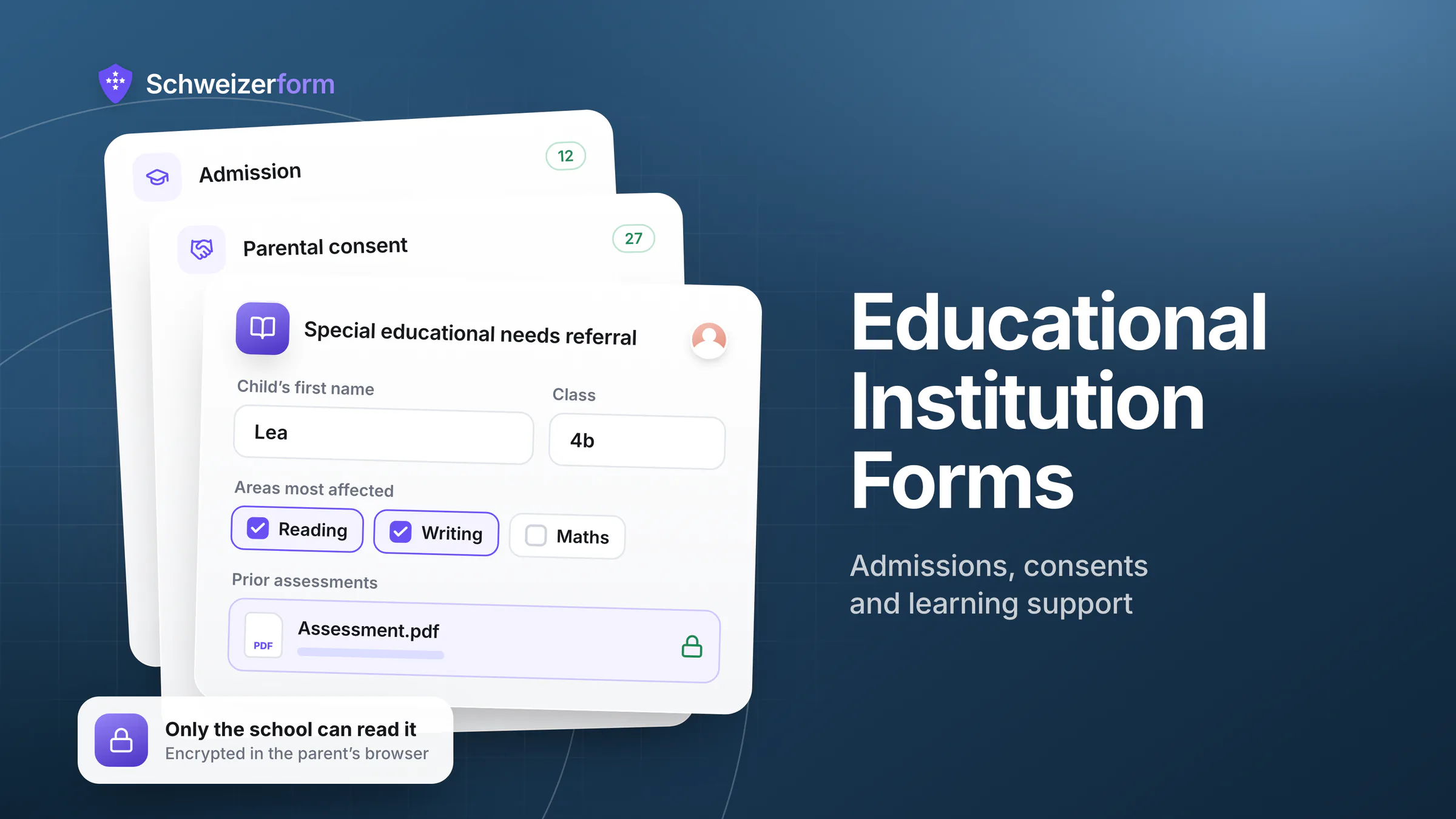
Schools and universities sit on an unusual concentration of sensitive personal data: the names, addresses, health conditions, family situations, and academic histories of children and young adults — most of them legally minors. They collect this data dozens of times a year through forms: admissions, registrations, field-trip consents, special-needs assessments, safeguarding reports, scholarship applications, parental authorisations. Most institutions still gather it through tools that can read every word.
Schweizerform was built on the opposite premise. Every submission is encrypted in the respondent's browser before it leaves the device. We physically cannot read parental-consent forms, medical disclosures, or special-needs questionnaires. For Swiss and European educational institutions — public and private, primary through tertiary — that property combines with Swiss hosting and a posture aligned with nFADP, GDPR, and child-protection expectations.
Who this page is for
School heads, principals, registrars, IT leads, data protection officers (DPOs), and admissions teams at primary schools, secondary schools, gymnasiums, vocational schools, universities, and private academies — particularly in regulated jurisdictions where pupil data and minors' privacy are non-negotiable.
Why Educational Data Deserves Stricter Handling
Educational records are special in three ways. They concern minors, often without the legal capacity to consent for themselves. They tend to follow individuals for life — academic transcripts, special-needs designations, behavioural notes can resurface decades later. And they are routinely combined with health, psychological, and family information that, in any other vertical, would carry the highest data-protection rating.
Most online form tools — Google Forms, Microsoft Forms, JotForm, SurveyMonkey — operate on a conventional SaaS model: the respondent's browser sends plain text over HTTPS, and the provider's server stores it. The provider can read everything. So can their staff, integration partners, anyone who compromises the infrastructure, and any authority that serves a lawful order. For a school registering a six-year-old's allergies and family arrangements, that is a wider exposure surface than the parents likely understand.
- A parent submits an admissions form describing their child's autism diagnosis and behavioural plan; the readable record sits on a US-hosted server before the school year even starts
- A school nurse collects allergy information and chronic-condition disclosures via Google Forms; medical data feeds into Google's infrastructure indefinitely
- A safeguarding form captures a teacher's confidential concern about a child's home situation; the provider's database holds a readable account that can be subpoenaed without the school's knowledge
- A scholarship application includes parental income, family hardship narratives, and ID copies; that material lives on a third-party disk under foreign jurisdiction
The minors' angle
Under both nFADP and GDPR, processing children's data is treated more strictly than adult data — broader consent requirements, narrower legitimate-interest grounds, stronger expectations around minimisation and security. Tools that can read submissions are not categorically prohibited, but they make the data-protection analysis significantly harder to defend if anything goes wrong. Zero-knowledge tooling shrinks that analysis to a much smaller surface.
What Changes With Zero-Knowledge Forms in Education
The technical shift is simple. Form data is encrypted in the respondent's browser before transmission, then locked inside a vault only the institution can open. The server stores ciphertext. Only the institution — holding its vault key — can open the vault and decrypt the submission. The school keeps the vault key; it never reaches us and we cannot reset it. The provider becomes a courier of unreadable data, not a custodian of it.
- 1
Parent or pupil fills in the form
They open a secure link, complete the fields, attach any required documents (medical certificates, ID copies, IEP attachments). Everything is encrypted in their browser before transmission — names, dates of birth, health information, file contents.
- 2
Transmission and storage
The sealed submission travels over HTTPS and lands on Swiss infrastructure. The server stores ciphertext only — there is no plain-text copy of admissions data anywhere on our infrastructure.
- 3
Institution retrieves the submission
Authorised staff (registrar, school nurse, learning-support coordinator) opens the submission in their browser. The institution's vault key unlocks the vault and decrypts the data on the device. Reading and case-management happen institution-side.
- 4
Retention and deletion
Submissions can be archived, exported to the student information system, or deleted. Because no key sits with us, a deleted consent record has no server-side shadow.
Where Educational Institutions Use Schweizerform
Admissions and registration
Pupils' or students' personal information, parental contact details, prior school records, medical disclosures, dietary requirements, languages spoken at home — typical admissions forms cover ground that, taken together, paints a complete picture of a family. Encrypting this material client-side keeps the picture inside the institution.
Parental consent and field-trip authorisations
Permission slips, photo-publication consents, off-site activity authorisations — high-volume, low-friction forms that nonetheless carry parental signatures and sometimes emergency contact numbers and medical notes. Encrypted forms make these routine without expanding the data trail.
Special-needs and learning-support assessments
IEPs (Individualised Education Plans), psychological evaluations, dyslexia/dyscalculia screenings, SEN (special educational needs) referrals — among the most sensitive data a school holds. Schweizerform allows learning-support teams to collect this material directly from parents and clinicians without exposing it to a SaaS provider.
Safeguarding and welfare reports
Confidential teacher-to-DSL (Designated Safeguarding Lead) reports, anonymous pupil-to-counsellor channels, suspected-abuse disclosures — communications where leakage is an active danger to a child. Zero-knowledge intake makes provider access categorically impossible.
Scholarship and financial aid applications
Income statements, hardship narratives, tax documents, ID copies — financial vulnerability data that families share reluctantly, even with the institution itself. Encrypted submission limits the audience to the bursary committee, not the form vendor.
Staff hiring, references, and confidential complaints
Reference-check returns, CV uploads, internal grievance forms, anonymous staff-feedback channels — HR data that crosses staff/student lines and benefits from the same zero-knowledge architecture.
What Parents, Pupils, and Regulators Actually See
Three audiences notice the difference between a generic form and a zero-knowledge intake: the parents and pupils who fill it in, the data-protection authorities who supervise the institution, and the auditors and inspectors who periodically review systems and processes.
| Perspective | Generic form tool | Schweizerform |
|---|---|---|
| Parent submitting an admissions form | "My child's information is stored by [tool] — I'm told it's safe" | "The school's form encrypts my entry in my browser; only the school can read it" |
| Pupil reporting a confidential concern | Plain text held by a third-party provider, potentially subject to subpoena | Ciphertext only on the third-party server; the school holds the keys |
| Cantonal or national DPA inspection | Has to assess the provider's full readable copy and sub-processor chain | Provider holds no readable copy — analysis collapses to the institution itself |
| Safeguarding auditor | Records exist in vendor systems outside the school's direct control | Records exist only in encrypted form outside the school's domain |
Features That Matter for Schools and Universities
- End-to-end encryption on every form, every plan, every submission — no paid upgrade for protecting minor data
- Encrypted submissions stored in Swiss data centres — clean answer to "where does our pupils' data live?"
- Encrypted file uploads up to 100 MB per file and 1 GB per submission — covers medical certificates, IEP attachments, ID scans, transcripts
- Native EN / DE / FR / IT — every label, error, and confirmation in the parent's language, not machine-translated
- Forms behind an unlock code for restricted-access channels (staff-only safeguarding intake, governor-level reporting)
- Response caps and scheduling windows for application periods — close the form automatically when the deadline passes
- Audit logging of administrator actions and submission views — documentation for safeguarding inspections and ISMS reviews
- No third-party trackers on public forms — the parent's browser is not pinging marketing analytics with their child's name
- Clear, plain-language privacy disclosures parents can read in their own language — required by nFADP/GDPR transparency duties
What schools raise
"We already use Microsoft Forms / Google Forms — they're approved for education"
Vendor-led education tiers (Microsoft 365 Education, Google Workspace for Education) sign data-protection addenda and provide stronger contractual terms. They do not, however, encrypt form data so the vendor cannot read it. The vendor still holds plain-text submissions, can be compelled to produce them under foreign legal process, and has staff and sub-processors with technical access. Zero-knowledge forms close that gap regardless of which workspace tier you sit on.
"Encryption will confuse parents and slow them down"
In practice, parents do not notice. Encryption happens in the browser during submission, typically in well under a second. There is no software to install, no password for the parent to invent, and no different user experience compared to a conventional form. The school's vault key stays on the school side; parents simply submit and trust the institution.
"What if a teacher loses the vault key?"
This is the honest trade-off of genuine zero-knowledge security: because the vault key never touches our servers, we can't reset it, and if it is lost along with the recovery code, even we can't open the vault. Not being able to help is the property that makes the encryption real. We support a recovery-key flow: a second key set up in advance and stored separately (typically a printed copy held by the head's office or DPO). Most institutions treat the vault key the same way they treat the master key to the records room — formal procedure, multiple trusted custodians, regular review.
"We need to integrate with our SIS / LMS"
Authorised staff decrypt submissions in the browser, then export to the student information system or learning management system through standard channels (CSV, copy, structured forwarding). The point of the zero-knowledge layer is that decryption happens institution-side; once decrypted, the data flows into your existing pipelines like any other input.
Getting Started in an Educational Institution
- 1
Pilot with one form
Most institutions begin with a single high-stakes form — usually admissions intake or a special-needs questionnaire. The free tier (3 forms, 100 submissions/month) is enough to run an end-to-end pilot without procurement involvement.
- 2
Document the processor relationship
Record the consent channel in the school's processing register. Note where the data rests, that the provider cannot read it, and that no US sub-processor is involved. For DPOs, this typically simplifies the impact-assessment narrative compared to US-hosted education tools.
- 3
Train staff on the Vault Key
Designate two or three custodians (head, DPO, IT lead). Establish a recovery-key procedure analogous to the institution's other critical credentials. Brief admissions and learning-support staff on how to decrypt and process submissions.
- 4
Roll out across the academic calendar
Once the pilot proves out, paid plans lift form and submission caps. Most institutions then move admissions, parental consents, special-needs intake, and scholarship applications onto Schweizerform as their existing workflows come up for review.
- 5
Set retention to match policy
Educational records have long retention horizons — but form-level data does not. Use submission deletion to enforce your retention schedule once data has been transferred into the SIS. Holding no key, we cannot resurrect a record the school has deleted.
Where a school's consent trail should start
Educational institutions are entrusted with one of the most concentrated and sensitive datasets in any sector: the personal, medical, family, and academic information of minors. A form tool that can read that information creates an avoidable weakness in a school's data-protection posture — and an unnecessary explanation to parents, regulators, and inspectors.
Schweizerform offers a direct answer: zero-knowledge end-to-end encryption on every form, Swiss hosting, native four-language support, and a posture designed around the heightened expectations of minor-data processing. No paid upgrade for protection. No US cloud dependency for admissions data. No readable third-party copy of pupil information sitting on a server you cannot control.
Start with a single admissions or special-needs form on the free tier. Encrypted submissions stored in Switzerland, four languages for four language regions, and a free tier to run one term on.
Disclaimer: This page is general information and marketing content, not legal, regulatory, or pedagogical advice. References to nFADP, GDPR, child-data protection, and educational supervision frameworks are summarised at a conceptual level and are subject to jurisdictional interpretation. Responsibility for pupil and student data protection remains with the institution and its DPO. Consult a qualified data-protection or education-law specialist in your jurisdiction before relying on any summary here for compliance or procurement decisions. Competitive details were last verified on 25 July 2026. All product and company names are trademarks of their respective owners and are used here for factual comparison only.