A prospect who clicks “Book a call” on a consultancy website has usually decided that something needs attention. The harder visitor is the owner who suspects a problem but cannot name it: is the company ready for the revised data protection act, is there a real succession plan, do the IT basics hold? A readiness assessment for consultants answers that in about five minutes and gives the adviser a better-prepared first conversation. This page shows how small Swiss consultancies build an online self-check tool with Schweizerform: scored questions, three result bands, tailored advice and one clear next step.
The catch is what the answers contain. Someone who ticks “no” to “Do you have a backup you have actually tested?” or “Is anyone named to take over the firm?” has just written down a weakness of their company. Schweizerform encrypts every answer, and the score itself, in the respondent's browser. We can see the questions you ask, never the answers people give. Only your Vault key opens them.
Who this page is for
Owners and partners of small consultancies and advisory practices in Switzerland: data-protection and IT-security advisers, fiduciaries (Treuhand), succession and pension planners, energy and sustainability advisers, HR and organisation consultants, quality-management consultants, and freelancers who work alone. It is not about exams or certifications; the limits are spelled out below.
Why a Readiness Assessment for Consultants Works in Switzerland
Advice is hard to sell in the abstract. “We help with data protection” sounds like every other firm; “Find out in five minutes where your company stands” gives a visitor something to do. A good self-check lets the visitor measure themselves against something concrete, shows your way of thinking before any invoice, and sorts visitors by urgency so the first call can start with the right problem.
- The visitor learns something even if they never call: every band comes with advice they can act on.
- You learn how far along they are before the first conversation, without a discovery questionnaire.
- The questions double as your methodology: a prospect sees what you look at and how you weigh it.
- It fits in about five minutes: eight to twelve questions, not a forty-page audit.
- It works across the language regions: German-, French- and Italian-speaking prospects take the check in their own language.
What visitors reveal
A self-check collects exactly what a careful company would hesitate to put in an e-mail: no tested backups, no deputy for the owner, unclear data flows. As soon as a name or e-mail address sits next to the answers, the nFADP (nDSG) applies to that record, and Art. 8 nFADP asks for security measures appropriate to the risk. Even where no personal data is involved, the information is commercially sensitive. If the tool vendor can read the answers, you have built a collection of other people's weaknesses on someone else's server.
How an Online Self-Check Tool Works With Schweizerform
- 1
Create an assessment
Start from one of 13 templates (nDSG readiness, IT security, digital readiness and sustainability are built as self-checks), from a blank page, or with the AI draft. The AI proposes questions and three bands; you must check every scored answer and every point value yourself.
- 2
Write 8–12 scored questions
Use single choice with points per option: “Yes, tested twice a year” earns 10, “Yes, never tested” 5, “No” 0. Option points can also be negative. Free allows 15 questions per form, which is more than a self-check needs.
- 3
Define three score bands
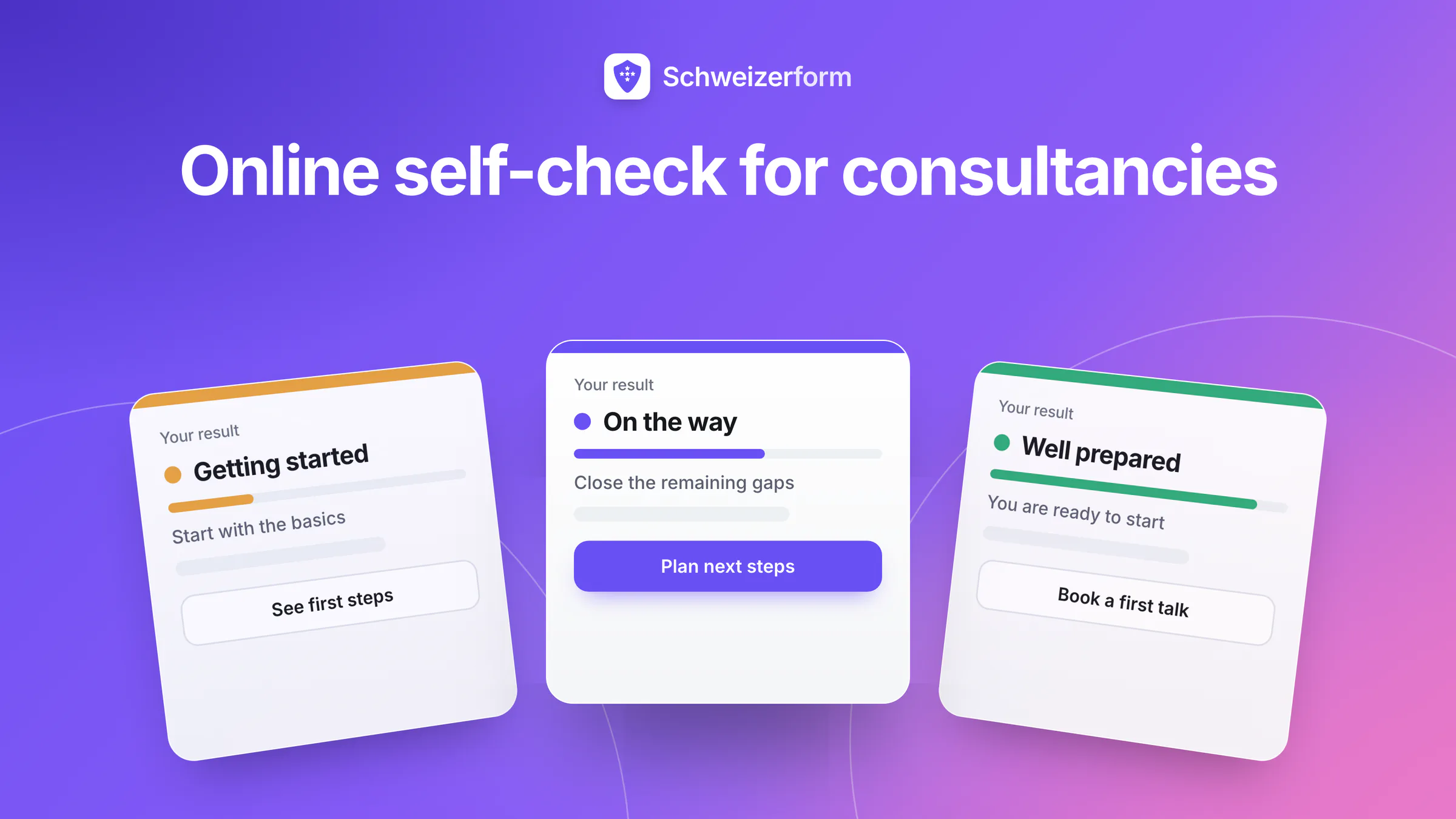
By default the bands are Low 0–49, Medium 50–79 and High 80–100. Rename them in your own words (“Start here”, “On the way”, “Well prepared”). Band colours are available on Pro and Business.
- 4
Write a result page per band
Each page has a message that can show the score, the maximum, the percentage and the band name, up to five links (for example your booking page and one guide), a redirect address if you prefer, and one file up to 10 MB. A page per band is Pro and Business; Free has one result page for everyone.
- 5
Add optional contact fields at the end
Name, e-mail and phone are unscored questions. Make them optional and say in your privacy text what you do with them. On Pro and Business you can switch on saving respondents as contacts.
- 6
Publish on your website
Share the link or a QR code on any plan. Embedding the self-check inside your own website is Pro and Business. The booking link for the first conversation goes on the result pages.
A first version in an afternoon
Start on Free with one template and the single default result page. When the check proves its worth, move to Pro for a tailored page and colour per band and for the embed on your website. The questions you wrote carry over unchanged.
Where Consultancies Use Assessments: Eight Self-Checks
nDSG readiness check
For data-protection advisers. Ten questions on the basics: is there a record of processing activities (Art. 12 nFADP), who answers requests for information, would the firm recognise a data breach and know when to notify the FDPIC (Art. 24 nFADP), are processor agreements in place (Art. 9 nFADP), is the privacy notice current? The “nDSG readiness” template is a starting point. The result is an orientation, not a legal audit, and the band text should say so.
IT-security basics
For IT-security advisers. Questions on tested backups, update routines, a password manager, a second sign-in step for e-mail, who holds administrator rights, and what happens when a laptop is lost. Points per option make the difference between “we do this weekly” and “we meant to”. The High band can point to a deeper review, the Low band to three concrete first steps.
Succession readiness
For succession planners and fiduciaries. Is a successor identified, how dependent is the firm on its owner, are shareholder agreements and key documents in order, is there a timeline? Owners rarely discuss this openly, so an anonymous-feeling self-check on your website lowers the first step. The Low band result page links straight to your booking page.
Pension gap awareness check
For pension planners. Keep it to awareness, not amounts: does the person know their pension fund's options, have they looked at their 3rd pillar, do they have a retirement date in mind? The bands say what is worth looking at next, never which product to buy. It is information, not advice, and every band text should say that. If your advice falls under the rules for financial services, have your compliance lead check the wording.
Energy check for SMEs
For energy and sustainability advisers. Does the company know its consumption, how old is the heating, is the roof suitable for solar, has anyone looked at the support programmes of the canton? The score ranks readiness for a closer look, it does not calculate savings. Each band can offer a different next step, from a free guide you attach as a file to a site visit through your booking page.
ISO-readiness pre-check
For quality-management consultants. Is the scope defined, are core processes written down, has an internal audit been done, does management review the results, how are corrective actions tracked? It is your pre-check for your client ahead of a certification audit. Schweizerform holds no ISO certificate and the result says nothing about certification; make that clear in the band texts.
HR health check
For HR and organisation consultants. Are job descriptions current, is onboarding documented, do appraisal conversations happen, how are absences and working time handled, who leads whom? The check is about the organisation, not the health of individuals, and is filled in by the owner or the HR lead. Three bands map neatly onto three offers: a workshop, a short review, a full engagement.
Client-satisfaction pulse with scoring
For any firm with existing clients. Star ratings, number scales and smileys can carry points, so a short pulse after a project produces one score and a band. Send a plain link; on Pro and Business you can also protect it with an unlock code or send personalised links, but with a personalised link each answer is tied to a person; decide upfront whether the pulse is anonymous and tell clients which it is.
Designing a Score and Three Bands That Hold Up
A self-check is only as good as its scoring. Write the three advice texts first, then work backwards to the questions that decide which text a visitor receives. Keep the maximum score simple: Schweizerform adds it up for you, so you only choose the points per option.
| Band | What it means | The result page says | Next step offered |
|---|---|---|---|
| Low | Basics are missing or unclear | Three things to fix first, in plain words | Booking link for a first conversation |
| Medium | A base exists with gaps | What is in place, what to close next | A guide file and a booking link |
| High | Well prepared | What to keep up and where to look deeper | Optional review or a regular check |
- Give every answer option its own points, so “not sure” is not the same as “no”.
- Test the check with three people from your usual clientele and read where their scores land.
- If everybody falls into one band, move the band limits or sharpen the questions.
- Re-read each band text after every change to the questions.
The AI draft needs your review
The AI draft writes questions, answers, three bands and an optional pass mark from your description. It cannot know your method. You are told to check every correct answer and point value before publishing, and that check is the real work. A free-text question is never scored by the AI.
Who Sees What: What Is Encrypted and What Is Not
Scoring runs in the respondent's browser. The result is stored inside the encrypted answers, so the server never sees a score. Some parts must stay readable, though, and you should know which.
| Data | State | Who can read it |
|---|---|---|
| Answers, including optional contact fields | Encrypted in the respondent's browser | Only holders of your Vault key |
| Score, band and points per question | Stored inside the encrypted answers | Only holders of your Vault key; the server never sees a score |
| Questions, band texts and band files | Readable by the server, loaded into the visitor's browser with the form | We, and anyone with the link |
| Correct answers and points | Part of the form that loads in the browser | A technical visitor who inspects the page |
| Band redirect address | Opens in the visitor's browser after the result | The target website learns which band was reached |
| Confirmation e-mail (Pro, Business) | Title and reference only, never the score; the address is not stored on the form | The visitor and our e-mail provider |
| Contacts saved from responses (Pro, Business) | Names, e-mails and notes encrypted under your Vault key | Only holders of your Vault key; the server sees counts and one blinded value per e-mail |
| Booking made from a result page | What the client writes is encrypted; time, service and staff name are not | The server can read the time and the service name |
Be honest with your visitors
The answer key travels to the browser with the form, so this is a tool for self-checks and orientation, not for exams, and we never call it tamper-proof. A band redirect tells the target page the result; use a neutral page or the built-in result page if that matters. Give the booking service a neutral name if the service title itself would reveal the weakness.
Features That Matter for Consultancies
- Scored questions, bands and one result page on Free: 15 questions per form, 3 forms in total (forms, assessments, collections and booking pages share this pool), 100 responses per month.
- A result page per band (Pro, Business): message with score, percentage and band, up to five links, a redirect address and one file per band, plus band colours.
- Embedding on your website (Pro, Business): inline, popup or floating button, with an optional allow-list of up to 20 websites; answers stay encrypted inside the frame.
- Booking link for the first conversation: the Appointments module has booking pages with a link, QR code and embed. Staff profiles: Free 1, Pro 1, Business 25.
- Optional contact fields and saving respondents as contacts (Pro, Business): off by default, filled when you unlock with your Vault key. Contacts: Free 5, Pro 100, Business 2,500.
- Results in your browser after unlock: band split, score histogram, average score and per-question view; CSV export on every plan with score, maximum, percentage and band; Excel, JSON and ZIP on Pro and Business.
- Confirmation e-mail to the respondent (Pro, Business): carries title and reference, never the score or the answers.
- Four languages and templates: English, German, French and Italian, 13 in-app templates and the AI draft; Pro allows 1,000 responses per month, Business 10,000.
What Consultancies Ask
Can I send the results into my CRM or a newsletter?
No. Schweizerform has no CRM, no pipelines, no integrations, no webhooks and no newsletters or marketing automation. You read the responses with your Vault key, export a CSV, or let respondents be saved as contacts, and you follow up from your own mail program. Follow-up needs a legal basis: mass advertising by e-mail is regulated by Art. 3 para. 1 lit. o of the Unfair Competition Act (UCA), which as a rule asks for prior consent and an easy way to opt out. A completed self-check does not automatically count as consent to a newsletter. Check your wording with a specialist.
Does the visitor get a report, and can I benchmark respondents?
There is no report written automatically for each visitor. The visitor sees the band page you wrote and may download the file you attached to it. On Pro and Business you can also switch on the respondent copy: the visitor downloads a PDF of their own answers with their score and result, made in their own browser, so it never reaches us. There is no benchmarking across respondents on the server, because the server never sees a score. In your browser, after unlock, you see the distribution of your own respondents (the latest 2,000 responses), not market averages.
Is the score private on the visitor's side?
The visitor sees their own result, of course. Beyond that: a band redirect address tells its target page which band was reached, the confirmation e-mail never carries the score, and the answer key is visible to anyone who looks inside the page. Treat the result as an orientation, not as proof of anything.
Which legal basis do I need to follow up with a visitor?
Say in the privacy text for the self-check what you collect, why, and how the visitor can ask for deletion; use the data for that purpose, as Art. 6 nFADP expects. If you switch on saving respondents as contacts, the public form shows no notice by itself, so the notice is your job. For marketing messages, see the UCA point above. See also our nFADP checklist for forms.
Does professional secrecy apply to my firm?
Art. 321 SCC lists the professions it covers, and the list is closed: lawyers and auditors bound to secrecy under the Code of Obligations are on it, fiduciaries and most other advisers are not. A self-check usually happens before a mandate exists, but the duty of discretion towards clients and contractual confidentiality still count. Ask only what you need, and read our piece on professional secrecy and online forms. Check with your professional association if unsure.
What does Schweizerform not do?
No payments or deposits, no certificates or diplomas, no proctoring, no e-signature, no personality or type outcomes (only scores and bands), no SMS, no public API, no integrations. It is not for high-stakes exams and it does not claim to be cheat-proof. It also does not replace your professional judgement: the band texts are yours.
Getting Started With Your First Self-Check
- 1
Pick one problem and one audience
“Is our firm ready for the revised data protection act?” for owners of small companies is better than a general business check. One self-check, one promise.
- 2
Start from a template or the AI draft
Open Assessments, choose a template or describe the check to the AI, then go through every question and point value yourself.
- 3
Write three band pages and set the booking link
Give each band a message, one useful link or file and a next step. Create a booking page for the first conversation and link it from the pages.
- 4
Add your privacy text and optional contact fields
Say what you collect and why. Keep the contact fields optional so the check works for people who do not want to leave details.
- 5
Test with three people, then publish
Ask three people to take it, read their results, adjust the limits. Then share the link or QR code or, on Pro and Business, embed the check on your website.
From Anonymous Visitor to an Informed First Call
A self-check does not close a mandate; it makes the first conversation better. The visitor arrives knowing roughly where they stand, you arrive knowing which topic to start with, and neither side spends the first twenty minutes on a questionnaire. For a small firm without a marketing team that is a good trade.
The condition is trust. Prospects who describe their weaknesses are handing you something delicate. With Schweizerform the answers and the score are encrypted in their browser and readable only with your Vault key, a promise you can repeat on the page, and the places where it stops are listed above.
Start on Free
Build one self-check on the Free plan from a template and read what your first visitors score. See how self-assessments qualify leads, how scoring works, how to put a booking page on your website, and how other advisers work in coaching and counselling or freelancer and agency onboarding. Plans are on the pricing page; the security model is on the security page. For vendor questionnaires see B2B due diligence forms.
Disclaimer
This page is general information and marketing content, not legal, data-protection, tax, financial or professional advice. It simplifies the nFADP, the Swiss Criminal Code (Art. 321 SCC), the Federal Act against Unfair Competition (UCA, Art. 3 para. 1 lit. o) and the rules for financial services. Responsibility for the self-check, its questions, its band texts and your handling of respondent data stays with your organisation. Consult a qualified professional before relying on this page for a decision.