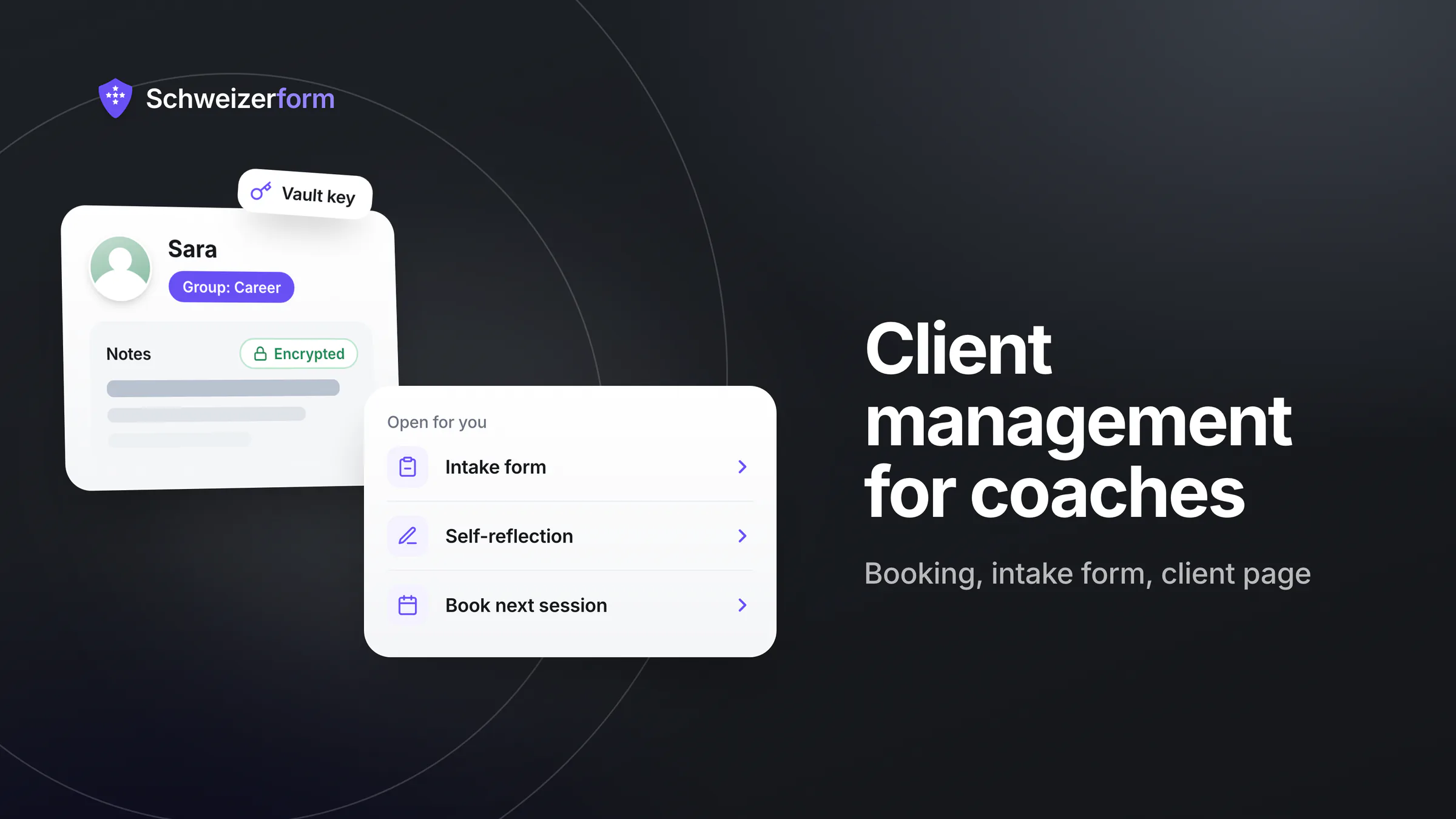
A coach or counsellor in Switzerland usually works alone. You answer discovery-call requests, send the intake questionnaire as an attachment, chase the CV by e-mail and keep session notes in a notebook. That works with five clients and becomes unmanageable with twenty. And the information involved — a career crisis, a conflict with an employer, a separation, a burnout — is exactly what people tell you because they trust you to keep it to yourself. Client management for coaches therefore has two jobs at once: keep your practice organised, and keep what clients tell you out of other people's systems.
Schweizerform covers the client-facing part of that workflow with four modules: a booking page for discovery calls and sessions, forms for the intake questionnaire and the final feedback, a scored self-reflection as a conversation starter, and a document request for a CV or certificates. Contacts ties them together with an address book and, for each client, one personal page that shows only what is still open. What clients write and upload is encrypted in their browser; only your Vault key opens it. This page shows how that fits a one-person practice, what is encrypted and what is not, and what Schweizerform does not do.
Who this page is for
Self-employed coaches, career and life counsellors, supervisors, parenting advisers and mediators who work alone or with a few colleagues and want one tidy, confidential way to take on clients — no office staff, no CRM project. If you are a psychotherapist or psychologist, read forms for therapy and mental-health practices instead; this page is about work that is not a regulated clinical treatment.
Why Client Data in Coaching Is More Sensitive Than It Looks
Nobody books a coach about something trivial. Even a session on «next career steps» reveals dissatisfaction with an employer, a health limit or a family situation — and these facts end up in calendar entries, e-mail threads and notes. The Swiss Federal Act on Data Protection (nFADP) treats health data as particularly sensitive personal data (Art. 5 let. c), and coaching conversations brush against it. Where client information typically lives today:
- Your e-mail inbox — every intake answer, CV and scheduling exchange, on every device that syncs it
- A shared calendar — client names, topics and times, visible to the provider and everyone you share it with
- Attachments and download folders — CVs with date of birth, photo and home address
- A notes file or notebook — the most candid text of all, rarely protected beyond a device password
- Messaging apps — rescheduling and personal details in a chat on several phones
- A spreadsheet of clients — often without any deletion routine
None of this is unusual or illegal as such. But each place is a copy you must be able to explain, protect and delete when the mandate ends. Fewer copies, readable by fewer parties, is the simplest data-protection measure a solo practice can take. The background is in client contact data under the nFADP.
Not Art. 321 SCC — but not «anything goes» either
Coaches, career and life counsellors, supervisors and parenting advisers — and mediators who do not also practise as lawyers or psychologists — are, as a rule, not on the closed list of professions in Art. 321 of the Swiss Criminal Code (SCC). Psychologists and nutritional advisers (dieticians) are on it; see professional secrecy and online forms. For most coaching work, confidentiality therefore rests on your contract (as a rule a mandate under Art. 394 ff. of the Code of Obligations, with a duty of diligence and loyalty under Art. 398 CO) and on the nFADP — and possibly on Art. 62 nFADP, which makes it an offence to intentionally disclose secret personal data learned in a profession that requires knowing such data. Check with your association or a lawyer whether that applies to your offer.
How the Client Journey Works With Schweizerform
Use all of it or only the parts you need — a booking page alone is already useful.
- 1
A prospect books a discovery call
The person opens your booking link or the page embedded on your website (embedding is Pro), picks a free time and writes a few words. Name, e-mail, phone and message are encrypted in their browser.
- 2
They fill in an intake form
Your reply points to a short questionnaire: contact details, goal, consent to your terms. The answers are encrypted before they leave the client's device.
- 3
You open both with your Vault key
In Appointments and the inbox you read the booking and the answers in your own browser and add the person to Contacts. If they become a client, you give them a personal link.
- 4
The client page collects what is open
One link per client shows the next appointment, an open self-reflection, the CV request and the feedback form — and nothing the client has already submitted. No account, no password.
- 5
Sessions happen; you keep short notes
After each session you add a note to the contact (Pro) and, where useful, send a follow-up form or a new document request.
- 6
The mandate ends; you clean up
A feedback form closes the loop. When the mandate is over you revoke the client page and delete the contact, with or without their responses.
Monday morning in one place
The Dashboard opens with a «Needs you» section: booking requests waiting for your confirmation, documents that are due, new responses. It shows counts and form names, never a client's name or answer.
Client Management for Coaches: Where Schweizerform Fits
Discovery call and session booking
A booking page with two services — a short discovery call and a 60-minute session — is enough to start; the in-app templates include a coaching page. One staff profile (yours, with weekly hours and buffers) is included on every plan. On Pro and Business, closed days cover your holidays, «I confirm each request» (a setting for the whole booking page) lets you vet every request before it is booked, and clients can opt in to e-mail confirmations and reminders. A private calendar link (.ics) feeds your own calendar app, one way only. See online appointment booking for Swiss SMEs. Two cautions: the time and the service name are readable by the server, so give delicate services a neutral name such as «Session»; and the «online» location is only a link you type — there are no video calls.
Intake form before the first session
A short form the client fills in at home saves the first twenty minutes of a session. Ask what you need and nothing more: contact details, the goal, the situation in a few lines, preferred language. A consent question (every plan) lets the client accept your terms; it records a click and a timestamp, not a legal signature. Leave out what you will not use: asking for diagnoses «just in case» creates data you must then protect and delete. The practical side of onboarding is covered in digital client onboarding for Swiss SMEs.
One client page instead of a portal
From a contact card (Pro) you create a client page: one personal link that lists what is open for that person — the next appointment, a form, a self-reflection, a document request with its progress («1 / 2 received»). The client needs no account and no password; the secret sits after the «#» in the link, which browsers do not send to the server. The page follows the contact's language, expires after 90 days unless you choose otherwise, and can be revoked at once. You send the link from your own mail program. Treat it like a key: whoever holds it sees what is open, including file names of a document request. See a client page instead of a portal.
A scored self-reflection as a conversation starter
An assessment with points per option can turn a vague «I feel stuck» into something to talk about: ten statements on work, energy and values, a score in three bands and a result message (every plan has one default result page; a separate page per band is Pro). The client brings the result to the session; you read the answers with your Vault key. Be clear that this is a reflection aid, not an exam and not a diagnosis — there are no validated psychometrics. The score is calculated in the client's browser and stored inside the encrypted answers, so the server never sees it. For the same idea as a website lead tool, see a self-check for consulting.
CV and documents in career coaching
Career counsellors can create a document request with items such as «CV», «Last two references» and «Job advertisement you are interested in», send it as one personal link and see «2 / 3 received» at a glance. File contents and original file names are encrypted in the client's browser; item names, due date and number of visits are readable by the server. It works on every plan (three requests per collection on Free); reminders and ZIP export need Pro. A CV carries birth date, photo and address, so this beats an inbox attachment — see collecting client documents securely. It is not a document archive: download what you need and delete the rest.
Short session notes and groups in Contacts
The address book keeps name, e-mail, phone, language and up to twenty custom fields per contact, plus groups such as «Career» or «Waiting list»; groups and CSV import and export are on every plan. Notes — up to 50 per contact, 2,000 characters each — are Pro. Everything is encrypted in your browser under your Vault key. Use notes for what you need next time («agreed: two applications by 30 November»), not as a full case record.
Mediation and supervision: one matter, several people
A mediator or supervisor often works with two or more people in one matter. Give each person their own contact and client page, and collect them in a group named after the matter. Each page shows only that person's open items. Contacts is not a case-management system: there is no shared case file, and anyone you add to a workspace can read the whole address book.
Feedback form at the end
When a mandate ends, send a feedback form: a few rating or smiley questions, one open question, and the choice to give a name or not. It is a normal form on every plan, encrypted like any other. Do not turn feedback into a public testimonial without asking separately and in writing.
Who Sees What: What Is Encrypted and What Is Not
We can see the questions you ask, never the answers people give. For a coaching practice, that means:
| What | How it is protected | What the server can still read |
|---|---|---|
| Answers on the intake form | Encrypted in the client's browser; only your Vault key opens them | The questions you wrote |
| Booking: name, e-mail, phone, message | Encrypted in the client's browser | Nothing of what the client wrote |
| Booking: time, service name, staff name, status | Not end-to-end encrypted | All of it — slots, calendar and e-mails need it |
| Self-reflection: answers, score, band | Encrypted; the score is calculated in the client's browser | No score; the points per option ship with the form, so a technical client could read them |
| CV and other files, original file names | Encrypted in the client's browser | Item names, due date and number of visits |
| Address book: names, e-mails, phones, notes, groups | Encrypted in your browser under the Vault key | That a book exists, how many contacts it holds, one hash per e-mail address |
| Client page: what is open | Encrypted under a secret that stays in the link | Expiry and revoked state; whoever holds the link sees what is open |
| Optional e-mail address for booking reminders | Stored readable, deleted one day after the appointment | The address, briefly; the mail provider keeps delivery logs for up to 90 days |
A booking is not fully end-to-end encrypted
What the client writes is encrypted; the time and the service are not. If the fact that someone sees a coach is itself sensitive, name the service neutrally and hide it in mails and calendar feeds. A leaked client-page link is not harmless either. Say this plainly in your privacy notice.
Features That Matter in a One-Person Practice
- Booking page with services, buffers, weekly hours and Swiss time — every plan; one staff profile on Free and Pro, up to 25 on Business
- Closed days, «I confirm each request» and e-mail confirmations and reminders for clients — Pro and Business
- Intake and feedback forms with consent question and Swiss address question — every plan
- Assessments with points, pass mark or score bands and one result page — every plan; a result page per band, band colours and a time limit — Pro and Business
- Document requests with one personal link per client — every plan; reminders and sample files — Pro and Business
- Contacts with groups and CSV import and export — every plan; notes and client page — Pro and Business
- Respondents saved automatically as contacts (off by default) — Pro and Business; invitations sent through Schweizerform, for links without secrets — Business only
- Erase a person: delete the contact, deactivate their links, or delete the contact together with all their responses — a practical basis for an nFADP erasure request
| Limit | Free | Pro | Business |
|---|---|---|---|
| Forms, assessments, collections and booking pages (one shared pool) | 3 | 50 | Unlimited |
| Responses per month | 100 | 1,000 | 10,000 |
| Contacts | 5 | 100 | 2,500 |
| Contact notes and client page | No | Yes | Yes |
| Staff profiles on a booking page | 1 | 1 | 25 |
| E-mail confirmations and reminders for bookings | No | Yes | Yes |
| Document requests per collection | 3 | 50 | 500 |
| Send invitations through Schweizerform | No | No | Yes |
A complete workflow — booking page, intake form, self-reflection, CV request and feedback form — is five items against a Free pool of three, and the client page needs Pro. On Free you can run a booking page and an intake form with five contacts and see whether the approach suits you; for the full journey, plan on Pro. Details are on the pricing page.
What Coaches and Counsellors Ask
Are we bound by professional secrecy, and does Schweizerform change that?
Most coaches are not on the Art. 321 SCC list, so there is no criminal professional secrecy as such; you owe confidentiality by contract and by data-protection law, and possibly under Art. 62 nFADP. What Schweizerform changes is practical: because answers, files and your address book are encrypted with a key we never hold, «the provider cannot read it» becomes a concrete sentence you can put in your contract and privacy notice. It does not replace your own promise of confidentiality. Word it carefully: encrypted submissions are stored in Switzerland, times and service names are readable, and e-mails go out through a European e-mail provider (servers in the EU/EEA), not in Switzerland.
Can I keep my session notes in it?
Short working notes, yes (Pro). A full session record, no: a contact holds up to 50 notes of 2,000 characters, note authors are not authenticated, and a former workspace member who saved the book key can still read what they could read before — the remove dialog says so. If you have documentation duties, keep that record in the system your association prescribes.
Is a self-reflection an exam or a diagnosis?
Neither. It is a set of questions with points that produces a score and a band. The points travel to the browser with the form, so it is unsuitable for exams or selection decisions, and not for assessing health or psychological conditions. The questions are yours, and so is the responsibility for their wording and interpretation.
What does Schweizerform not do?
Schweizerform does not do the following, on any plan:
- No invoicing and no payments or deposits — keep your invoicing and QR-bill software
- No video calls — the online location is a text or link you type, for your own video tool
- No newsletters or bulk marketing e-mail to contacts — an invitation is one personal link to one person
- No CRM pipelines, deals or tasks — Contacts is an address book with groups and notes
- No Google or Outlook calendar sync — only a private one-way calendar link
- No e-signature, no group bookings and no SMS reminders
What if a client asks me to delete everything?
In Contacts you choose between deleting the contact, deleting it and deactivating its links, or deleting it together with all responses; the last option is meant for erasure requests (admin and above in a workspace, the owner in a personal account). Retention duties that apply to your own records are a separate question — see how long to keep form data. Automatic deletion after a set number of days exists only for plain forms on Business; bookings, document requests and self-reflections you delete by hand, one by one or in bulk.
Getting Started in One Afternoon
- 1
Create your account and Vault key
Sign up and set your Vault key; keep it where you keep important papers. It opens everything your clients send.
- 2
Build the booking page from the coaching template
Rename the services, set your weekly hours and, on Pro, add closed days. Give delicate services a neutral name.
- 3
Write a short intake form
Ask only for what you will use, and add a consent question that links to your privacy notice.
- 4
Add your first clients to Contacts
Import a CSV or add contacts by hand, and create one group per programme or matter.
- 5
Send the first personal link
Create a client page (Pro) or send a form link from the contact card through your own mail program, then open it yourself to see what the client sees.
A Calm Practice Starts With Fewer Copies
Coaching and counselling run on trust, and trust is easier to keep when client information lives in few places. A booking page, an intake form, a client page and an address book that only your Vault key opens replace a scatter of attachments, chats and spreadsheets — without accounts for your clients to manage.
Schweizerform does not turn a coaching practice into a clinical one. It does one thing carefully: what your clients write and upload stays unreadable to us, and you can say so with a clear conscience, within the limits described above.
Start on Free
Build a booking page and an intake form, add your first five contacts and try the flow with a friendly first client. When you want the client page, notes and the full journey, Pro covers them. See the features, the security overview and, for a neighbouring practice, client onboarding for freelancers and agencies.
Disclaimer
This page is general information and marketing content, not legal, data-protection, tax or professional advice. It simplifies the Swiss Federal Act on Data Protection (nFADP), the Code of Obligations (CO) and the Swiss Criminal Code (SCC), including Art. 321 SCC. Whether professional secrecy, a code of conduct or documentation duties apply to your work depends on your profession and your canton or association. Responsibility for lawful use stays with your organisation; consult a qualified professional, a lawyer or your association.