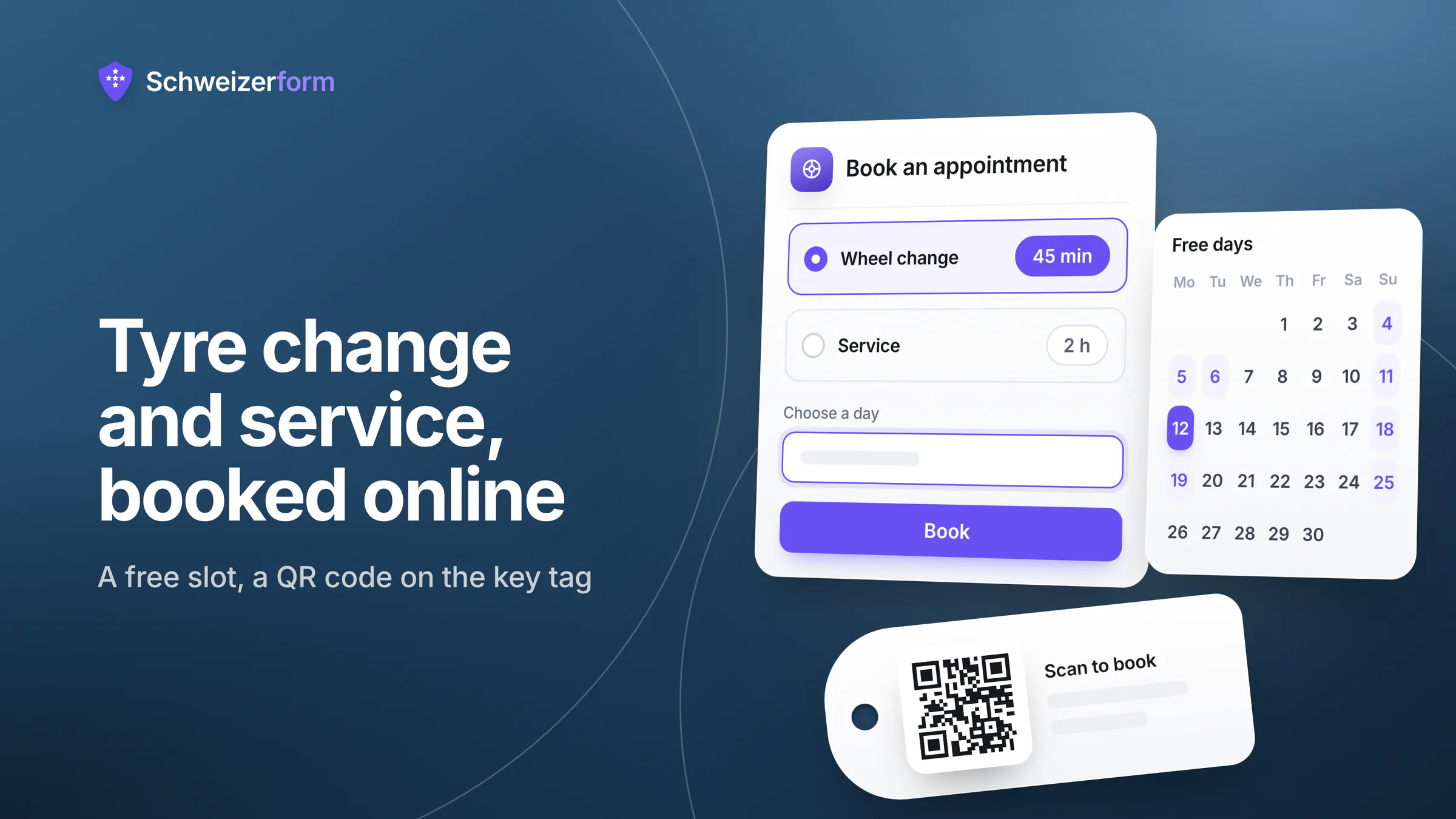
It is the first cold week of October and the phone in your workshop does not stop. «Can you do my wheels on Saturday?» «Do you still have my tyres?» «Is a Tuesday morning free?» Garage online appointment booking for the tyre change takes these calls off the phone: customers pick a service and a free time on a booking page, and you answer only what needs a mechanic. The same page handles the service, the preparation for the MFK (the periodic vehicle inspection) and the quick diagnosis for the rest of the year.
A garage does not hold health data, but it does hold a name, a phone number, a number plate and a make and model, and together they point at one person. This page shows how an independent garage, tyre shop or two-wheel workshop can set up booking, a damage report and a request for the vehicle registration with Schweizerform, which details are encrypted in the customer's browser and which ones the system has to read to do its job. It is the booking and intake layer next to your workshop software, not a replacement for it.
Who this page is for
Owners and workshop managers of independent garages, tyre shops and motorcycle or bicycle workshops in Switzerland with one to a few mechanics. For the general picture of online booking read online appointment booking for Swiss SMEs; for a very different booking context see municipality counter appointments.
Why the tyre-change season overloads the phone, and what data it creates
Twice a year a small garage faces the same wall: the first cold snap in autumn and the first warm weeks in spring. Many people follow the rule of thumb «O bis O», October to Easter, for winter tyres. It is a rule of thumb, not a legal winter-tyre obligation: Switzerland has no general duty to fit winter tyres on a given date. The general rules still apply that a vehicle must be roadworthy and that drivers must adapt to the conditions, and what that means after a snowfall is a question for the road-traffic rules and your insurer. Customers hear the rule of thumb, remember it all at once and call all at once.
- Who the customer is: name, phone number, e-mail address.
- Which vehicle: number plate (Kontrollschild), make, model, sometimes the chassis number from the registration.
- What is stored with you: a set of winter wheels in your tyre hotel says which car the person drives and that they come back in spring.
- When they come and what for: service dates, MFK preparation, repeat visits.
- Photos and papers: a damage photo, a copy of the vehicle registration (Fahrzeugausweis).
None of this is sensitive in the sense of health data, but it is ordinary personal data under the nFADP (Art. 5): a number plate in your hands links to a keeper. The data-protection load is modest but real. You are expected to collect only what you need (Art. 6), to tell people what you do with it (Art. 19) and to keep it reasonably secure (Art. 8). A booking form that asks for the plate and the make is fine; a form that also asks for the date of birth is not necessary for a wheel change.
Keep service names plain and short
The booking system can read the appointment time, the service name and the staff name; they are needed for free slots, calendar and e-mails. Name services «Wheel change» or «Service», not «Warning light and strange noise from the engine». Details belong in the encrypted questions.
How online booking works with Schweizerform in a workshop
The Appointments module gives your workshop a booking page. Customers need no account. What they type into the booking questions is encrypted in their browser before it leaves the page, and only your Vault key opens it. The appointment time and the service are what the system needs to offer free slots, prevent double bookings and send reminders, so those stay readable by the server.
- 1
List your services with realistic durations
Create «Wheel change», «Wheel change with storage», «Service», «MFK preparation», «Diagnosis» and «Windscreen». Give each a duration (5 to 480 minutes) and a buffer before and after (up to 120 minutes).
- 2
Set the hours and the rules
Enter the weekly hours, up to five ranges per weekday, for example with a lunch break. Choose the slot step (15, 30 or 60 minutes), the minimum notice and how far ahead customers may book.
- 3
Add the booking questions
Number plate, make and model, «Are your tyres stored with us?», «Do you need a courtesy car?» and a free line for remarks. All answers are encrypted.
- 4
Publish and share
Put the link on your website, the QR code on the invoice and the key tag, and on the letter you send before the season. Embedding the booking page in your own website is available on Pro and Business.
- 5
Run the day
Bookings appear in your calendar. After you unlock your Vault key you see the names; locked, you see times, services and status only. Add phone bookings by hand so one calendar shows everything.
A one-person workshop can start on Free: one staff profile, one booking page, encrypted questions, a QR code and a private calendar link. Confirmation and reminder e-mails, the mode where you confirm each request and closed days need Pro or Business.
Where garages and workshops use Schweizerform
Wheel change in autumn and spring
The core use. Offer the wheel change as a service with a duration that matches your real speed, a buffer that covers the next car being driven in, and a slot step that fits the day. Minimum notice stops a booking for «in ten minutes». Opening hours run in Swiss time with daylight saving handled. The table gives starting points only; measure your own times for a few weeks and adjust.
| Service | Starting duration | Buffer | Note |
|---|---|---|---|
| Wheel change, own wheels | 30 to 45 min | 10 min | Customer brings the mounted set. |
| Wheel change with storage | 45 to 60 min | 10 to 15 min | Take off, store, hand over the other set. |
| Service | 90 to 180 min | 15 min | Drop-off; longer jobs fit up to 8 hours. |
| MFK preparation | 60 to 120 min | 15 min | Check before the periodic vehicle inspection. |
| Diagnosis | 30 to 60 min | 10 min | Fault reading and a first assessment. |
| Windscreen | 60 to 120 min | 15 min | Replacement or repair appointment. |
Questions at booking: plate, vehicle, stored tyres, courtesy car
Four short questions save the call-back. The number plate and the make and model let you prepare the right tyre size or the right adapter. «Are your tyres stored with us?» tells you whether to fetch a set from the shelf. «Do you need a courtesy car?» is a question, not a reservation: Schweizerform has no resources such as courtesy cars, so you see the wish and confirm it by phone or reply. All answers are encrypted in the customer's browser. Ask for nothing you do not need for the job; good contact form design explains why short forms get finished.
One mechanic or several: what the plan means
Schweizerform books people, not equipment: there are no lifts, lanes, bays or other resources in the system, and a time is blocked only for a staff profile. Free and Pro include one staff profile, so one booking at a time, which suits a workshop where one person does the bookable work. If two or three mechanics work in parallel and customers should get whichever is free, you need one profile per mechanic, and that means Business, up to 25 profiles, each with its own hours, absences and blocked time; «Anyone available» then assigns the least busy one. Some workshops name a profile after a lift («Lift 2») as a workaround. That fills slots, but it stays a staff profile: its name appears in e-mails and calendar links, and the system does not know whether the lift is free or out of service. Keep that overview yourself.
Service, MFK preparation and diagnosis
Longer jobs work as drop-off appointments: the booking blocks the staff profile for the duration you set, up to 480 minutes. A job that takes several days is not one booking; book the drop-off and tell the customer the rest by phone. For the MFK preparation, set the service name to what customers search for and use the encrypted question to ask when the inspection is due. The system does not know the inspection date and does not book the cantonal inspection itself.
Confirmations, reminders and the manage link
On Pro and Business, customers who tick the e-mail option get a confirmation and a reminder 1, 24 or 48 hours before. The subject is generic, the mail shows date, time, service and place, and never the customer's answers. The address is stored readable only for these mails and deleted a day after the appointment. Every booking comes with a private manage link: customers cancel or reschedule until the cut-off you set (24 hours by default), which saves many «can I move it to Friday?» calls. Booking e-mails count against a daily client e-mail limit, 30 on Pro and 1,000 on Business, and a booking can trigger more than one, so a very busy day can use up the Pro limit. There is no SMS reminder.
QR code on the invoice, the key tag and the seasonal letter
The booking page has one address and one QR code. Print it on your invoice, on the key tag you hang on the mirror after a service and on the letter or card you send before the tyre season. The customer scans it and lands on the page in their own language (German, French, Italian or English). You print the letter yourself; Schweizerform is not the channel for a seasonal mailing.
Damage report with photos and the vehicle registration
A normal form can serve as a damage report: what happened, when, where, which insurer, and photos of the damage. Photos are encrypted in the customer's browser before upload; the file upload question in a normal form is available on Pro and Business. For the vehicle registration copy, a document request works on every plan (on Free with up to 3 requests per collection and 100 MB of storage): you list «Vehicle registration, both sides», the customer gets a personal link with a due date, uploads a photo and can come back with the same link. File contents and original file names are encrypted; the item name and due date are readable by the server. Whoever holds the link sees which items are open and the file names, so send it to the customer only.
Winter-tyre storage customers as a contacts group
Contacts is an encrypted address book: names, e-mails and phone numbers are encrypted in the browser under the Vault key. Create a group «Tyre storage» and put the storage customers in it. Groups and CSV import are on every plan; the limit is 5 contacts on Free, 100 on Pro and 2,500 on Business. From the group you can export a mail-merge file (CSV) for your own letter or mail program, or, on Pro and Business, give each customer a client page: one personal link with what is open for them. Sending invitations through Schweizerform is Business only and always generic, with a booking link and an opt-out. It is not a newsletter and not a bulk-mailing tool.
What the workshop sees and what the server can read
Be precise about this, with customers and in your privacy notice. What the customer writes is end-to-end encrypted. The booking itself is not, because the system needs the time and the service to do its job.
| Data | State | Comment |
|---|---|---|
| Name, phone, e-mail, number plate, make and model, remarks | Encrypted in the customer's browser | Only your Vault key opens them. Names show in the calendar after you unlock. |
| Photos, registration copy and their file names | Encrypted | File names live inside the encrypted data; the server sees only random file names. |
| Appointment time and status | Readable by the server | Needed for free slots, double-booking checks, calendar and e-mails. |
| Service name and staff name | Readable by the server | Keep service names plain; a service can show as «Appointment» in e-mails and calendar links. |
| Optional e-mail address for updates | Stored readable, short-lived | Used only for booking e-mails and deleted one day after the appointment. The e-mail provider keeps delivery logs for up to 90 days. |
| Item names and due date of a document request | Readable by the server | Keep item names generic. |
| Contacts: names, e-mails, phones, groups | Encrypted | The server learns little more than that a book exists, how many contacts it holds and when they changed. |
A sentence for your booking page or privacy notice:
What you write in this form (name, contact details, number plate, vehicle, remarks, photos) is encrypted in your browser and can only be read by our workshop. The appointment time and the type of service are visible to the booking system so that it can offer free times and send reminders.
Features that matter for garages and workshops
- Services with durations and buffers: up to 30 services per booking page, 5 to 480 minutes each (every plan).
- Weekly hours with up to five ranges per weekday, absences and blocked time; closed days for holidays and the workshop week off (closed days: Pro and Business).
- Encrypted questions at booking: plate, vehicle, storage, courtesy car; only the Vault key opens the answers (every plan).
- Confirmation and reminder e-mails with a generic subject and no answers inside, only after the customer opts in (Pro and Business).
- Manage link for cancelling and rescheduling until a cut-off you set (every plan).
- One staff profile on Free and Pro, up to 25 on Business, with a private calendar link per profile.
- Link, QR code and website embed for the booking page (embed: Pro and Business).
- Document requests for the registration copy with due dates and accept or upload-again (every plan; reminders and sample files on Pro and Business).
- Contacts: encrypted address book with groups and CSV import and export (5 / 100 / 2,500 contacts); client page on Pro and Business.
What garages ask
«Our customers just call: is this worth it?»
Keep the phone. Plenty of customers will call for years. A booking page replaces the routine calls, not the conversation, and its value is greatest in the two peak seasons: fewer interruptions at the lift and a calendar that fills up without anyone answering. Add by hand the bookings you take by phone so the calendar stays complete.
«We have four lifts: which plan do we need?»
Business, if customers should be booked onto several people in parallel. Free and Pro include one staff profile each; Business includes up to 25. Schweizerform has no lifts as resources, so you create one profile per mechanic (or, as a workaround, per lift) and offer them through «Anyone available». A workshop where one person does the bookable work manages on Pro. Check the current plan details on the pricing page.
«Can we send our tyre-change reminder to all storage customers?»
Not through a bulk mailing from Schweizerform: it has no newsletters. You can export the group as a mail-merge file and send a letter or an e-mail from your own program; for mass e-mail advertising, Swiss unfair-competition law (Art. 3 para. 1 lit. o UWG) requires prior consent, a correct sender and an easy way to refuse, with a narrow exception for existing customers, so check how it applies to your mailing. On Business you can send a generic invitation with the booking link through Schweizerform, with an opt-out link in every message. Printing the QR code on the invoice and key tag reaches customers without any mailing.
«Does it connect to our dealer system, parts or cost estimates?»
No. It does not connect to a dealer-management or workshop system, does not look up parts or tyre sizes, does not calculate cost estimates or quotes, and does not keep a tyre-storage inventory. You see the booking and the answers and carry over what belongs into your own system.
«What does it not do?»
No payments, deposits or cancellation fees through the booking page; no SMS; no group bookings, so a tyre-fitting day with several customers per slot does not fit; no two-way sync with Google or Outlook calendars, only a private one-way calendar link; no rooms, lifts or courtesy cars as bookable resources; no e-signature and no virus scanning of uploaded files. Schweizerform is also not certified: it holds no ISO 27001 certificate.
Getting started in a workshop
- 1
Decide on plain service names
Write them as «Wheel change», «Service», «MFK preparation». Keep complaints and faults out of service names.
- 2
Create the booking page
Add the services with durations and buffers, the weekly hours, closed days (Pro and Business) and the rules.
- 3
Add the questions and the privacy sentence
Plate, make and model, tyre storage, courtesy car. Paste the sentence above and link your privacy notice.
- 4
Set up the registration request and the storage group
A document request for the registration copy; a contacts group for storage customers.
- 5
Test as a customer
Book on your phone with test data, cancel through the manage link, and check which e-mails arrive and what they show.
- 6
Go live before the season
Update your privacy notice. Print the QR code on the invoice, the key tag and the letter, and put the link on your website.
Fewer calls at the lift, the same service
A small workshop does not need a customer portal. It needs a quiet phone in the two busiest weeks, a calendar that cannot be double-booked and customers who arrive with the plate and the tyre question already answered. A booking page with a manage link, a QR code and a few encrypted questions gives you that. If you are still choosing tools, online form tools for Swiss companies compares the options.
The honest edge is the booking itself: its time and service name are readable by the system, so keep names plain. The job card, the parts and the invoice stay in your workshop software, where they belong.
Start on Free with one booking page for the wheel change and test it with a customer you know. Read reminders that reduce no-shows and booking page: link, QR code and embed, and check pricing and security.
Disclaimer: This page is general information and marketing content, not legal, tax or road-traffic advice. References to the nFADP, to the unfair-competition law (UWG) and to the road-traffic rules on winter tyres are simplified and subject to interpretation. Responsibility for customer data and for what you tell customers about tyres remains with your business. Consult a qualified professional, your insurer or the cantonal road-traffic office before relying on any summary here.