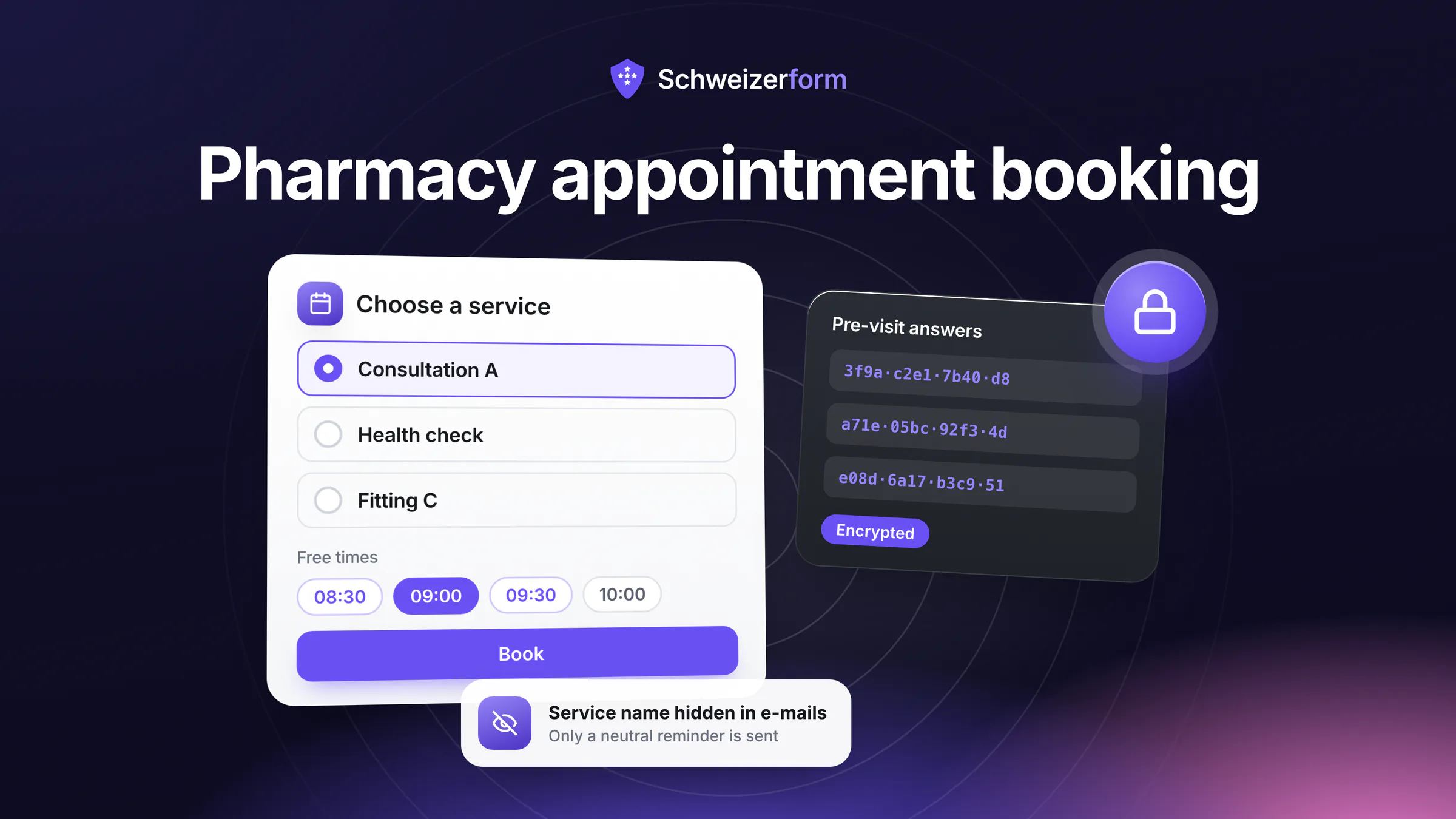
A growing share of what an independent Swiss pharmacy does is no longer the handover of a box at the counter. It is a flu or travel vaccination, a talk about the medicines someone takes every day, a blood-pressure or cholesterol check, a fitting of compression stockings. These services need time, a quiet corner and often a pharmacist who is not serving the queue. Pharmacy appointment booking is how they stop competing with the counter: the client picks a free time, the pharmacy knows who is coming and for how long.
The catch is that the booking itself says something about health. “Tuesday, 14:30, vaccination” is already a fact about a person. Schweizerform's Appointments module lets a client book without an account, encrypts everything the client writes in their own browser, and lets you give services neutral names, because the time and the service name are the part the server must be able to read. This page explains what that means in a pharmacy, honestly, including what the tool does not do.
Who this page is for
Owners, responsible pharmacists, pharmacy managers and drogists of independent Swiss pharmacies and drugstores that offer services by appointment: vaccinations, travel-health and medication consultations, health checks, compression-stocking fitting, medication reviews. It is not a clinical guide and it does not say what you may do in your canton.
Why Pharmacy Appointments Are Health Data
Under the Swiss nFADP, data on health is sensitive personal data (Art. 5 let. c), and that rule is not limited to a diagnosis. A booking for a vaccination, a diabetes check or a medication review tells the reader something about a person's health or treatment. In a pharmacy that information collects in several places at once:
- The booking itself — name, phone, e-mail and the reason for coming, held by a booking tool the pharmacy chose
- The pre-visit questions — age group, allergies, current medicines, whether the vaccination booklet is available
- The vaccination booklet or medication plan — often sent as a phone photo by e-mail or chat
- The reminder and confirmation e-mails — a subject line such as “Your vaccination” sits in a mailbox for years
- The calendar — a shared screen or a printed day sheet behind the counter shows names next to services
Often this is handled with an open booking widget, a shared mailbox and WhatsApp photos. Each of them copies readable health information to systems the pharmacy does not control. The duty to secure the data (Art. 8 nFADP), to inform the people concerned (Art. 19) and to keep health data away from people who do not need it is the pharmacy's own, whatever tool it uses.
Professional secrecy: check what binds you
Pharmacists are named in Art. 321 of the Swiss Criminal Code, and the duty extends to their auxiliary persons, for example pharmacy assistants. Drogists are not named in the article's list. This page does not assess their status, for example when they work in a pharmacy; ask your association. Whether a cloud provider counts as an auxiliary person is contested: the prevailing view says yes, with real duties of care; a serious minority view disagrees. We do not settle that question. The robust position is that the provider never holds readable client answers, which is what the encryption below is for. See the article on professional secrecy and online forms.
Pharmacy Appointment Booking With Schweizerform: How It Works
Appointments is one of four modules next to Forms. A booking page is built once and then shared as a link, a QR code or, on Pro and Business, an embed on your website. Here is the flow for a pharmacy:
- 1
Create a booking page and list the services
Start blank, from a template or with AI. Each service has a name, a duration from 5 to 480 minutes, an optional buffer before and after, and a place. A pharmacy typically has a handful: a vaccination slot, a consultation, a short check, a fitting.
- 2
Set hours, rules and staff
Enter weekly hours per staff profile, the slot step, minimum notice and how far ahead clients may book. Closed days (1 August, Christmas, the day of the staff outing) are Pro and Business; there are no built-in public holidays, you enter them. Free and Pro have one staff profile, Business up to 25.
- 3
Add the pre-appointment questions
A few questions on the booking page, for example age group and whether the vaccination booklet is available. What the client answers, with name, e-mail, phone and message, is encrypted in their browser with the page's public key.
- 4
Share the link, the QR code or the embed
Put the QR code at the counter and on the bag you hand out with the medicines. Link the page from your website, or embed it there on Pro and Business. Clients pick a service, a person or “anyone available”, a day and a time, answer the questions and book. No account.
- 5
Decide on confirmations and reminders
By default bookings confirm themselves. On Pro and Business you can instead confirm each request yourself, and clients who tick the opt-in receive confirmation and reminder e-mails. A client can cancel or reschedule through a private link until the cut-off you set.
- 6
Unlock the Vault key and work from the calendar
In the owner's browser, after unlocking with the Vault key, the calendar shows names and answers. Locked, it shows only times, services, people and status. After the visit you can mark a booking as completed or no-show.
Where Pharmacies Use Schweizerform
The lead module is Appointments. Three other pieces fit a pharmacy well: a form for a longer questionnaire, a document request for a photo, and Contacts for regular clients. On the Free plan, booking pages, forms and document collections share one limit of three.
Vaccinations by appointment
Which vaccinations a pharmacist may give, to whom and under which conditions is set at cantonal level. This page names no canton and no list; the cantonal pharmacist's office or your cantonal pharmacists' association tells you what applies to you. What the booking page does is let you reflect those conditions in practice: a 20-minute service with a buffer for observation and cleaning, a question on age group so that you can decline in advance when a person is outside what you may vaccinate, and a note in the service description about what to bring. The conditions themselves remain your decision.
Travel-health consultations
Travel advice is a longer slot and needs preparation: destination, travel dates, previous vaccinations. Put the destination and dates into the pre-appointment questions, or into a separate encrypted form sent before the visit. The vaccination booklet can be requested as a photo through a document request (see below), so the pharmacist can read it before the client arrives and not at the counter.
Medication consultations and medication reviews
A medication review is a long conversation about everything a person takes. Book it as a 45- or 60-minute service, ask for the current medication plan as a document request, and keep the reason in encrypted answers. The review itself, and anything you record about it, belongs in the pharmacy's own system; Schweizerform only organises the appointment and the intake.
Blood-pressure, blood-sugar and cholesterol checks
Short checks fit short services, ten to fifteen minutes with a buffer. Slots at the quiet hours of your day keep them away from the counter peak. The result of a check is not stored in Schweizerform: you hand it to the client on paper or in your own system. After the visit you can mark the booking as completed or no-show; that mark is encrypted in your browser.
Compression-stocking fitting
Fitting needs measuring, trying and sometimes ordering, and it is easier with the right person and a calm moment. A dedicated service with its own duration tells clients what to expect, and a pre-appointment question about the prescription saves a repeat visit. Which staff members offer which service is set per service.
Several pharmacists on one calendar (Business)
With several pharmacists, Business gives each a profile with own hours and absences, and clients can pick a person or “anyone available”, which assigns the least busy one. One calendar shows everyone, and each person can have a private one-way .ics calendar link. Only people are bookable: rooms and equipment are not a separate resource. There is no two-way sync with Google or Outlook.
Regular clients, Contacts and the client page
Contacts is an encrypted address book (Free 5, Pro 100, Business 2,500 contacts) with groups on every plan, and notes plus the client page on Pro and Business. The client page is one personal link showing what is still open for that person, such as a document request or a booking made from that page, with no account and no password. On Business you can send a plain booking link to a contact through Schweizerform; a link that carries a secret, such as a document request or a client page, goes out through your own e-mail program. Contacts is not a patient file: it holds contact details, not medication or vaccination history.
Who Sees What: Encrypted and Readable
The core sentence is: we can see the questions you ask, never the answers people give. In a booking, the line is drawn like this:
| Data | State | Who can read it |
|---|---|---|
| Client name, e-mail, phone, message | Encrypted in the client's browser | Only the pharmacy, after unlocking with the Vault key |
| Answers to the pre-appointment questions | Encrypted in the client's browser | Only the pharmacy, after unlocking |
| Photo of the vaccination booklet (file and file name) | Encrypted in the client's browser | Only the pharmacy, after unlocking |
| Outcome (completed / no-show) | Encrypted in your browser | Only the pharmacy, after unlocking |
| Appointment time and status | Readable on the server | The server needs them for slots, the calendar and e-mails |
| Service name | Readable on the server | Use a neutral name or hide it in e-mails and calendar feeds |
| Staff name | Readable on the server | Needed for the calendar and e-mails |
| Question wording and document item names | Readable on the server | We see the questions you ask; keep them generic |
| Client e-mail for updates (only with the client's opt-in) | Stored readable, short-lived | Deleted one day after the appointment |
| Reminder and confirmation e-mails | Generic subject, no answers inside | Contain business name, time, service (or “Appointment”), person, place |
| Calendar links (.ics) | Service, time, place, status | No client names, no answers, no staff names |
| Contacts and notes | Encrypted in your browser | Only the pharmacy, after unlocking |
A booking is not fully end-to-end encrypted
What the client writes is encrypted; the time and the service are not. If the service name itself reveals something, for example the name of a vaccination, anyone who can read the server's data, or an e-mail, can read it. So name services “Consultation A” and “Check B”, or switch on “Hide the service name in e-mails and calendar links”, which then shows “Appointment”. The real reason for the visit goes into the encrypted answers. Encrypted submissions are stored in Switzerland; e-mail is sent through a European e-mail provider (servers in the EU/EEA), not in Switzerland.
Features That Matter in a Pharmacy
These are the parts that decide whether the tool fits a pharmacy day. Plan names are exact; nothing paid is on Free by implication.
- Services with durations and buffers — up to 30 services per booking page, 5 to 480 minutes, with a buffer before and after (all plans)
- Opening hours and rules — weekly hours per staff profile, slot step, minimum notice, booking horizon, cancellation cut-off (all plans)
- Closed days — public holidays, staff outings, Christmas (Pro and Business)
- Pre-appointment questions — encrypted in the browser, for example age group or booklet available (all plans; 15 questions per form on Free, 100 on Pro)
- QR code and link — counter, receipt bag, window poster; website embed on Pro and Business
- Confirmations, reminders and “I confirm each request” — Pro and Business; reminders go 1, 24 or 48 hours before and can be up to 30 minutes late; e-mail only if the client opts in
- Staff profiles — one on Free and Pro, up to 25 on Business, with hours, absences and blocked time
- Document request — a personal upload link per client with a due date; up to 3 requests per collection on Free, 50 on Pro, 500 on Business; reminders and sample files on Pro and Business
- Contacts — encrypted address book; notes, client page and auto-saving respondents as contacts on Pro and Business
- Export — the bookings list as CSV on every plan; Excel, JSON, PDF and ZIP exports (for example of a document collection) on Pro and Business
What Pharmacies Ask
“Can the booking tool avoid revealing that someone books a vaccination?”
Partly. The client's own words are encrypted. The service name and the time are not, because slots, double-booking checks, the calendar and e-mails need them. If the service name is neutral, a person reading the server's data or a reminder sees an appointment at a time, not a medical reason. That is minimisation, not invisibility, and the pharmacy decides where the line is.
“Does this make the provider part of our professional secrecy?”
We cannot answer that for you, and the law is not settled. The dominant view treats IT providers as auxiliary persons under Art. 321 SCC; a serious minority view does not. A tool that never holds readable client answers makes the question much smaller, but the service name and time remain readable, which is why neutral naming matters. Ask your association or your cantonal pharmacist's office how they see it.
“What does it not do?”
No stock or vaccine inventory. No billing to insurers or health-insurance tariffs. No electronic patient record (EPD) and no entry into a vaccination record. No payments or deposits. No SMS reminders, only e-mail. No group bookings, no waiting list, no walk-in queue. No two-way sync with Google or Outlook, only a private one-way calendar link. The tool organises appointments and encrypts what clients send; your pharmacy system stays the place for clinical and commercial records.
“We have walk-ins and phone calls too. Does that work?”
Yes, as a complement, not as a queue system. You can add a booking by hand for a client who stands at the counter or phones, and block time for the counter peak. Schweizerform does not manage a live queue or a number-ticket system. You can also keep a fixed block each day free of bookings.
“Is the Free plan enough for one pharmacy?”
For starting, often yes. Free gives you three forms in total, so one booking page, one questionnaire and one document collection, 100 responses a month, one staff profile and 100 MB of storage. Photos of booklets fill 100 MB quickly. No reminders, no closed days, no embed and no confirm-each-request on Free; those come with Pro and Business. Several pharmacists on one calendar need Business.
“What if a client does not read the instructions?”
Some will not. Keep the service description short and concrete, such as “Please bring your vaccination booklet and arrive five minutes early”. Put the reminder one day before, and let the cancellation cut-off be 24 hours so that slots free up. A no-show can be marked as such, and the Insights tab shows the status split and cancellations. See reducing no-shows with reminders.
Getting Started in a Pharmacy
- 1
Pick one service and write down the cantonal conditions
Start with the service you offer most, usually a vaccination. Check with your cantonal pharmacist's office or association who you may vaccinate and write the conditions in a few lines in your own procedure. The booking page does not decide that for you.
- 2
Name services neutrally
“Consultation A”, “Check B”, or switch on the hide-name option for the service. Decide that before you print any QR code.
- 3
Build the booking page and the questions
Services, hours, one staff profile, minimum notice, cancellation cut-off and two or three short questions. Put the reason for the visit into an encrypted question rather than into the service name.
- 4
Set up the Vault key
Two named custodians and the recovery key stored separately. Without the Vault key nobody, including us, can open the answers. Fifteen minutes.
- 5
Add the questionnaire and the document request when you need them
A form for the longer pre-vaccination questionnaire, a document request for the booklet photo. Give document items a neutral name such as “Document for your appointment”, because item names are readable on the server.
- 6
Put the QR code on the counter and the bag
Print it, tell staff what to say, and run a month on one service. Then add the next. Upgrade to Pro when you want reminders and closed days, to Business when several pharmacists share the calendar.
One Quiet Booking Link Instead of a Queue at the Counter
A pharmacy that offers vaccinations and checks by appointment handles health information every day, in small volumes that are still sensitive. The usual tools copy it into a shared mailbox, a chat, a calendar visible to anyone behind the counter. The pharmacy's duties as a controller and, for pharmacists, under Art. 321 SCC stay the same, whichever tool is used.
Schweizerform gives you a direct answer at the intake layer: clients book without an account, what they write is encrypted before it leaves their browser, services can be named neutrally, and the data you keep is limited to what the visit needs. It is not a pharmacy system. It is a calm booking page, an encrypted questionnaire and an upload request that stay out of the places where health information leaks. For the wider picture, see healthcare forms, the guide to collecting health data in forms and the neighbouring page on physiotherapy practice appointments.
Start on Free with one booking page and one neutral service, encrypted submissions stored in Switzerland. Then read appointment booking and data protection, the overview of online appointment booking for Swiss SMEs, the features and the security page.
Disclaimer: This page is general information and marketing content, not legal, medical or pharmaceutical-professional advice. References to the nFADP (Art. 5, 8 and 19), Art. 321 of the Swiss Criminal Code and cantonal rules on pharmacy services and vaccination are simplified summaries. Responsibility for the protection of client data and for compliance with professional and cantonal rules stays with your pharmacy. Consult a qualified specialist, your association or your cantonal pharmacist's office before relying on any summary here.