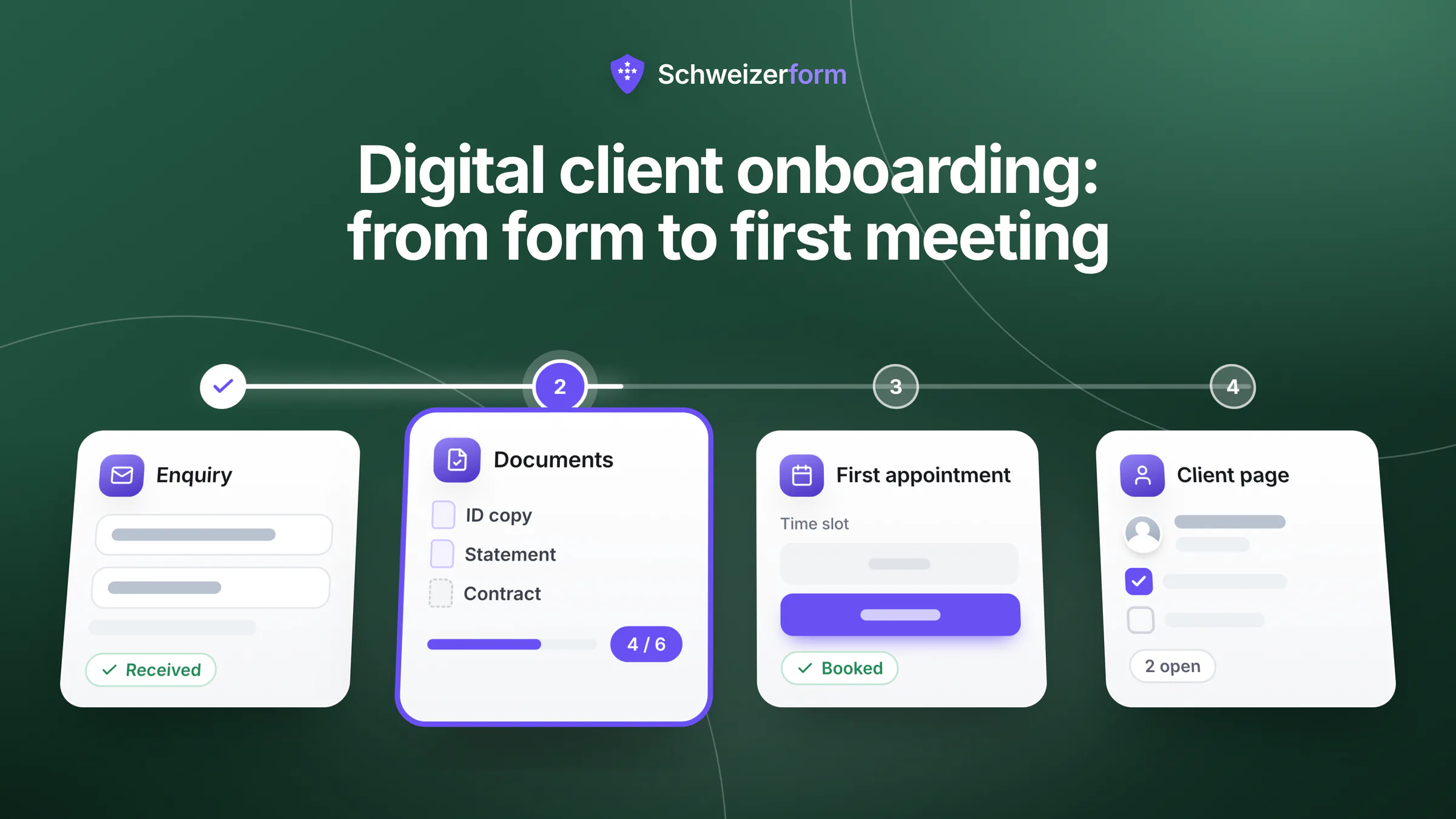
A new client rarely arrives as one clean piece of work. They send an enquiry, you reply with a questionnaire as a PDF, they return it by e-mail with photos of documents, someone phones to find a date, and a calendar entry is typed in by hand. Each step works alone. Together they make digital client onboarding a patchwork that costs hours in the first two weeks and leaves personal data in places nobody planned.
This guide maps those first two weeks as one journey, shows where time and data leak and sets out seven design principles that work with any tool. Then it shows how Schweizerform (forms, assessments, document requests, booking pages, contacts, client page) can carry the journey, what is encrypted and what is not, and what it deliberately does not do.
Who this is for
Owners and office managers of small Swiss firms that take on clients one by one: fiduciary and consulting offices, architecture and planning practices, small agencies, independent professionals. The first half of the article does not require any particular software.
What the first two weeks with a new client look like
Take a small office that gains three to five new clients a month. The steps carry different names for a fiduciary, an architect and a coach, but the shape is the same:
- 1
Enquiry
A request arrives by website, phone or recommendation: a name, a topic, a way to reach the person.
- 2
Intake questionnaire
The facts you need before you can say anything useful: situation, legal form, goal, who else is involved.
- 3
Documents
Last year's tax return, a salary certificate (Lohnausweis), a floor plan, a contract. Each client has a different list.
- 4
First meeting
A date and a place or video link, agreed once and reminded once.
- 5
Short needs check
Sometimes a handful of scored questions: where the client stands, which package fits, where the gaps are.
- 6
What happens next
The client hears who does what by when, and you have a record of what they were told.
Where the journey leaks time and data
Most of the cost sits in the seams between steps, where information is copied from one place to another by hand.
- The same question is asked two or three times: name and address in the enquiry, again in the questionnaire, again in the engagement letter.
- Documents arrive as e-mail attachments called IMG_4471.jpg and stay in the mailbox of whoever received them.
- Nobody sees at a glance what is still missing from which client, so you chase by phone or write the same reminder three times.
- Appointments are negotiated by e-mail, and a no-show leaves a slot nobody can fill.
- Copies multiply: the PDF on the desktop, the attachment in the inbox, the printout in the folder. Nobody decides how long any of them stay.
The leak that does not show
A mailbox is not a filing system. Every attachment you forward, download or print is another copy of personal data with its own deletion date. The more steps run through e-mail, the harder it gets to answer: where is everything we hold about this client?
Seven design principles for digital client onboarding
These principles do not depend on a tool. A paper checklist can apply them; software only makes them cheaper to keep.
- One request at a time. Send the next ask when the previous one is done, in an order that makes sense to the client: simple facts, then documents, then the meeting.
- Ask each thing once. What the client has told you stays where you can reuse it. Nobody types a postcode twice.
- Tell the client what happens next. Every step ends with one sentence about the following step.
- Minimise. Ask only for what this step needs. A birth date or a salary certificate you do not need yet is a risk, not a service.
- Set retention at the start. Decide how long you keep the material if the client signs and how long if not, before the first document arrives.
- Keep a paper and phone fallback. A client who cannot or will not use a link must still be able to start; what arrives on paper goes into the same place as everything else.
- Make the open items visible. Both sides should see what is missing without writing an e-mail.
Tell the client what happens next
The most useful sentence in the journey is the last line of each step. A client who has just sent a form wonders whether it arrived and what comes next. A short message answers both:
Thank you, your information has arrived. Within two working days we will send you a list of the documents we need. After that you can choose a time for a first meeting. If you prefer to do any of this on paper or by phone, call us on [number].
The journey as one table: step, tool, data, who sees it
Writing the journey down as a table is the quickest way to test it against these principles. Fill in today's tool, then read the last column: every extra person in it may see more than they need.
| Step | Typical tool today | Data created | Who needs to see it |
|---|---|---|---|
| Enquiry | Website form, e-mail, phone | Name, contact details, topic | Whoever answers enquiries |
| Intake questionnaire | PDF by e-mail, online form | Situation, legal form, goals, personal details | The responsible adviser, not the whole office |
| Documents | E-mail attachments, shared folder | Lohnausweis, tax return, plans, contracts | The adviser and, if needed, one assistant |
| First meeting | Phone, e-mail, calendar | Date, time, place or link, a note | Adviser and reception |
| Needs check | Spreadsheet, paper | Answers and a score | The adviser |
| Next steps | E-mail, letter | A message, a task list, a deletion date | Adviser and client |
Worked example: a small fiduciary office takes on a new client
An illustration, not a case study: a fiduciary office (Treuhandbüro) with three people takes on a limited company with four employees. The managing partner handles new clients; an assistant looks after documents.
- Day 0. The client fills in a short enquiry on the website. The partner replies the same day with a link to the intake questionnaire: legal form, number of employees, bookkeeping software, what help is wanted.
- Day 1. From the answers the partner builds the document list (annual accounts of the last two years, payroll data, VAT returns) and sends it as a personal request link with a due date. A sole proprietor would get a different list.
- Day 3. The client has uploaded four of six items. The partner sees “4 / 6” and sends one short e-mail naming the two missing items.
- Day 5. The client books a first meeting from the booking page. The service is called “Initial consultation”; nothing about the client's situation appears in its name.
- Days 8 to 10. After the meeting the client fills in a ten-question bookkeeping self-check, scored in bands. The partner uses the band to propose a package, not to decide anything.
Nothing here is automatic: the partner sends each link by hand, in order. What changes is that every step has one place, one list of what is open and one person who decides how long the material is kept.
What the nDSG says about onboarding, in plain words
The revised Federal Act on Data Protection (nDSG or nFADP, in force since 1 September 2023) has no chapter on onboarding, but three provisions shape how you design it. This is a simplification, not legal advice.
Art. 19: tell people when you collect their data
When you collect personal data you must inform the person appropriately: at least who you are, why you collect the data and, if you pass it on, to whom (Art. 19 para. 2). In onboarding the natural place is the first screen of the intake form, in two or three sentences with a link to your privacy policy. A sample wording:
We use your details to prepare our first meeting and to handle your engagement. Only the people working on your file can see them. If we do not work together, we delete everything [90 days] after our last contact. Questions: [e-mail].
Art. 6: proportionate, for a purpose, no longer than needed
Data must be processed in good faith and proportionately, for a purpose that was recognisable when collected, and destroyed or anonymised once no longer needed (Art. 6 paras. 2 to 4). In practice: ask less, and fix the deletion date at the start. Art. 7 adds that systems should be set up this way by design and by default. More in form data retention.
Art. 8: keep it secure on the way and at rest
You must protect personal data with appropriate technical and organisational measures (Art. 8). For onboarding the questions are who can open the files and what travels by plain e-mail. Links and encrypted storage answer both better than attachments in a mailbox. “Appropriate” means in proportion to the risk: a client's financial documents call for more care than a list of workshop dates.
Sector rules come on top
Some professions are bound by statutory secrecy (Art. 321 StGB), and others have retention duties under the OR or sector law. Whether yours is on that list is a question for your professional association; our article on professional secrecy and online forms shows how to check.
How the Schweizerform modules fit into one flow
Schweizerform is built around end-to-end encrypted forms and has four modules next to them. Each covers one step of the journey; Contacts and the client page hold it together.
- Forms: intake. The questionnaire, with consent and Swiss address questions where needed (secure online forms). Answers and files are encrypted in the client's browser.
- Assessments: needs check. A scored form with pass mark and score bands; scoring runs in the respondent's browser (how scoring works).
- Documents: requests. A checklist of files, one personal link per client with a due date, and a view of what has arrived, such as “4 / 6” (client documents).
- Appointments: first meeting. A booking page with services, hours and free times; no account for the client (appointment booking).
- Contacts. An address book, encrypted in your browser, that keeps each client's details in one place; on Business it can also e-mail plain form links to one person or a group (client contact data).
- Client page (Pro, Business). One personal link per client showing what is still open, and nothing already submitted (client page instead of a portal).
- Dashboard. The first page of the app: what needs you today, such as documents due and booking requests, as counts.
What is encrypted, module by module
“Encrypted” means encrypted in the browser under your Vault key; the server stores only ciphertext and cannot read it. More on the security page.
| Module | Encrypted in the browser | Readable by the server |
|---|---|---|
| Forms | Answers and uploaded files | Questions and form settings |
| Assessments | Answers, score, band, pass or fail | Questions, plus the correct answers and points, which ship to the browser with the form |
| Documents | File contents, file names, client name and note, per-item review status | Item names (the checklist), due date, number of visits |
| Appointments | What the client writes: name, e-mail, phone, message, files | Appointment time, service name, staff name, status; the optional e-mail for updates, deleted a day after the appointment |
| Contacts | Names, e-mails, phones, notes, groups | That an address book exists, its size, a blinded hash per e-mail address |
| Client page | The list of items and their links | Expiry and revoke flags |
| Dashboard | Nothing of its own: client names are decrypted in your browser, only for the rows shown | Counts, times, form names and staff names; never a client name, e-mail, answer or score |
Two cautions
A document request link shows whoever holds it which files are open and what they are called, never the contents, so treat it like a private address. And an assessment's answer key can be read in the browser by a technical respondent: it suits self-checks and training, not high-stakes exams.
Plan notes
- The modules share one pool of forms: 3 on Free, 50 on Pro. A full flow with an intake form, an assessment, a document collection and a booking page is four, so it needs Pro; without the needs check it fits on Free.
- Free: 5 contacts, 3 requests per document collection, one staff profile; no client page, no reminders. Pro adds the client page, contact notes, document reminders and appointment e-mails (100 contacts, 50 requests per collection). Business raises the limits (2,500 contacts, 500 requests per collection) and adds automatic deletion of form responses after a number of days; it applies to plain forms only, so document collections, assessments and bookings are deleted by hand. See pricing.
- Document requests, prefilled links and client pages carry a key, so you send them from your own mail program on every plan.
What it does not do
A short, honest list, because it decides whether the tool fits you:
- No workflow automation: finishing one step does not trigger the next. You send each link yourself, in order.
- No e-signature, and no payments or deposits.
- No CRM pipeline: no deals, stages or tasks. Contacts is an address book with an activity view.
- No integrations, public API or webhooks, no calendar sync with Google or Outlook (only a private one-way calendar link) and no SMS.
- No virus scanning of uploads, no OCR and no document archive.
Common questions
Do my clients need an account?
No. Every step runs through a link. The client page is one personal link without account or password; it expires (after 90 days by default) and you can revoke it at once. Anyone holding the link sees what is open, so send it only to the client.
Who deletes what, and when?
You do. Decide the period before the first client, write it in your privacy notice and put the date in your diary. On Business, responses to plain forms can be deleted automatically after a number of days you choose. Uploaded documents, assessment results and bookings you delete by hand, one by one or in bulk, on every plan. Deleting a contact can also delete their responses and links, which is meant for erasure requests under the nDSG.
Start with the step that costs you the most time
Do not build the whole journey at once. Pick the step where you lose most time (for many small offices, documents) and run the next three new clients through it, with the paper fallback. Then add the next step. The table above is your checklist: for each row one tool, one place for the data, one named reader, one deletion date.
Schweizerform can carry all of it, but that is a convenience, not a requirement; the design protects your clients and your time. Independent professionals will find a related walk-through in onboarding clients as a freelancer or agency.
First step: write your journey into the table above and pick the one step that costs you the most time. If it is documents, start with collecting client documents securely, then add online appointment booking and the client page. The Free plan is enough to try the first steps.
Disclaimer: This article is general information and marketing content, not legal or tax advice. It simplifies the nDSG and Art. 321 StGB; your obligations depend on your sector, canton and contracts. Responsibility for your data processing stays with your organisation. Consult a qualified professional before relying on it.