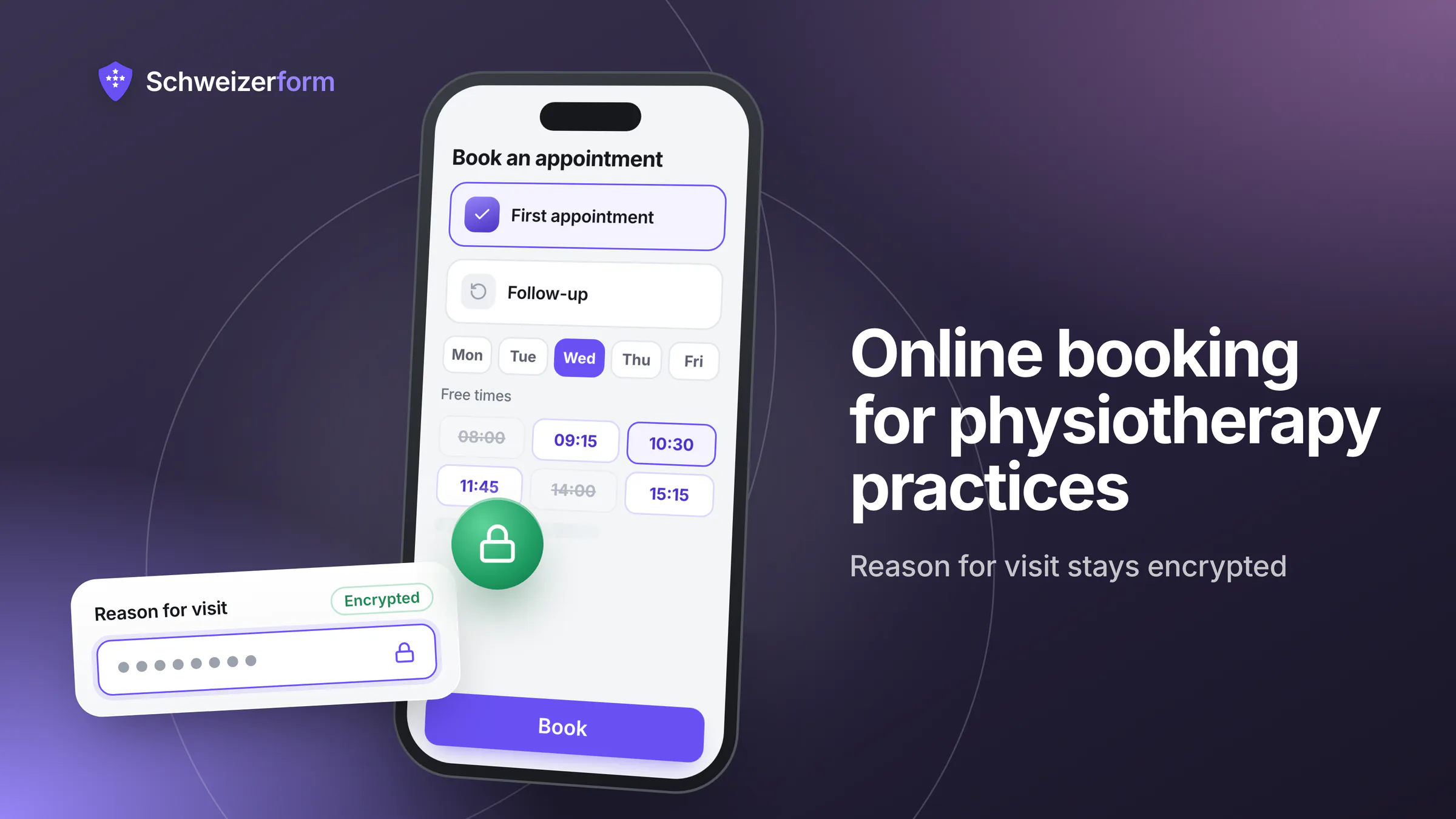
The phone rings while your hands are on a patient's shoulder. Someone wants a first appointment, someone else needs to move Thursday, a third asks whether the doctor's prescription has to be on paper. In a small physiotherapy, occupational therapy, osteopathy or complementary-therapy practice with one to five therapists, this is the daily rhythm, and the person answering is usually the person treating. Physiotherapy online appointment booking takes the routine calls off your hands: patients choose a service and a free time on a booking page, and you answer only what needs a human.
The catch is that a booking at a therapy practice is not a booking at a garage. The time, the type of appointment and one line about the complaint already say something about a person's health. This page shows how to set up booking, intake and document collection with Schweizerform so that what patients write is encrypted in their browser, which details the server can still read (the appointment time and the service name) and how to keep those neutral.
Who this page is for
Owners and practice managers of small physiotherapy, occupational therapy, osteopathy and complementary-therapy practices in Switzerland, with one to five therapists, who want fewer phone calls, a structured first contact and a defensible way to handle health-related information. For the wider healthcare picture see healthcare forms; for psychotherapy see therapy and mental-health forms.
Why a therapy practice's booking data needs more care than it seems
Under the nFADP, health data is sensitive personal data (Art. 5). That raises the bar for security and for how clearly you tell people what you do with it. A booking form collects such data quickly and often without anyone noticing, because even the minimum a booking needs (who, when, what kind of appointment) is health-adjacent.
- That a named person is a patient of this practice, and on which days they come.
- The kind of care, if the service is called «Lower back pain, first consultation» or «Pelvic floor therapy».
- The complaint, if a free-text box asks «What brings you in?» and the answer is stored readable.
- The route and the payer: a prescription from a named doctor, accident insurance (UVG) or health insurance (KVG) each tell part of the story.
- The pattern: weekly slots, repeated cancellations, a pause of several weeks.
Professional secrecy sits on top of that. Art. 321 of the Swiss Penal Code (StGB) names, among others, physicians, dentists, chiropractors, pharmacists, psychologists, nursing professionals, physiotherapists, occupational therapists and osteopaths, and their auxiliary persons. The list is closed. Other complementary-therapy professions are not named in it as such, although cantonal health law and your professional association often set comparable confidentiality duties. Check with your cantonal health department or your association where you stand. How far a cloud provider counts as an auxiliary person is contested; professional secrecy and online forms sets out both views.
Keep the booking page itself neutral
The server can read the appointment time, the service name and the therapist's name, whatever the provider. Name the service «First appointment», not the diagnosis, and put every health detail into the encrypted questions.
How online booking works with Schweizerform in a therapy practice
The Appointments module gives each practice a booking page. Patients need no account. What they type into the booking form is encrypted in their browser before it leaves the page, and only your Vault key opens it. The appointment time and the service are what the system needs to offer free slots, prevent double bookings and send reminders, so those stay readable by the server.
- 1
Define the services
Create «First appointment» (for example 45 minutes) and «Follow-up» (30 minutes), each with a duration, an optional buffer before and after, and a place: at the practice or, for home visits, at the patient's address.
- 2
Set the hours and rules
Enter each therapist's weekly hours (up to five ranges per weekday) and absences. Then set the slot step, the minimum notice, how far ahead patients may book and until when they may cancel or reschedule themselves (24 hours by default).
- 3
Add the questions
Name, phone, e-mail, a short «Reason for the visit», «Do you have a medical prescription?» and the insurer type. All answers are encrypted. Ask only what you need to prepare the visit.
- 4
Publish and share
Share the link on your website, your business card or as a QR code at reception. Embedding the booking page in your own website is available on Pro and Business.
- 5
Run the day
Bookings appear in your calendar. After you unlock your Vault key you see patient names; locked, you see times, services and status only. Mark visits as completed or no-show, and add phone bookings by hand so that one calendar shows everything.
A solo therapist can start on Free: one staff profile, one booking page, the encrypted questions, a QR code and a private calendar link. Confirmation and reminder e-mails, the mode where you confirm each request, and closed days need Pro.
Where therapy practices use Schweizerform
First appointments and follow-ups without a phone call
The core use. One booking page lists the first consultation and the follow-up with their durations. Patients pick a therapist or «Anyone available», a day and a time, answer the questions and book. A buffer keeps a few minutes between treatments, and minimum notice stops a booking for «in twenty minutes». Business rules run in Swiss time with daylight saving handled. Patients cancel or reschedule from a private manage link until the cut-off you set, which removes many of the «can you move me?» calls.
Questions at booking: prescription and insurer type
A prescription question («Yes, I will bring it», «Yes, I will upload it», «No, self-referral») tells the front desk what to expect. As a rule, compulsory health insurance reimburses physiotherapy only on a doctor's prescription (ärztliche Verordnung), but the details depend on the insurer and the type of cover, so check them and state the rule in your own words. The insurer type (health insurance, accident insurance, disability insurance, private payer) lets you prepare the right paperwork. Both answers are encrypted: the server stores ciphertext and you read it with the Vault key. Do not ask for diagnoses at this stage.
An encrypted anamnesis form before the first visit
A normal Schweizerform form can carry the anamnesis: complaint, onset, previous treatments, medication and the screening questions your profession uses. On Pro and Business, conditional logic shows follow-up questions only when they matter, and answers to questions a patient never sees are not stored. Patients fill it in on their phone at home, which saves the clipboard minutes of the first appointment. The answers are end-to-end encrypted; you read them in your browser before the visit and carry over what belongs into the record in your practice software. See collecting health data in forms for what to ask and what to leave out.
Prescription and insurance card by document request
A document collection lists what you need before the first visit: the prescription, a copy of the insurance card, perhaps an accident notification. Each patient gets a personal link with a due date, uploads photos or PDFs, sees what is received and what is missing, and can come back with the same link. You accept a file or ask for a new one with a preset reason such as «blurry or unreadable». File contents, original file names and the patient's name are encrypted. The item names and the due date are readable by the server, so keep them generic. Whoever holds a request link sees which items are open and the file names, never the file contents, so send it to the patient only. The collection is not a patient file: move what you need into your practice software.
A pain self-check as information, never as diagnosis
An assessment can ask five to ten questions about pain, function and sleep and give each answer points. Scoring runs in the patient's browser, the score stays inside the encrypted answers and the server never sees it. The patient sees a result page with the score and band; on Pro and Business each band can have its own result page (for example a note that a visit makes sense, or general advice), and you read the score after unlocking your Vault key. Treat it as orientation and a conversation starter: it does not diagnose, and Schweizerform supplies no validated clinical questionnaires. If you use an established instrument, check its licence and wording. The answer key ships to the browser with the form, so a technical respondent can read it.
Reminders, cancellations and fewer no-shows
On Pro and Business, patients who tick the e-mail option get a confirmation and a reminder 1, 24 or 48 hours before. The subject is generic, and the mail shows date, time, service (or just «Appointment» if you hide the service name) and place, never the patient's answers. The address is stored readable only for these mails and deleted a day after the appointment. There is no SMS reminder, so keep the phone for patients without e-mail. If you want to see each booking before it is final, switch the booking page to «I confirm each request»: the slot is reserved and you decide. The setting applies to the whole page, so a separate page for first appointments is a good fit. More on missed appointments in reminders that reduce no-shows.
Home visits and several therapists
Each service has its own place: at the practice, an online link text, a phone call or the patient's address, which suits home visits. A practice with several therapists needs one staff profile per person, and that means Business: Free and Pro include one staff profile, Business up to 25. Every therapist has their own hours, absences and a private calendar link (.ics) for their phone, which shows service, time, place and status but no patient names. «Anyone available» assigns the least busy therapist. Enter practice holidays and 1 August as closed days (Pro and Business); there are no built-in public holidays.
Patient list and client page
Contacts is an encrypted address book: names, e-mails, phones, groups and, on Pro and Business, notes are encrypted in the browser under the Vault key. Free holds 5 contacts, Pro 100, Business 2,500, so a practice that wants its whole patient list there needs Business. On Pro and Business, respondents can be saved as contacts automatically, and a client page gives each person one personal link with what is open for them: the anamnesis form, the document request and the booking link. No account, no password; it expires after 90 days by default and can be revoked. Anyone who holds the link sees what is open, so send it to the patient only, from your own mail program.
What the practice sees and what the server can read
Be precise about this, with patients and in your privacy notice. What the patient writes is end-to-end encrypted. The booking itself is not, because the system needs the time and the service to do its job.
| Data | State | Comment |
|---|---|---|
| Name, phone, e-mail, reason for the visit, prescription and insurer answers | Encrypted in the patient's browser | Only your Vault key opens them. Names show in the calendar after you unlock. |
| Uploaded prescription, insurance card copy and their file names | Encrypted | File names live inside the encrypted data; the server sees only random file names. |
| Appointment time and status | Readable by the server | Needed for free slots, double-booking checks, calendar and e-mails. |
| Service name and therapist name | Readable by the server | Use neutral names; a service can show as «Appointment» in e-mails and calendar links. |
| Optional e-mail address for updates | Stored readable, short-lived | Used only for booking e-mails and deleted one day after the appointment. The e-mail provider keeps delivery logs for up to 90 days. |
| Item names and due date of a document request | Readable by the server | Keep the item names generic. |
| Pain self-check score and band | Encrypted | Calculated in the browser; the server never sees a score. |
| Contacts: names, e-mails, phones, notes | Encrypted | The server learns only that a book exists and how many contacts it holds. |
A sentence for your booking page or privacy notice that says this plainly:
What you write in this form (name, contact details, reason for the visit, documents) is encrypted in your browser and can only be read by our practice. The appointment time and the type of appointment are visible to the booking system so that it can offer free times and send reminders. Please do not enter diagnoses here.
Features that matter for physiotherapy and therapy practices
- Services with durations and buffers: first consultation and follow-up, up to 30 services per booking page (every plan).
- Weekly hours per therapist, absences and blocked time; closed days for practice holidays (closed days: Pro and Business).
- Encrypted questions at booking: reason for the visit, prescription, insurer type; only the Vault key opens the answers (every plan).
- Confirmation and reminder e-mails with a generic subject and no answers inside, only after the patient opts in (Pro and Business; 30 client e-mails per day on Pro, 1,000 on Business).
- Owner confirms each request, with a request that expires if unanswered (Pro and Business).
- One staff profile on Free and Pro, up to 25 on Business, with a private calendar link per therapist.
- Document requests for prescription and insurance card, with personal links, due dates and accept / upload again (every plan; reminders and sample files on Pro and Business).
- Scored self-check with bands and a result page (every plan; a result page per band on Pro and Business).
- Link, QR code and website embed for the booking page (embed: Pro and Business).
- Contacts and client page: encrypted address book (5 / 100 / 2,500 contacts); client page and automatic saving of respondents on Pro and Business.
What therapy practices ask
«Is this practice software?»
No. It is the booking and intake layer next to your practice software. It holds no treatment records, does not bill, does not handle tariff positions of the physiotherapy tariff or invoicing to insurers, and does not connect to your practice software or to Google or Outlook calendars. The only calendar output is a private one-way .ics link. Use it to get patients and their first information to you in good order; the clinical record and the invoice stay where they are today.
«Several therapists share the calendar: which plan do we need?»
Business. Free and Pro include one staff profile each; Business includes up to 25. A solo therapist manages on Pro. Colleagues who work in the account with their own login are a Business feature too. Everyone patients should be able to choose on the booking page is a staff profile. Check the current plan details on the pricing page.
«Are we allowed to use it under professional secrecy?»
Nobody can answer that in the abstract, and we will not pretend to. What we can describe is the architecture: what patients write is encrypted in their browser and we hold no key to it. The plain fields (time, service, therapist) are a different matter, so keep them neutral, and ask your cantonal health authority or your association how it reads your duties. The contested part is covered in appointment booking and data protection.
«Our older patients prefer the phone»
Keep the phone. A booking page replaces the routine calls, not the conversation. Add by hand the bookings you take by phone so the calendar stays complete. There is no SMS, so patients without e-mail get no reminder; call them as you do today.
«What happens if we lose the Vault key?»
The encrypted answers cannot be recovered by anyone, including us. That is the price of an architecture in which we cannot read them. Keep the key the way you keep the safe's code, with two people who know where it is. Appointment times and services stay visible, but names and answers do not.
«What does it not do?»
No payments, deposits or cancellation fees through the booking page; no SMS; no group classes (one booking per slot per therapist, so a back-school course does not fit); no two-way calendar sync; no video links beyond a text you type; no billing, no electronic patient record, no e-signature and no virus scanning of uploaded files. Schweizerform is also not certified: it holds no ISO 27001 certificate.
Getting started in a therapy practice
- 1
Decide on neutral names
Write your services as «First appointment» and «Follow-up». Keep diagnoses and body regions out of service names and out of document item names.
- 2
Create the booking page
Start from the initial consultation template or from scratch. Add services, weekly hours, absences and rules.
- 3
Add the questions and the privacy sentence
Reason for the visit, prescription, insurer type. Paste the sentence above and link your privacy notice.
- 4
Create the document collection and the anamnesis form
Items for the prescription and the insurance card; the anamnesis as a form. Send personal links from your own mail program.
- 5
Test as a patient
Book on your phone with test data, upload a test file, cancel, and check which e-mails arrive and what they show.
- 6
Update your privacy notice and go live
Name the booking tool and the data you collect. Put the booking link and the QR code on your website, at the door and in your e-mail signature.
Fewer calls, the same discretion
A small therapy practice does not need a patient portal. It needs fewer interruptions during treatments, a first contact that arrives in good order and a clear line between what is encrypted and what the system has to read. Booking page, anamnesis form, document request and an optional self-check give you that for the first contact.
The honest edge is the booking itself: its time and service name are readable by the server, so name services neutrally and keep health details in the encrypted answers. The clinical record, the tariff and the invoice stay in your practice software, where they belong.
Start on Free with one booking page for one therapist and test it with a colleague. Read online appointment booking for Swiss SMEs, compare pharmacy services booking, and check pricing and security.
Disclaimer: This page is general information and marketing content, not medical, legal, tax or compliance advice. References to the nFADP, Art. 321 of the Swiss Penal Code, health insurance rules (KVG, UVG) and cantonal health law are simplified and subject to interpretation. Responsibility for patient data and for professional secrecy remains with your practice. Consult a qualified professional, your cantonal authority or your professional association before relying on any summary here.