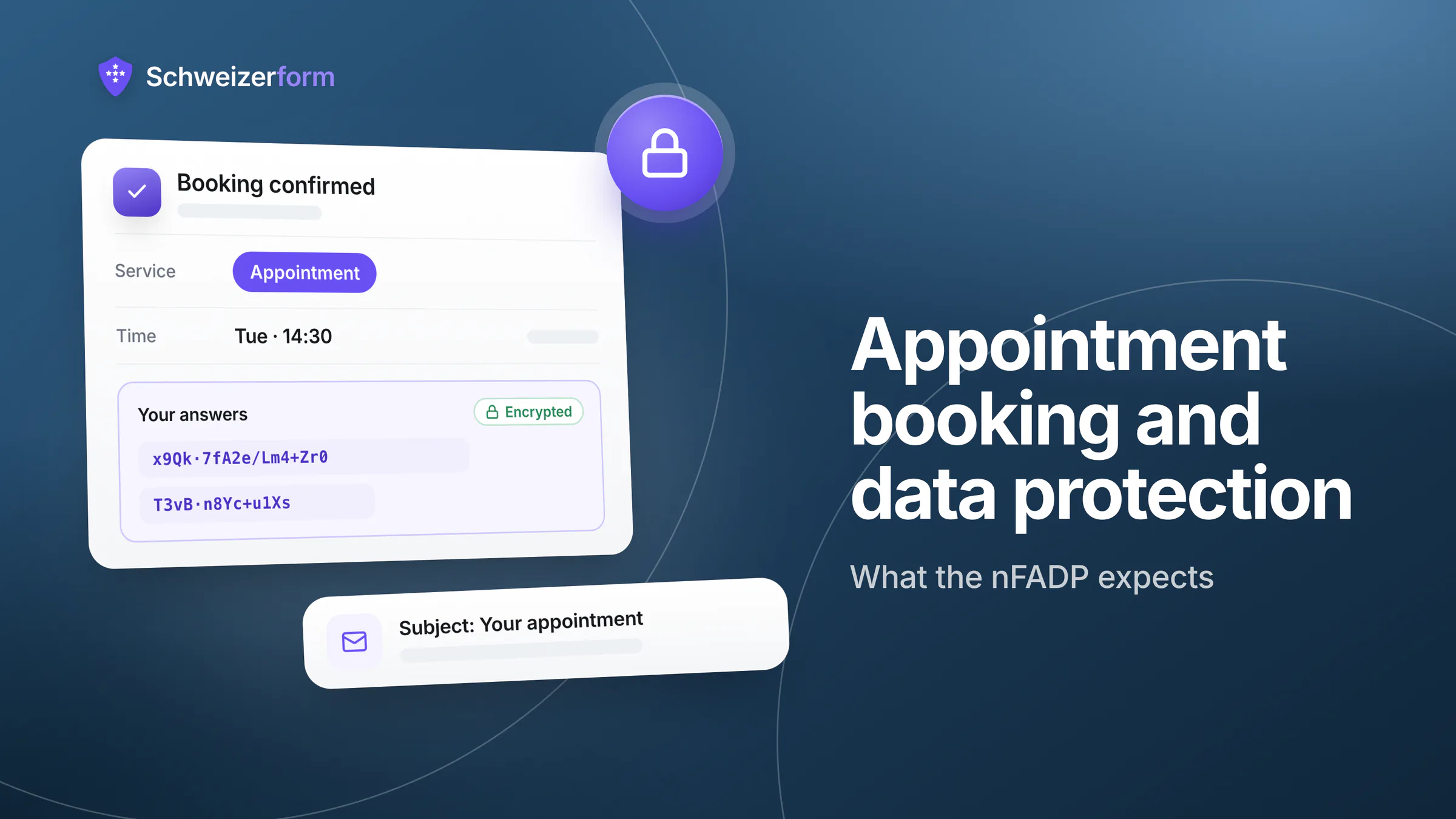
A client books a physiotherapy slot for Tuesday at 18:15 through your website. In the ten seconds that took, you collected a name, a phone number, an e-mail address, a service and a time — and, without asking for it, a fact about that person's health. Appointment booking data protection is the habit of noticing that fact before a tool, a reminder e-mail or a shared calendar spreads it further.
This guide explains in plain words what an online booking really creates under the Swiss nFADP (nDSG), when a booking turns into sensitive personal data, which duties follow, and how to set up a booking page that asks for the minimum, says little in its e-mails and forgets old appointments on schedule. The last section is an honest look at how Schweizerform treats booking data — including what it cannot encrypt.
Who this is for
Practices, consultants, workshops, schools, associations and municipalities that take appointments online — whichever tool they use. Most of this article applies to any booking system. It is a practical guide, not legal advice; the disclaimer at the end names the laws it simplifies.
Appointment Booking and Data Protection: What a Booking Really Creates
Most people think of a booking as a calendar entry. Legally and technically it is a small bundle of personal data, created in several places at once. Under Art. 5 let. a nFADP, personal data is any information relating to an identified or identifiable person — and a booking is exactly that. Here is what the bundle typically contains:
- Identity: first name, last name, sometimes date of birth or insurer for a practice.
- Contact data: e-mail address and phone number, needed to confirm, remind or cancel.
- The service: «initial consultation», «MRI referral», «debt advice» — the name of what was booked.
- The reason for the visit: a free-text field such as «Message» or «What brings you to us?», which people fill generously.
- The time pattern: when, how often and with whom. Weekly appointments at the same hour tell a story on their own.
- Reminder and confirmation e-mails: copies sitting at the mail provider, in the mail server logs and in the client's mailbox.
- Calendar copies: entries synced to phones, tablets and the calendars of colleagues or a reception desk.
The time pattern is data too
A tool can encrypt a message field perfectly and still show, in plain text, that «Anna Keller» sees «Dr. Meier, psychiatry» every second Thursday. Whether the content is protected is one question; whether the fact of the appointment is protected is another. Ask both.
When a Booking Becomes Sensitive Personal Data
Art. 5 let. c nFADP lists the categories of sensitive personal data: among them data about health, the intimate sphere, religious or political views, social assistance measures, and administrative or criminal proceedings and sanctions. The wording is about the data, not about who holds it. And a booking can be such data without a single sensitive word in it, because the existence of the appointment reveals the context.
Where the booking alone gives it away
- An appointment at a psychotherapist, an addiction counselling service or an oncology practice reveals health context by its existence.
- A booking for «physiotherapy after surgery» names a treatment and, by implication, an operation.
- A slot with a social-services counter, a debt-counselling centre or a migration advisory service points to personal circumstances most people would not announce.
- A free-text field filled in with «pain in my left knee since March» is health data, even if the service itself is called «Appointment».
What sensitive data changes in practice
The label does not forbid anything. It raises the bar: the security measures must fit the higher risk, consent — where consent is your legal basis — must be explicit, and a data protection impact assessment under Art. 22 nFADP becomes more likely when you process such data on a large scale. For the full picture on health information, see collecting health data in forms. Many bookings are ordinary personal data; the job is to recognise those that are not, and to design the whole page for them when your business handles them every day.
Professional secrecy is a separate layer
Physicians, psychologists, physiotherapists, lawyers and the other professions named in Art. 321 SCC are bound by criminal-law secrecy — and so are their auxiliary persons. As a rule, even the fact that someone is a patient or client is treated as covered by that secrecy; to be safe, assume the same for the appointment itself. More in professional secrecy and online forms.
The Duties That Follow, in Plain Words
You do not need to read the whole act to run a booking page. Five duties do most of the work. Together they are the core of nFADP compliance for online forms, applied to appointments.
Transparency: tell people before they book (Art. 19)
Whoever collects personal data must inform the person appropriately: who is responsible, for which purpose the data is used, and to whom it is passed on. On a booking page this means a short notice next to the Book button, linking to the full privacy policy. A wilful breach of this duty can be fined under Art. 60 nFADP, and as a rule the fine hits the responsible individual, not the company.
We use your name, phone number and e-mail address only to arrange and confirm your appointment. If you choose to receive reminders, we send them to the e-mail address you give here and delete it shortly after the appointment. Details: privacy policy.
Minimisation and defaults (Art. 6 and 7)
Data may only be processed in proportion to its purpose (Art. 6 para. 2), and for the purpose stated when it was collected (para. 3). Art. 7 adds privacy by default: pre-set options should process no more than the purpose requires. For a booking page that means the shortest possible form, optional fields that are really optional, and no «reason for the visit» box unless you need it to prepare.
Security (Art. 8)
Personal data must be protected by technical and organisational measures that fit the risk. For booking data: transport encryption is the minimum; who on your staff can open which calendar, strong logins, and what a stolen phone with a synced calendar would reveal are the questions that matter. The higher the sensitivity, the stricter the answer must be.
Tool providers as processors (Art. 9)
A booking tool processes data on your behalf. That requires a contract or legal basis under which the provider processes the data only as you yourself would be allowed to, keeps it secure and uses sub-processors only with your approval. The detailed checklist is in data processing agreements for form tools; it applies unchanged to booking software.
Retention: keep it only as long as needed (Art. 6)
Under Art. 6 para. 4, personal data must be destroyed or anonymised once it is no longer needed for the purpose. For bookings that is rarely «never». The practical rules below turn this into concrete periods; the general logic is in form data retention.
Where a Booking's Data Goes: Who Can Read What
The table lists each data item, who can typically read it in an ordinary booking tool, and the question to put to the vendor — or to yourself. «Typically» matters: some tools do better, many do worse, and you only know by asking.
| Data item | Who can typically read it | What to ask |
|---|---|---|
| Name, e-mail, phone | The vendor and its hosting and sub-processors (stored readable); everyone with a login to your account | Is this stored encrypted so that even the vendor cannot read it? In which country? Which sub-processors? |
| Free-text reason for the visit | As above, plus anyone who opens the booking | Do I need this field at all? Can it be switched off or made optional? |
| Service name and time | The vendor, the calendar, the mail provider — usually readable even in tools that encrypt other data | Can I give the service a neutral name? Can I hide it in e-mails and calendar entries? |
| Confirmation and reminder e-mails | The mail provider and its logs, the client's mailbox, and whoever sees a lock-screen preview | What do the subject and the first lines say? Are bodies logged? For how long? |
| Calendar feed or synced entry | The calendar provider, every synced device, colleagues with delegate access | Which fields reach the calendar? Does it carry the client's name or only a time and a place? |
| Past, cancelled and no-show records | You, your staff, and the vendor's backups | Can bookings be deleted automatically? What happens in backups? |
| Access logs and IP addresses | The vendor and the hosting company | What is logged on the booking page, and for how long? |
| CSV and spreadsheet exports | Whoever holds the file — often a shared drive or a mailbox | Where do exports go, and who deletes them? |
Two rows deserve special attention: the e-mail and the calendar. They leave the booking tool and enter systems you do not control — a client's mailbox, a phone synced to a cloud calendar, sometimes abroad. That is where a careful tool setup is most often undone. When data leaves Switzerland, cross-border transfers add their own duties.
Practical Rules for a Privacy-Friendly Booking Page
- 1
Ask for the minimum
Name, one contact channel and the service are enough for most bookings. Date of birth, insurer, address and ID details can be collected at the appointment — or in a separate, protected step once the booking stands.
- 2
Name services neutrally
«Appointment», «Consultation» or «Session 60 min» say less than «Burnout counselling» or «HIV test». If a precise name is needed for the client's own orientation, check whether the tool lets you hide it in e-mails and calendar feeds.
- 3
Make the free-text field optional, or remove it
Phrase it so that it invites logistics, not diagnoses: «Anything we should know to schedule your visit?» rather than «Describe your complaint».
- 4
Put the privacy notice at the Book button
Two or three sentences in the wording of Art. 19: who, why, how long. A link to a policy nobody sees at the moment of booking is not transparency.
- 5
Decide what e-mails may say
Subject and first lines carry the least possible: business name, date and time, a link. Details stay behind the link.
- 6
Book an appointment yourself and look
Open the confirmation e-mail, the reminder, the calendar entry and the staff view. Whatever you see there, other people can see too.
What goes into the e-mail subject
The subject line is the most exposed part of a booking: it is shown in notifications, on lock screens and in the mail logs of every server on the way. Treat it as public.
- Fine: «Your appointment», «Appointment reminder», or your business name plus «Appointment».
- Avoid: the service, the practitioner's specialty or the reason — «Couples therapy, Tuesday 18:15» says everything a stranger needs to know.
- Keep the first lines neutral too: mail previews show them without opening the message. Put the details behind a link.
How long to keep past bookings
There is no single statutory period for appointment data; the answer depends on the purpose. A workable split:
- Reminder contact details: only until shortly after the appointment. A returning client books again; there is no reason to keep the address «just in case».
- The booking record itself: as long as you need it to run, bill and — where relevant — evidence the appointment. Invoices, as accounting vouchers, must be kept for ten years under the Code of Obligations (Art. 958f CO); a calendar entry does not become an accounting document just because it led to an invoice.
- Clinical or advisory records: belong in your patient or client file and follow the retention rules of your profession and your canton, which differ from canton to canton. They do not belong in a booking tool.
How Schweizerform Handles Booking Data
Schweizerform's Appointments module follows one rule: what the client writes is encrypted; what the system needs to run a calendar is not. Here is the line, drawn exactly.
- Encrypted in the client's browser: the answers — name, e-mail, phone, message and any uploaded file. Only the owner's Vault key opens them; the server stores ciphertext.
- Readable by the server: appointment time, service name, staff name and status. Free slots, double-booking checks, the calendar and e-mails cannot work without them. Say it plainly: a booking is not fully end-to-end encrypted.
- Neutral service names: each service can be named neutrally, and an option hides the service name in e-mails and calendar feeds — they then show «Appointment».
- Client e-mail only on opt-in: the address for updates is stored readable, used only for booking e-mails and deleted one day after the appointment — immediately if the client uses the stop link. The e-mail provider is a European provider (servers in the EU/EEA, not in Switzerland) and keeps delivery logs for up to 90 days.
- Generic e-mail subjects: «Your appointment», never a date or a service, and never the client's answers inside. The private calendar link carries service, time, place and status, but no client names.
- Plans: client e-mails (confirmations and reminders), owner confirmation and closed days are Pro and Business; Free sends no e-mails to clients at all, so nothing about the booking lands in their mailbox. One staff profile on Free and Pro, up to 25 on Business.
What it does not do
Schweizerform does not hide the time of an appointment from the server, so a sensitive service still reveals itself through its schedule unless you name it neutrally. It has no per-staff encryption: whoever can unlock a booking page sees all its bookings. And there is no SMS and no two-way Google or Outlook calendar sync — only a private, read-only calendar link, whose token you should treat like a password. See what Schweizerform encrypts and the plan limits.
Common Questions About Booking and Data Protection
Is every booking sensitive personal data?
No. A tyre change, a visit to the municipal office or a parent-teacher meeting is ordinary personal data. A booking becomes sensitive when the service, the provider or a free-text answer points to health, intimate life, beliefs or similar. If one page serves both kinds, design it for the sensitive kind.
Do I need consent for reminder e-mails?
A reminder that belongs to a booked appointment serves the purpose the client knows about, provided you told them. Schweizerform goes further and asks for an opt-in. Keep reminders strictly about the appointment: once you add offers or news, you are in advertising territory, where Art. 3 para. 1 let. o of the Unfair Competition Act (UCA) generally requires prior consent, with a narrow exception for existing customers. How reminders reduce no-shows without overreaching is in appointment reminders that reduce no-shows.
What about the calendar on my team's phones?
A synced calendar is a copy, in a cloud you may not control, on devices that get lost. Put initials or a reference number instead of full names where the calendar tool allows, keep service names neutral, lock the devices, and remove access when someone leaves. For a practice, booking for a physiotherapy practice shows these choices in context.
Collect Less, Say Less, Keep Less
Good data protection around bookings is not a project; it is three decisions made once. Collect less: the shortest form that still works. Say less: neutral names and quiet e-mail subjects, because those travel furthest. Keep less: delete contact details and old bookings on a schedule instead of on a bad day. None of this makes booking harder for your clients, and it makes a breach, a lost phone or a client's question about their data much easier to handle.
A tool can support these decisions, and some make them harder. Whichever you use, the table above is the quickest way to find out what actually happens to a booking after the client presses Book. For the wider picture of running a booking page in a Swiss business, read online appointment booking for Swiss SMEs.
Your first step
Book an appointment on your own page today and look at the confirmation e-mail, the reminder and the calendar entry. Then shorten the form, rename one service neutrally and write the two-sentence notice for the Book button. Schweizerform's Appointments module is available on the Free plan — see how it works.
Disclaimer: This article is general information and marketing content, not legal advice. References to the nFADP (Art. 5, 6, 7, 8, 9, 19, 22 and 60), Art. 321 SCC, Art. 958f CO and Art. 3 para. 1 let. o UCA are simplified summaries reflecting the position in November 2026. Responsibility for lawful processing remains with your organisation; cantonal rules, professional rules and sector-specific duties may require more. Consult a qualified data protection professional before making decisions based on this summary.