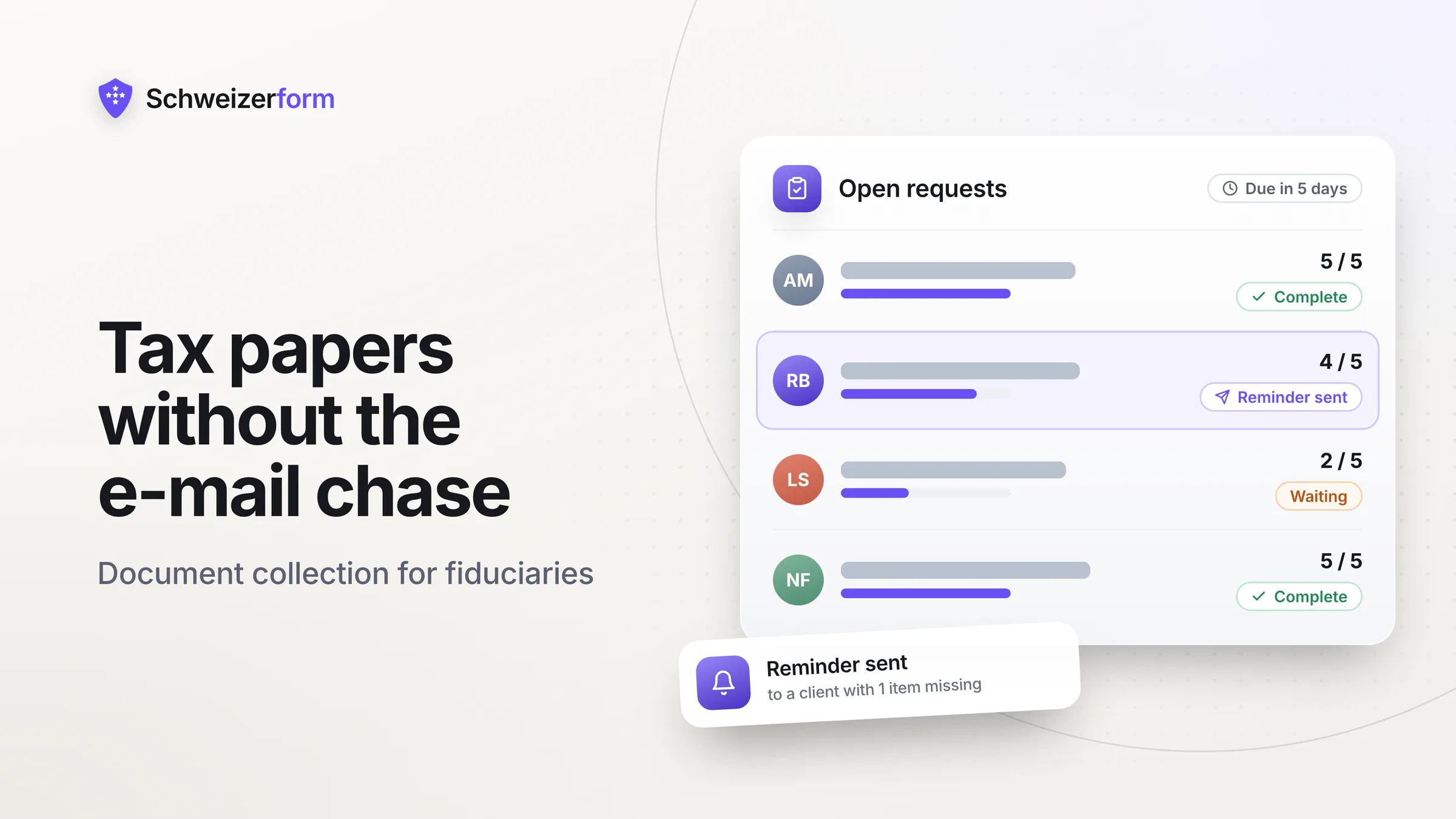
Every February the same thing starts in a fiduciary office. The first Lohnausweis arrives as a phone photo on WhatsApp, a bank statement turns up as a PDF in a partner's inbox, and a client asks for the third time which papers are still missing. Fiduciary document collection is meant to end that: instead of chasing tax papers client by client through e-mail, you give each client one personal link that shows what is asked, what has arrived and what is still open.
Schweizerform's Documents module is built for this job. You set up one collection per mandate type (private tax return, self-employed, annual accounts of a small company), send each client a personal request with a due date, and the client uploads, and comes back to add what is missing, without an account. Files are encrypted in the client's browser, and you export them into your own file system when you are done. This page is about the document chase. For the wider client-form side of a Treuhand office, read accounting and tax practice client forms.
Who this page is for
Owners and staff of Swiss fiduciary, bookkeeping and tax offices with a few dozen to a few hundred private and SME clients, who spend tax season asking for the same Lohnausweis, bank statements, 3a certificates and receipts. If you need a single secure intake form, the page linked above is the better start. If your problem is the documents themselves (who sent what, what is still open), keep reading.
Why the Document Chase Eats the Tax Season
The work itself, a tax return or a set of annual accounts, is rarely the bottleneck. The bottleneck is the last few papers, which arrive late, incomplete or in the wrong format. A typical private client file needs a handful of documents, and each of them can go wrong:
- The Lohnausweis (wage statement), sometimes two when the client changed employer during the year
- Bank and securities statements as of 31 December, plus interest and custody account certificates
- The Säule 3a certificate and, where relevant, pension fund purchase confirmations
- Receipts for deductions: professional expenses, health costs, donations, childcare, property maintenance
- For self-employed clients and small companies: ledgers, open-item lists, supplier invoices, VAT and AHV statements
Without a system the process is a thread per client. Papers arrive as attachments in several mailboxes, as photos over messaging apps, or on a USB stick. Nobody has a single view of who is complete, reminders are written by hand, and the clients who answer fastest get served first rather than the ones with the earliest cantonal deadline. Every forwarded attachment also leaves a readable copy in more than one mailbox, which is a real problem when the papers contain salary, assets and civil status.
The professional-secrecy angle
Art. 321 of the Swiss Penal Code is a closed list. Lawyers, notaries and auditors bound to secrecy under the Code of Obligations are on it. A fiduciary or tax office as such is not. Your duty of confidentiality then rests on the mandate contract, your own rules and the nFADP, which requires appropriate data security. If your firm also acts as the statutory auditor of a client company, or someone in it works as a lawyer or notary, check which role the file belongs to: in those roles Art. 321 can apply. See professional secrecy and online forms for the closed list and the contested outsourcing question.
How Document Collection Works With Schweizerform
A document collection is a checklist of files you ask for. The firm builds it once per mandate type and reuses it for every client of that type. The client never needs an account or an app, only the personal link.
- 1
Build the collection
Start from the ready template Tax return documents, from the template Company annual accounts, or from blank. Each line is a document item, for example Salary certificate 2026, with a hint, required or optional, allowed file types, a maximum size and up to 20 files. Conditional items (Pro and Business) show the right lines, such as the partner's papers only if the client is married.
- 2
Create one request per client
In the Requests tab you add a personal link per client with its own due date and, if you like, a client name and a note. The name and note are encrypted in your browser. Send the link from your own mail program.
- 3
The client uploads, and comes back
The client sees a checklist with each item marked received, ready to send or missing, plus the due date. Each item takes photos or PDFs. The same link can be opened again any time to add what is missing.
- 4
You review item by item
Open a request and see Missing, Received, Accepted or Upload again for each item. Accept what is fine, or send an item back with a preset reason such as blurry, wrong document, expired or incomplete. The client sees your review on the same page.
- 5
Complete and export
When the file is complete, mark the request complete and export. A ZIP puts the files in one folder per client, ready for your own file system. CSV works on every plan, Excel, JSON, PDF and ZIP on Pro and Business.
What the client sees
A page titled Your documents in their language, the list of items with their status, N of M received, the due date (red when overdue) and a Download sample link where you attached one. Earlier uploads show name and size, but the client cannot download them again. When you mark the request complete, the page says so and takes no further files.
Where Fiduciary Offices Use Schweizerform
Private tax returns: one collection, one request per client
The classic case. One collection called Tax return documents with the items above, one request per household, each with the due date that works back from the cantonal deadline. A client who has the Lohnausweis but not the 3a certificate uploads the first today and the second next week. You see 4 / 5 in the list and know exactly what to ask for.
SME year-end: documents for the annual accounts
A small company owes the office bank statements, open invoices, payroll summaries and inventory lists. A second collection, based on the Company annual accounts template, carries these lines. Conditional items (Pro and Business) keep it short: the loan agreements line only appears if the company has loans. The same personal-link principle applies, so several people in the company can add files to the same request.
Accept, or send an item back with a reason
The cropped phone photo is the daily annoyance. With Upload again you pick a reason, and the client sees it on their page. The earlier files stop counting toward the item's maximum, so a replacement is possible. Your review is a working note for the office and not evidence of anything, and it is encrypted along with the rest of the request.
Reminders before the deadline (Pro and Business)
With a due date and the client's e-mail address, reminders go out three days before, on the due date and then weekly, at most five sends in total, at 8 a.m. Swiss time. The mail names your firm, the collection title and the due date, and carries an upload-only link and a stop link. It never lists items or status. Reminders count against the daily client e-mail limit, 30 on Pro and 1,000 on Business.
A client page: one link showing what is still open
Clients who need several things from you, for example a document request and a form to fill in, get one personal client page instead of several links. It shows only what is still open: document requests with progress such as 4 / 5, forms and booking links. A booking appears there only when the client made it from the page. No account, no password. The link expires (90 days by default) and you can revoke it. Client pages need Pro or Business. See client page instead of a portal for the idea behind it.
A booking page for the annual review meeting
Once the papers are in, the review meeting. A booking page with a service named neutrally, say Annual review, lets clients pick a time and the advisor they usually see. What the client writes (name, e-mail, phone, message) is encrypted. The time, the service name and the staff name are not, so choose names you are happy to have readable. Free and Pro include one staff profile, Business up to 25, which is what an office with several advisors needs.
An intake form for new mandates
A new client fills in an encrypted form (address, civil status, previous firm, the years to be filed) and uploads the last tax assessment (a file question in an ordinary form needs Pro; on Free, ask for it as an item in a document request instead). You find everything in one place before the first document request goes out. Contacts, the address book, keeps the client's details encrypted too. Free holds 5 contacts, Pro 100, Business 2,500.
Handing the files to your own file system
Schweizerform is a collection point and not an archive. The ZIP export (Pro and Business) creates one folder per client with files named Client, Item and original file name. You copy that into your usual client file structure or accounting software, then delete what you no longer need to hold here. There is no connection to your accounting software.
Who Sees What: What Is Encrypted and What Is Not
The product's rule is: we can see the questions you ask, never the answers people give. For a document request that means the following.
| Data | Readable by the server? | What it means for you |
|---|---|---|
| File contents and original file names | No, encrypted in the client's browser | Only your Vault key opens them. The server stores random .enc names |
| Client name and note on a request | No, encrypted in your browser | With the Vault key locked, the list shows visits, due date and status only |
| Per-item review (accepted, upload again) | No, inside the encrypted request state | Your working note, never evidence |
| Item names (the checklist) and collection title | Yes | Keep item names generic, no client details in them |
| Due date, status and number of visits | Yes | Needed for lists, overdue marking and reminders |
| Client e-mail for reminders (Pro, Business) | Yes, stored readable | Deleted one day after reminders stop. The mail provider keeps delivery logs for up to 90 days |
| Booking time, service name, staff name | Yes | The client's answers are encrypted, the slot is not. Use a neutral service name |
A request link is not harmless if it leaks
Anyone who holds a request link sees what is open: item names, progress and file names. They never see file contents. A link identifies a client, it does not authenticate them, and it can be forwarded. Send links only to the client's own address, and for sensitive cases agree the recipient by phone first.
Features That Matter for a Fiduciary Office
- Requests per collection: Free 3, Pro 50, Business 500. Free is enough to test the process with three real clients
- Items: file types, maximum size (0.1 to 100 MB per file) and up to 20 files per item, with hints in the client's language
- Templates: ten ready collections in four languages, including Tax return documents and Company annual accounts, with conditional items
- Review per item: accept, or Upload again with a preset reason. The client sees the result
- Reminders and sample files: Pro and Business. Sample files suit a blank questionnaire or a form you want returned filled in
- Export: CSV on every plan. Excel, JSON, PDF and ZIP (one folder per client) on Pro and Business
- Contacts and client page: Contacts Free 5, Pro 100, Business 2,500. The client page needs Pro or Business
- Booking page: staff profiles Free 1, Pro 1, Business 25. E-mail confirmations and reminders to clients on Pro and Business
Plan for two further limits. Storage is account-wide: Free 100 MB, Pro 5 GB, Business 50 GB, and scanned bank statements add up quickly. And each visit by a client counts as a response in the monthly quota: Free 100, Pro 1,000, Business 10,000. See pricing and features for the current plans.
What Fiduciary Offices Ask
Are we bound by professional secrecy?
As a fiduciary firm, as a rule not under Art. 321 of the Swiss Penal Code, because the list is closed and fiduciaries as such are not on it. Auditors bound under the Code of Obligations, lawyers and notaries are. Your clients still expect discretion, and you owe it contractually and under the nFADP. Whatever the legal basis, collecting salary and asset data through an end-to-end encrypted channel is easier to defend than mailboxes. Check with your association if you are unsure which duty applies.
Do my clients need an account or an app?
No. They open the personal link in any browser, in German, French, Italian or English, and upload from phone or computer. That matters for older clients and for people who file once a year and will not remember a password.
Can it check or sort the documents for us?
No. There is no OCR, no automatic check that the Lohnausweis is the right year, and no virus scanning, because the server cannot read the files. The only checks are file type and size in the client's browser. Accepting or sending back is your decision, item by item. If you need automated reading of documents, this is not the tool.
What happens to the files once I have exported them?
They stay in Schweizerform until you delete them, and there is no document archive or retention schedule here: deleting is your job. Your accounting records and their retention (Art. 958f of the Code of Obligations sets ten years for books and supporting documents) belong in your own system. Define what you keep where, then delete the copy here.
What if a client loses the link or forwards it?
A lost link: copy it again from the Requests list and send it. A forwarded link shows its holder what is open and lets them upload, so treat links like keys. If a link reached the wrong person, stop that request by closing it and create a new one. Reminders issue a fresh upload link each time. There are no single-use links.
Which plan does a fiduciary office need?
Free works as a trial run: 3 requests per collection and 100 MB. A small office with up to 50 clients per collection, reminders and ZIP export fits Pro. Business is for 500 requests per collection, up to 25 booking staff profiles and larger client lists in Contacts. Sending invitations through Schweizerform is a Business feature, but document requests and client pages always go out through your own mail program.
Getting Started Before the Next Tax Season
- 1
Pick one mandate type
Start with private tax returns, your biggest group, and take the template Tax return documents. Delete the lines you never ask for and add the ones you do.
- 2
Run it with three clients
On Free, create three requests for friendly clients with different deadlines. Watch where they get stuck and adjust the hints.
- 3
Write the cover mail once
A short text from your own address: what the link is, the due date, who to call. Keep a template and paste the personal link into it.
- 4
Add the client page and the booking page
On Pro or Business, create client pages for clients with several open items and a booking page for the review meeting.
- 5
Set your export routine
Decide the folder structure in your own file system and export a ZIP per client when a request is complete. Then delete what you no longer need to hold here.
Less Chasing, Fewer Copies Lying Around
The tax season will not get shorter, but the part of it spent asking for papers can. A checklist per mandate type, a personal link per client and a status you can read in one list replace the threads, the photos and the reminders you write by hand. The papers also stop living in several mailboxes.
None of this replaces your own judgment about the documents, your archive or your contracts. It is a careful, encrypted way to get the papers from the client to your desk, and a clear view of what is still missing.
Start with three clients on the Free plan
Create the collection from the Tax return documents template, send three personal requests and see how it feels for you and for them. Next, read the tax return documents checklist, how to collect client documents securely and document request checklists.
Disclaimer
This page is general information and marketing content, not legal or tax advice. It simplifies the Swiss Penal Code (Art. 321), the nFADP, and the Code of Obligations (Art. 958f). Responsibility for how your office handles client documents, confidentiality and retention stays with your firm. Consult a qualified professional and your professional association before relying on any statement here.