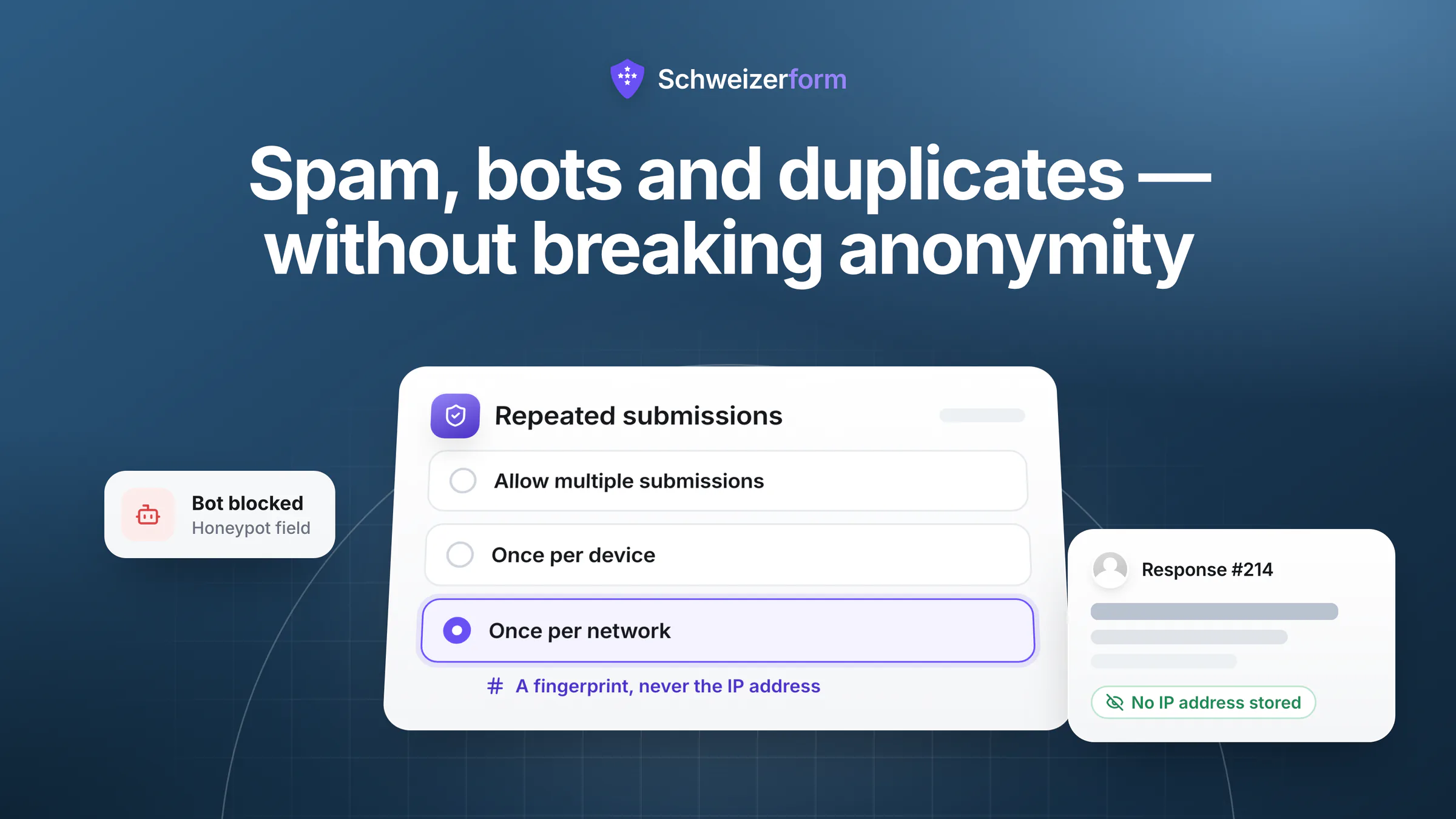
Two requests arrive together on almost every form project. «Make sure bots cannot spam it» and «make sure nobody can submit twice». Then, often in the same meeting, a third: «and it has to be anonymous». Those three sentences are in tension, and the tension is not a product limitation — it is arithmetic. To know that this submission is not the same person as that one, you need something that distinguishes people. That something is an identifier, and an identifier is the opposite of anonymity.
The short version
Spam and duplicates are different problems with different solutions. Spam is a volume problem: rate limits, honeypots, structural limits and validation solve most of it without identifying anybody. Duplicates are an identity problem: every mechanism — cookie, IP address, e-mail, login, one-time token — is an identifier, so the design question is which is the weakest identifier that solves your actual problem, and how long you keep it. And where the answer must stay anonymous, the fix is to separate eligibility from submission so that the two are never stored together.
This article is the practical version of that trade-off: what to use for spam, what each anti-duplicate mechanism actually costs, how the «anonymous but verified» pattern works, and when requiring a login is the right answer rather than the lazy one.
How Do I Prevent Spam and Bots?
Start here, because this half is genuinely easy and costs no anonymity at all. Almost all form spam is automated, undirected and cheap — scripts that find a public endpoint and post to it repeatedly. Four layers handle it.
- Rate limits. A cap on how many submissions one source can make per minute, per hour and per day turns a flood into noise. Limits should be generous enough to survive legitimate patterns — a shared office network, a school, a kiosk tablet at an event, a canton behind NAT — and they should fail open: a limiter that breaks must never block real traffic.
- A honeypot field. A field hidden from human respondents but present in the markup. Humans leave it empty; naïve bots fill everything. Costs nothing, catches a surprising share, and adds no identifier.
- Structural limits. The most underrated defence. Close the form on a date. Cap the total number of responses. Put an access code on it. A form that accepts 200 responses and then stops cannot be flooded to 20,000, and none of those three controls needs to know anything about who is submitting.
- Validation and required fields. Format checks, plausibility rules and required answers filter out the junk that survives everything else, and they improve your data quality regardless of abuse.
Then there is the escalation layer: after enough refused requests from one source, block that source temporarily. The important design detail is that automatic blocks should expire. A permanent automatic block eventually punishes a shared network — a hotel, a hospital, a university — for the behaviour of one person on it.
The CAPTCHA question
A third-party CAPTCHA works, and it has a price that rarely makes it into the decision: it loads a foreign script into your form page and profiles your respondents on your behalf. That is a disclosure to a third party, usually in another jurisdiction, that belongs in your privacy notice and your record of processing — and it happens on every form view, before anyone submits anything. It also degrades accessibility for exactly the people least able to argue with it. If your spam problem is undirected volume, the four layers above solve it without any of that. Schweizerform deliberately ships no third-party CAPTCHA for this reason.
Every Anti-Duplicate Mechanism Is an Identifier
Duplicates are a different problem, and here the honest framing matters. There is no way to enforce «one submission per person» while knowing nothing about the person. What varies is how much you learn, how long you keep it, and whether it can be linked back to a human. Under the nFADP, an IP address relating to an identifiable person is personal data, so every row in the table below is a processing decision that needs a purpose and a retention period.
| Mechanism | What it actually stores | How well it works | Anonymity cost |
|---|---|---|---|
| Device marker (local storage or cookie) | A flag in the respondent's own browser; nothing on your side | Stops accidental double-submits; bypassed by a new browser or private window | Lowest — nothing identifying is stored by you |
| Hashed IP per form | A one-way fingerprint of (form + IP), not the address itself | Server-enforced and effective; blocks everyone behind one shared connection | Low if salted per form and peppered server-side; high if you store the raw IP |
| One-time token or personalised link | A list of issued tokens, and which were used | Strong; the standard answer for a known population like members or employees | Depends entirely on whether the issued-token list is linked to names |
| E-mail confirmation | The respondent's e-mail address, verified | Strong against casual duplicates, weak against anyone with two addresses | High — you now hold a direct identifier alongside the answers |
| Account login | A full identity, plus session and access logs | Strongest available | Highest — anonymity is gone; you have a named respondent |
The rule that follows from the table: choose the weakest mechanism that solves the problem you actually have. A satisfaction survey where a handful of duplicate responses would not change a decision needs the top row. An association vote that decides a budget needs the third. Reaching for a login because it is definitive, in a context where the duplicates would not have mattered, converts an anonymous dataset into a personal one for no analytical gain.
«We only store a hash» is not automatically fine
A hash of an IP address is still personal data if it can be recomputed. If the salt is public, or the same across forms, or the value is not peppered with a server-side secret, anyone with a candidate IP can confirm a match — and the same hash appearing on two forms links the two submissions. Three properties make the difference: a per-form salt so the value is not correlatable across forms, a server-held secret so it cannot be brute-forced back to an address, and deletion together with the submission so it does not outlive its purpose.
How Can We Prevent Duplicate Submissions?
Once per device — honest about what it is
A marker stored in the respondent's own browser prevents the same browser from submitting twice. It is best-effort by construction: a new browser, a different device or a private window resets it, and it can be cleared by anyone who cares to. That makes it exactly right for the most common real problem — someone clicking submit twice, or filling in the form again because they were not sure it worked — and exactly wrong for anything adversarial. Tools that market this as «one response per person» are overselling it; the correct description is «one response per browser, unless someone tries».
Once per IP — server-enforced, with two caveats
Checking whether a submission has already arrived from the same network is enforced on the server, so it survives browser tricks. The two caveats are opposite failure modes, and both matter. A shared connection — a company office, a school, a family, a mobile carrier's NAT — means several legitimate people appear as one, and the second person is refused. And mobile networks rotate addresses, so one person can appear as several. It is a good control for one-per-household situations and event kiosks, and a poor one for «one vote per member» in a workplace.
Two details make it defensible in practice: store a per-form salted, server-peppered fingerprint rather than the address itself, and delete the fingerprint when the submission is deleted — so removing a response also frees that network to submit again, and the identifier never outlives the data it was protecting.
One-time tokens — the right answer for a known population
If you know who is entitled to respond — members, employees, invited households, registered participants — issue each person a single-use code or link, and mark it used on submission. This is accurate, resistant to duplicates and, crucially, controllable in its privacy properties: whether it reveals identity depends entirely on whether you keep the mapping between the token and the person. Keep the mapping and you have a pseudonymous survey. Destroy it at issuance and you have something much closer to anonymous — see the next section.
The measure people forget: make duplicates not worth making
A large share of duplicate-submission anxiety is really anxiety about a prize: limited places, a voucher, a competition entry, a vote that changes an outcome. When you cannot verify strongly, remove the incentive instead — cap the total, allocate by draw among all entries rather than first-come, deduplicate afterwards during review rather than at the door, or make the reward independent of submission count. Reviewing 300 responses for obvious duplicates costs an afternoon; identifying 300 people costs a legal basis.
How Do I Verify Respondents Without Losing Anonymity?
This is the requirement that sounds impossible and is merely inconvenient. It appears constantly: an association where every member votes once but no vote may be attributable; a whistleblowing channel that must accept reports only from employees; an employee survey that must reach everyone once and identify nobody. The pattern that solves it has one idea at its heart — separate the eligibility check from the submission, and never store the two together.
- 1
Check eligibility in one system
Use the membership register, the HR list or the invitation list to establish who may respond. This system knows names; that is its job.
- 2
Issue an unlinked credential
Give each eligible person a single-use token that is not derived from their identity and not recorded against it. Generate the tokens, distribute them, and keep only the count — not who received which.
- 3
Accept the submission against the token, not the person
The form checks that the token is valid and unused, marks it used, and stores the answers with no reference to the token beyond that. The result: one response per eligible person, with no path from a response to a name.
- 4
Refuse to collect the tempting extras
No IP logging on that form, no personalised links, no e-mail field «for the receipt», no timestamps at a granularity that identifies people in small groups. Each of these quietly reconnects what step 2 separated.
- 5
Watch the reporting threshold, not just the intake
Verification is only half of anonymity. Publishing a result computed from three responses re-identifies people no matter how clean the intake was — the thresholds are in our post on anonymous employee surveys.
Be honest about the residual risk
This pattern gives strong practical anonymity, not a cryptographic guarantee. Whoever distributes the tokens could record which token went to whom; a small population plus a free-text answer identifies its author regardless; and the eligibility system still knows the response rate, which in a five-person team is nearly the same as knowing who answered. Say so when you promise anonymity. A precise promise survives one sceptical engineer in a meeting; an absolute one does not — and the distinction between anonymous and pseudonymous is worth reading up on in anonymous versus pseudonymous forms.
Should I Require a Login or an E-Mail Address?
Sometimes, and it is worth being deliberate about which side you are on. Requiring identity is the correct answer when the process is intrinsically identified anyway — a benefits application, a grant submission, a patient intake, a purchase, anything you will reply to individually. In those cases the identity is the point, and pretending otherwise adds friction without adding privacy.
It is the wrong answer when the value of the data depends on candour. Grievances, whistleblowing, engagement surveys, harassment reports, feedback on management: the moment a login stands in front of the form, response quality drops and the responses you do get are the safe ones. That is not a hypothetical — it is the most reliable finding in internal-feedback research, and it is why our HR and whistleblower use case treats identity-free intake as a functional requirement rather than a privacy nicety.
- Require identity when you must reply individually, verify entitlement precisely, meet a statutory identification duty, or handle money.
- Avoid identity when the purpose is measurement or reporting misconduct, the population is small enough to be re-identified, or you have promised anonymity anywhere in your communications.
- In between, prefer a one-time token over a login, and an optional contact field over a mandatory one — «leave an e-mail address if you want a reply» respects both cases at once.
What the Platform Should Handle by Default
Some of this list should not be your decision at all. A form platform ought to arrive with abuse controls already applied, generously tuned and privacy-conscious, so that the only thing left for you to choose is the duplicate policy for each form.
- Rate limits on the public surface — per form and globally, over several time windows, tolerant of kiosks and shared networks, and failing open when the limiter itself has a problem.
- Limits on the noisy edges too, not just the submit endpoint: form views, access-code attempts and requests for form IDs that do not exist, so enumeration and view-count inflation are bounded as well.
- Automatic, expiring blocks for a source that keeps triggering refusals, plus a manual block for the rare persistent case — with an audit entry for both.
- A per-form duplicate policy you can set without a support ticket: unrestricted, once per device, or once per network.
- Privacy-preserving enforcement — a per-form salted, server-peppered fingerprint instead of a stored IP address, deleted with the submission.
- No third-party scripts on the form page, so the anti-abuse layer does not itself become a disclosure to a foreign processor.
- Disposable-address blocking at signup, where throwaway inboxes let one actor mint unlimited accounts — and deliberately not at login or password reset, so an existing customer on such a domain is never locked out of their own data.
One thing no platform can do for you is put the measures in the privacy notice. If you rate-limit, block addresses or fingerprint networks, that is processing, and Art. 19 nFADP transparency applies to it just as it does to the answers. One line — «we record technical data such as a network fingerprint to prevent abuse, kept for the duration of the form» — is enough, and it is the line auditors look for.
Choosing the Control for a Real Form
| Form | Real risk | Recommended control |
|---|---|---|
| Public contact or feedback form | Automated spam; accidental double-submits | Rate limits plus honeypot; device marker; no identifiers |
| Event signup with limited places | Overbooking; opportunistic multiple entries | Response cap plus closing date; e-mail needed for the confirmation anyway |
| Association or committee vote | Double voting decides the outcome | One-time tokens from the member register, issued unlinked; results reported in aggregate only |
| Employee engagement survey | Duplicates skew the mean; identification kills candour | One shared link, no login, no personalised invitations, reporting threshold applied to every cell |
| Whistleblowing channel | Reporter exposure is the whole risk; junk reports are survivable | Access code distributed internally; no IP retention; a reply mechanism that does not require an identity |
| Grant or hardship application | Fraudulent multiple applications; highly sensitive content | Identified submission by design, with strict access control and a retention rule for rejected files |
Read the middle column first. In four of these six rows, the duplicate is the smaller risk — which is the general shape of this problem, and the reason «prevent duplicates» should never be answered before «at what cost».
Five Mistakes That Break Anonymity Accidentally
- Personalised invitation links on an «anonymous» survey. The single most common way an anonymity promise becomes untrue. If the link identifies the recipient, the response is pseudonymous at best.
- Keeping the token-to-person mapping «just in case». It converts the whole design back into an identified one, and it will be requested the first time somebody wants to chase non-respondents.
- Logging IP addresses in raw form for abuse prevention, then never deleting them. The purpose ends when the form closes; the data should end with it.
- Adding a CAPTCHA without updating the privacy notice. A third-party call on every page view is a disclosure, whether or not anyone submits.
- Timestamps at second granularity in a small team. Combined with known working patterns, a submission time can identify an author as reliably as a name — the same class of leak as a demographic cross-tab.
Bottom Line
Solve the two problems separately. Spam is volume, and rate limits, honeypots, expiring blocks and structural caps handle it without learning anything about anybody. Duplicates are identity, and the only question worth arguing about is how little identity you can spend: a device marker if the risk is a stray double-click, a privacy-preserving network fingerprint if one-per-household is close enough, an unlinked one-time token if you must be exact and still anonymous, a login only where the process is identified anyway.
And when someone asks for all three properties at once — spam-proof, duplicate-proof, anonymous — the answer is not «impossible». It is: verify eligibility in one place, accept submissions in another, and never join the two.
Schweizerform applies rate limits and expiring automatic blocks on the public form surface by default, offers a per-form policy of unrestricted, once per device or once per network, and enforces the network option with a per-form salted, server-peppered fingerprint that is deleted together with the submission — never a stored IP address. There are no third-party scripts on the form page, so the anti-abuse layer is not itself a disclosure. The wider design context is in how to create a secure online form and on our security page. For the hardest version of the once-per-person problem — a members' vote where the one-vote-per-member requirement collides with the ballot's secrecy — see association and club member forms.
Disclaimer: This article is general information and marketing content, not legal advice. References to the nFADP (Art. 6, 19) and to the treatment of IP addresses as personal data are simplified summaries reflecting the position in July 2026. Whether a particular anti-abuse measure is proportionate, and how long its data may be kept, depends on your circumstances — have designs involving sensitive data, works-council obligations or voting processes reviewed by qualified counsel.