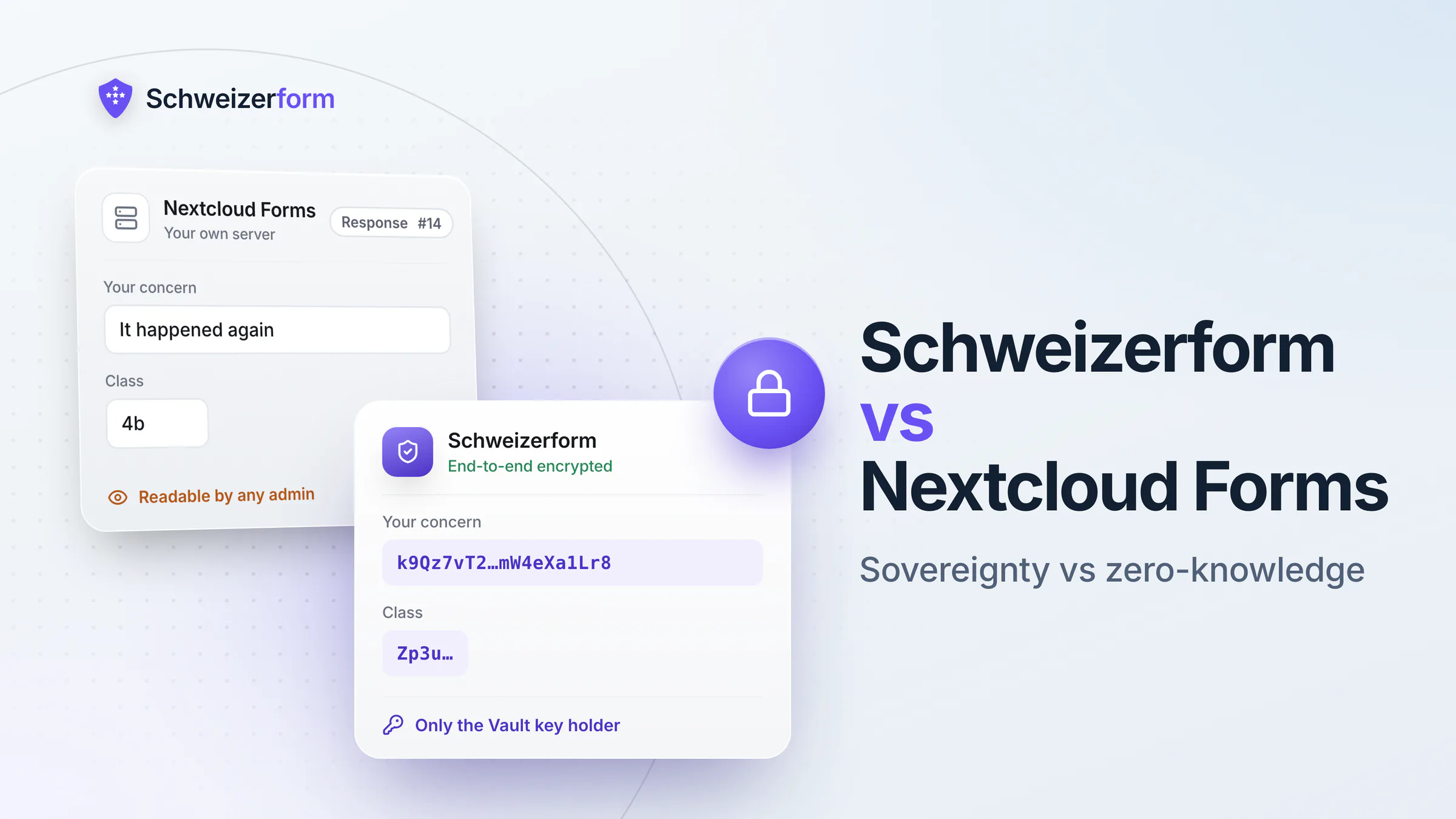
This is the fairest comparison on our site, so we will start with the concession. If your organisation already runs Nextcloud on Swiss infrastructure, you have solved the two hardest problems in this market — hosting jurisdiction and data sovereignty — and the Forms app costs you nothing on top. For a municipality collecting event registrations, a school running a parents' poll or an association gathering meeting availability, Nextcloud Forms is the right answer and you should use it.
What follows is the precise scope of what it does not do, because two things are widely assumed about it that are not true. First, Nextcloud's encryption features do not cover form responses: server-side encryption keeps its keys on the server, end-to-end encryption is a client-side feature for files, and the documentation states plainly that only files are encrypted — calendar items, to-do lists and other app data are not. Form answers are app data, in the database. Second, Forms is a deliberately simple app: as of July 2026 it still has no conditional logic, so every respondent sees every question.
Status: July 2026
Nextcloud behaviour below was checked against the Nextcloud administration manual, the Forms app documentation and its public issue tracker on 25 July 2026. Nextcloud ships frequently and the Forms app is actively developed — conditional logic in particular is a long-standing open request that may land. Verify against the version you actually run.
How Each Product Positions Itself
Nextcloud Forms — the app you already own
Nextcloud Forms is a free app inside a Nextcloud instance, developed by Nextcloud GmbH and the community. It offers short and long text, multiple choice, checkboxes, dropdowns, dates and date-times; forms can be shared by public link to people with no Nextcloud account, and respondents can answer anonymously without registering. There is no limit on forms, questions, share links or responses — the constraint is your own server. Results are viewable in the app and exportable to a spreadsheet in your Nextcloud files. Its central virtue is that it inherits everything you already decided about your instance: where it runs, who administers it, how it is backed up, and which law applies.
Schweizerform — encrypted intake, zero-knowledge by default
Schweizerform is a hosted intake platform whose defining property is that we cannot read submissions. Each response is encrypted in the respondent's browser with AES-256-GCM, the submission key is wrapped to the form's public key, and the server holds ciphertext only. Decryption happens in your browser with the Vault key, derived client-side and never sent to us. Encrypted submissions are stored in Switzerland at Infomaniak, a single form definition publishes in EN, DE, FR and IT, and the public form page loads no third-party trackers or cookies. We can see your question text — it is stored server-side so the form can render — and never an answer.
What Nextcloud's Encryption Covers — and Why Form Responses Are Not In It
Nextcloud has two encryption features and both are good at what they are for. Server-side encryption encrypts file contents at rest, with the keys kept on the Nextcloud server. The administration manual is explicit about the consequence: because the keys are on the server, the Nextcloud administrator can access unencrypted files, and server-side encryption does not protect data from a compromised server or a malicious administrator. Its real use case is protecting files stored on external storage you do not control.
End-to-end encryption is the stronger feature: performed by the Nextcloud desktop and mobile clients before upload, so only the client can decrypt and neither server administrators nor external storage providers can read the content. That is genuine zero-knowledge — and it applies to files, synchronised through a client, in designated folders. Form responses never take that path. They are written by the web application into the database as application data, and the documentation states that only files are encrypted; calendar items, to-do lists and other app data are not.
So the accurate sentence about a self-hosted Nextcloud Forms deployment is: your form responses sit in your own database, in clear text, readable by anyone with administrative access to the instance. That is not a criticism of Nextcloud — it is the same as every other conventional form tool, with the important difference that the party who can read them is your own organisation rather than an external vendor. Whether that difference resolves your problem depends entirely on who the survey is protecting people from.
«We run Nextcloud, so our form data is encrypted» is the misunderstanding to correct
Enabling server-side encryption or end-to-end encryption in Nextcloud does not encrypt Forms responses, because those are app data rather than files. If a data protection officer, a works council or a school board has been told that form answers are covered by the instance's encryption, that statement needs correcting before it appears in a processing record. The general distinction is in encryption at rest vs end-to-end.
The Security Models Side by Side
Both products remove the commercial vendor from the picture, and they do it in opposite ways. Nextcloud removes the vendor by making you the operator: no third party holds your data, and the trust boundary is your own server, your own administrators and your own backups. Schweizerform keeps a vendor in the picture but makes that vendor unable to read anything: we hold ciphertext, and no configuration, support tool or administrative override on our side produces a readable answer.
The practical question is which residual risk fits your organisation. A cantonal IT department with a patch process, monitoring and a security officer is genuinely better served by owning the stack. A three-person school secretariat running a Nextcloud that somebody's predecessor installed is carrying a risk it cannot see, and «the data never left our building» is not much comfort if the building's server is two major versions behind. And in both cases there is a category of form — the harassment report, the pupil welfare concern, the whistleblowing channel — where the person who must not read the responses is the administrator of the instance.
Head-to-Head Feature Comparison
| Nextcloud Forms | Schweizerform | |
|---|---|---|
| Who can read responses | You — and anyone with admin access to the instance | Only the Vault key holder — not us |
| Are responses encrypted? | No — app data in the database; SSE and E2EE cover files | Yes — end-to-end, always, in the respondent's browser |
| Conditional logic and branching | No — every respondent sees every question (July 2026) | Yes — show/hide a question based on earlier answers (Pro) |
| Question types | Text, long text, multiple choice, checkboxes, dropdown, date, date-time | Full intake set including file uploads and validation |
| Validation | Basic required-field checks | Format and content validation per question type |
| Anonymous responses | Yes — public link, no account needed | Yes — and no IP, no cookies, nothing to link back |
| Multilingual publication | One form, one language version you maintain | EN/DE/FR/IT from one definition, AI-assisted translation |
| File uploads from respondents | Supported, stored in your Nextcloud files | Encrypted client-side; filenames never leave the browser in clear |
| Hosting and jurisdiction | Wherever your instance runs — Swiss if you chose so | Encrypted submissions stored in Switzerland (Infomaniak) |
| Who patches, backs up and monitors | You | Us |
| Cost | Free with an instance you already run | Free plan; Pro CHF 29/month; Business CHF 69/month |
The third row is a tie, and it is worth planning around rather than discovering: neither product branches. A form that would ideally say «if you answered yes, tell us more» has to show that follow-up to everyone, which raises abandonment and, more importantly for data protection, collects fields from respondents for whom they are not relevant. On either platform the answer is the same — keep each form to one purpose and put the follow-up in a second, separately linked form, so Art. 6 nDSG proportionality is satisfied by scope rather than by logic. Read the rows above it instead: that is where the two products actually differ.
Hosting, Sovereignty and Swiss Infrastructure
Here Nextcloud wins on its own terms, and we should say so plainly. A Nextcloud instance on Infomaniak — which offers one-click Nextcloud Hub installs in its ISO-27001-certified Swiss data centres — or on Hostpoint, whose hosting runs on servers located in Switzerland, gives you Swiss residency, Swiss jurisdiction over the operator, and no processor in the chain at all. Nextcloud GmbH is a German company, but self-hosting means it is a software supplier rather than a data processor. For a public body under cantonal data protection law, that is close to the ideal arrangement on paper.
The qualifier is that sovereignty and confidentiality are different guarantees. Sovereignty answers «which state's authorities can compel access and which law governs». Confidentiality answers «who can read this». A Swiss-hosted Nextcloud gives you the first completely and the second only to the extent that you control your own administrators. That distinction is the whole subject of form and survey tools hosted in Switzerland, and it is why the privatim resolution of November 2025 on international cloud services carves out its narrow exception for arrangements in which the public body encrypts and the provider holds no key.
The Operational Burden Nobody Prices
«Free» is the licence, not the deployment. A Nextcloud instance that is safe to collect personal data on requires, continuously and from someone accountable: server and PHP updates, Nextcloud major-version upgrades on a cadence that keeps pace with security releases, TLS certificate lifecycle, restore-tested backups, access review of who holds administrator rights, log retention with an actual path to detecting a compromise, and retention routines so responses do not accumulate forever in a database nobody looks at. Art. 8 nDSG puts the technical and organisational measures on the controller, and self-hosting concentrates every one of them on you.
Organisations with professional IT absorb this comfortably — it is what an IT department is for. The failure mode we see in Swiss municipalities and schools is not dramatic: it is an instance two major versions behind, with an admin account belonging to somebody who left, still serving a form that collects health information about children. We work through the general trade-off in the self-hosted forms comparison and the estate view — inventory, ownership, versioning, retention, accessibility — in digital form management for Swiss organisations.
Pricing
Nextcloud Forms is free if the instance exists, and the price of the instance if it does not: hosting plus the staff time above. Schweizerform is Free, Pro at CHF 29 per month and Business at CHF 69 per month, with end-to-end encryption and Swiss storage of encrypted submissions on every plan including Free — they are not a tier, because there is no unencrypted mode to sell. Current limits are on the pricing page.
The comparison that actually matters is not the licence fee
If Nextcloud is already running and someone competent maintains it, our subscription is a real added cost and you should only pay it for the forms that need what it buys. If you would be standing up and operating Nextcloud in order to have forms, compare our subscription against the fully loaded cost of years of server maintenance — and against the risk of that maintenance quietly stopping.
Which Tool Fits Which Job
Use Nextcloud Forms when
- The instance already exists and is genuinely maintained by someone accountable
- The form is simple: registrations, availability polls, feedback, sign-up sheets, internal requests
- The data would not embarrass or endanger anyone if an administrator read it
- You want zero marginal cost and no new supplier relationship, contract or processing agreement
- Data sovereignty is the requirement and confidentiality from your own IT is not
Use Schweizerform when
- The responses are sensitive: health data, social services intake, pupil welfare, harassment or whistleblowing reports, financial disclosures
- The person who must not read the answers has administrative access to your systems
- You are bound by professional secrecy under Art. 321 StGB, which binds the professional and their auxiliary persons
- The same form has to be live in EN, DE, FR and IT without maintaining four copies
- The form needs richer validation or encrypted file uploads from respondents
- You have no one to operate a server, and pretending otherwise is the actual risk
When You Might Honestly Use Both
This is the outcome we would recommend to most Nextcloud-running municipalities and schools, and it costs almost nothing. Keep Nextcloud Forms as the default for everything ordinary — the ninety per cent of forms where the content is administrative and the audience is internal. Add an encrypted channel for the small number where the content is sensitive: the school's report-a-concern form, the social services intake, the staff grievance line, the health declaration for a school camp. Scoping two tools by sensitivity is not a failure to consolidate; it is the same reasoning that puts some documents in a locked cabinet and the rest on a shelf. For the sector-specific version see the government and public sector use case, the education use case, and — for the Swiss school context specifically, where data protection law is cantonal rather than federal — can schools use Google Forms.
Moving a Sensitive Form Off Nextcloud Forms
- 1
Identify the forms where an administrator is the wrong reader
Go through the list once and mark every form whose respondents could be harmed if someone with admin rights read the answers. In a school or a municipality that is usually three to five forms out of forty.
- 2
Export and archive the existing responses
Export the results to a spreadsheet, move it out of the general Nextcloud file tree into a location with restricted access, and record where it lives. Do this before changing anything.
- 3
Rebuild the form and split it to collect less
Nextcloud Forms showed every question to everyone, and so will this — neither product branches. The rebuild is still the moment to cut the field list to what you actually use, and to move the rarely-relevant follow-up into a second, separately linked form so the sensitive questions only reach the people they apply to. It is the cheapest data protection improvement available.
- 4
Decide who holds the Vault key before launch
On a zero-knowledge platform the key is both the security model and the recovery model. Decide who holds it, where the backup is, and what happens when that person changes role — in a public body, write it into the role description rather than leaving it with a person.
- 5
Say what changed, in plain language, on the form itself
«Your answers are encrypted in your browser; neither the platform nor our IT department can read them» measurably changes who is willing to submit a report. Only say it once it is true of the form you built.
- 6
Delete the old responses and record the retention rule
Purge the migrated responses from the Nextcloud database and from the exported spreadsheets on a defined schedule, and write down the new retention period — see form data retention. For cantonal and communal bodies, check whether archive law requires authorisation before destruction.
The Bottom Line
Nextcloud Forms is a good, honest, free app inside a platform that solves data sovereignty properly, and if you already run Nextcloud you should use it for most of your forms. We are not going to argue you out of that, and a comparison page that tried would be worth nothing to you.
The narrow claim we do make is factual: form responses in Nextcloud are application data in a database, so the instance's server-side and end-to-end encryption do not cover them, and every administrator can read them. When the point of the form is that nobody — including your own IT — should be able to read what people submit, that is not a setting you can enable in Nextcloud. It is a different architecture.
Keep Nextcloud Forms for the ordinary ninety per cent. For the handful of forms where an administrator is exactly the wrong reader, add a channel where responses are encrypted in the respondent's browser, encrypted submissions are stored in Switzerland, and the same form is live in four languages. The Free plan is enough to run one real form end to end — start there, or read how the encryption works on the security page.
Disclaimer: This comparison is general information and marketing content, not legal, regulatory or compliance advice. Nextcloud product behaviour, encryption scope and Forms app capabilities reflect the Nextcloud administration manual, app documentation and public issue tracker as checked on 25 July 2026 and may change with any release — verify against the version you run before making procurement or compliance decisions. References to the DSG, to cantonal data protection and archive law and to Art. 321 StGB are summaries, not a substitute for advice from qualified Swiss counsel on your specific processing. Nextcloud is a trademark of Nextcloud GmbH; all product and company names are trademarks of their respective owners and are used here for factual comparison only.