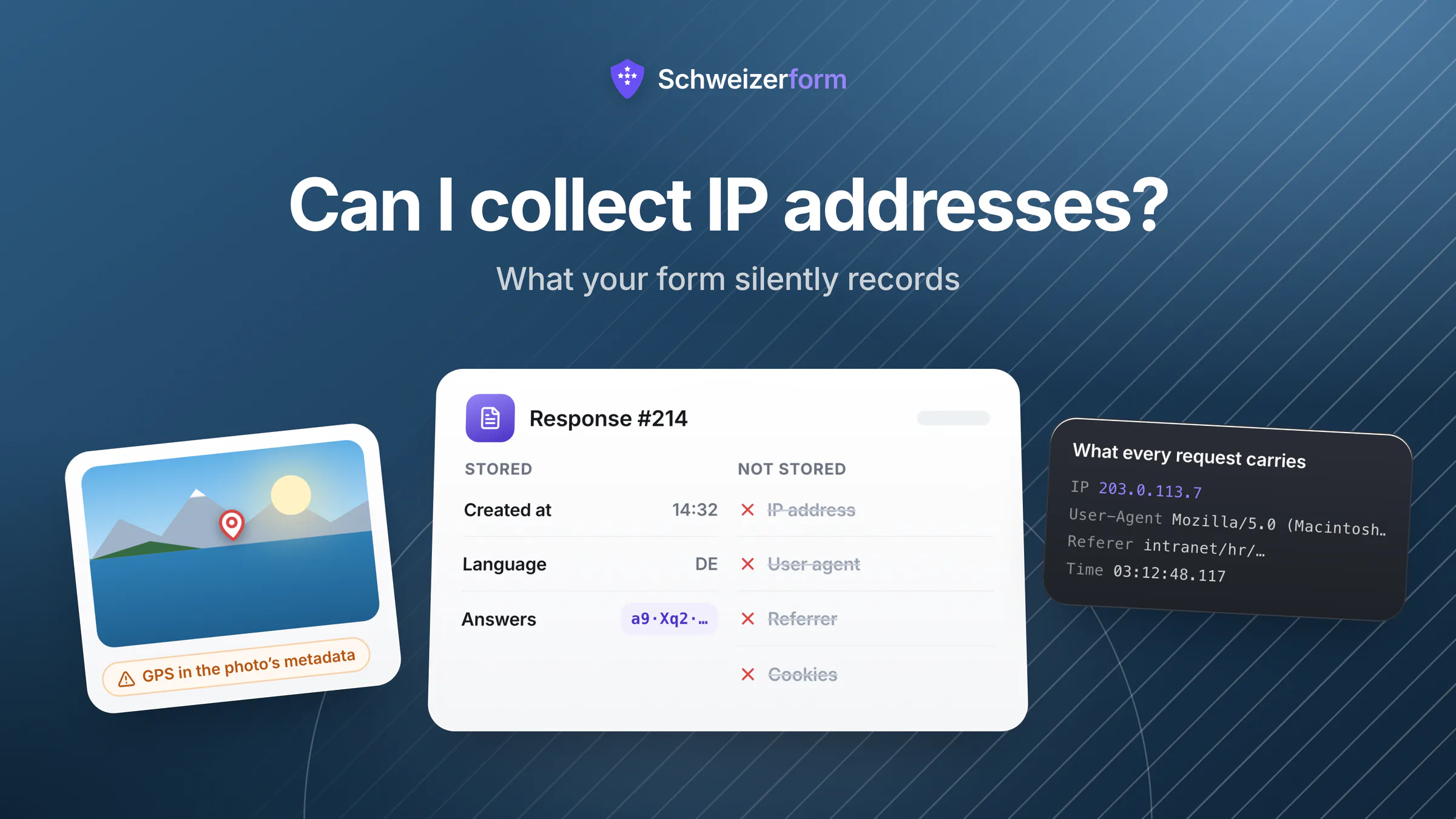
«Can I collect IP addresses?» is nearly always the wrong first question. The answer is usually yes, and it is the least interesting thing about the subject — because the IP address is the one piece of metadata people know they are collecting. What sinks an anonymity promise is the rest of it: the user-agent string, the timestamp precise to the millisecond, the referrer that reveals which internal page the respondent came from, the timing telemetry, the GPS coordinates in the photo they attached, the headers on the notification e-mail, and the six third-party requests the form page made before anyone typed anything.
The short version
Yes, you can collect an IP address — it is personal data under the nFADP and the GDPR, not forbidden data. You need a purpose, a legal basis, transparency, and a retention period that matches the purpose. Security and abuse prevention are the strong justifications; «for statistics» generally is not, because a coarser signal would do. The problems are elsewhere. Most form platforms record a dozen other things by default, almost none publish the list, and the accumulation is what turns an «anonymous» channel into a pseudonymous one that your own IT department can resolve. This article gives you the inventory, the legal status of each item, defensible retention, a two-minute audit you can run on your own form — and, at the end, exactly what Schweizerform stores, field by field, including the parts that are less private than the rest of the product.
The Inventory: Everything a Form Can Capture Besides the Answers
This is the list to walk with your platform, not a list of accusations. Different vendors collect different subsets; the point is that you should be able to say which subset applies to you.
| Signal | Where it comes from | What it can reveal |
|---|---|---|
| IP address | Every HTTP request — the server sees it whether or not it stores it | Approximate location, the employer or ISP, and a link between separate submissions from the same network |
| User agent / device data | Request headers; sometimes screen size and platform via JavaScript | A surprisingly narrow fingerprint — an unusual browser-version-plus-OS-plus-screen combination can be near-unique in a small population |
| Timestamps | Server clock, at whatever precision the vendor keeps | Correlation with badge logs, shift rosters, calendar entries. A submission at 03:12 on a Sunday identifies a small set of people |
| Referrer and UTM parameters | The page the respondent arrived from | That they came from a specific internal intranet page, a private link, or a targeted campaign |
| Timing and interaction telemetry | JavaScript on the form page: time per field, hesitations, corrections, sometimes keystrokes | Hesitation on a sensitive question. In the extreme (session replay) the answers typed and then deleted |
| Cookies and local storage | Set by the form page or by third parties embedded in it | Return visits, cross-form linkage, and — with third-party trackers — activity beyond your form entirely |
| File metadata (EXIF) | Photos and documents attached by the respondent | GPS coordinates, capture time, device serial, and in office documents the author name and edit history |
| Notification e-mail headers | The mail your platform sends you when a response arrives | Originating servers and, when responses are included in the body, a permanent unencrypted copy in several mailboxes |
| Error and performance monitoring | Third-party crash/APM tooling on the form page | URLs, request payload fragments, sometimes field values inside error contexts |
| CDN, font and CAPTCHA requests | Anything the page loads from another host | The respondent's IP disclosed to that host, whether or not any data is «shared» in your sense of the word |
| Account identifiers | A form behind a corporate login or SSO | Everything. If the respondent is authenticated, no other item on this list matters |
The accumulation problem
No single item on that list identifies a person on its own in a large population. Four of them together identify most people in an organisation of two hundred. This is why «we don't store names» is not an anonymity claim, and why the honest question is not «do we collect the IP» but «what is the smallest set of people a given submission could have come from».
Is an IP Address Personal Data?
Under Art. 5 lit. a nFADP, personal data is any information relating to an identified or identifiable natural person. An IP address relates to a person whenever you have means reasonably likely to be used to identify them — and in the EU the Court of Justice settled the equivalent question in Breyer (C-582/14, 2016): a dynamic IP address is personal data in the hands of a website operator that has legal means available to obtain the subscriber's identity from the provider. Treat an IP as personal data. Arguing otherwise is a losing position and buys you nothing anyway.
What did move recently is the treatment of pseudonymised data. In September 2025 the Court of Justice ruled in EDPS v SRB (C-413/23 P) that identifiability is assessed relatively: sufficiently pseudonymised data can be personal data for the original controller and not personal data for a recipient who cannot reasonably re-identify anyone, taking technical, organisational and legal factors into account.
That matters directly to form platforms, because it is the difference between two designs that both claim to «not store IPs»:
- A hash of the IP with a fixed, known algorithm. Reversible by brute force — the IPv4 space is small enough to enumerate in seconds. This is not pseudonymisation, it is obfuscation, and it should be treated as an IP.
- A keyed hash with a secret the attacker does not have, salted per form. Not reversible without the server-side secret, and not linkable across forms because each form's hash of the same address is different. That is a genuinely different object, and the relative approach is the reason you can say so.
- No identifier at all. Nothing to reverse, nothing to disclose, nothing to keep. Always the strongest position — and the one to choose whenever the purpose can be met another way.
The broader distinction — anonymous versus pseudonymous, and why most «anonymous» forms are neither — is in anonymous forms versus pseudonymous forms.
When Collecting It Is Defensible — and For How Long
Swiss law does not require consent for most processing by a private controller; it requires that the processing be lawful, proportionate, recognisable and carried out in good faith (Art. 6 nFADP), with an overriding interest available under Art. 31 where a justification is needed. The GDPR route for the same facts is normally the legitimate-interest basis in Art. 6(1)(f) with a documented balancing test. In both systems, the question that actually decides the case is whether a less invasive means would achieve the same purpose. Metadata fails that test far more often than form fields do.
| Purpose | Defensible? | Sensible retention |
|---|---|---|
| Security logs — intrusion detection, incident investigation | Yes, this is the strongest case | Days to a few months, then automatic deletion. Not «forever, in case» |
| Rate limiting and blocking abusive traffic | Yes, but it does not require storage beyond the block window | The lifetime of the rate-limit window; blocks with an expiry date |
| Preventing duplicate submissions | Yes if you keep a derived value, questionable if you keep the address | Only as long as the submission itself; delete both together |
| Fraud prevention on a form with money attached | Usually yes, with the reasoning documented | Match it to the dispute or chargeback period, then delete |
| «Analytics» — where responses come from | Rarely — a country or a coarse counter achieves this without the address | Do not store the address at all; store the derived, coarse value |
| Proving who submitted a form later | Only where a real evidential need exists, and then say so in advance | Defined by the underlying obligation, not by convenience |
| On a form that promises anonymity | No. The purpose contradicts the promise | Not applicable — do not collect it |
Whatever you decide, three obligations follow and they are the ones auditors ask about: the metadata belongs in your record of processing activities, the categories belong in your privacy notice under Art. 19 nFADP (recipients and countries included), and the retention rule has to exist in writing and actually run. See form data retention and the nFADP compliance checklist for forms and surveys.
The Cookie and Tracker Layer Is a Separate Rule
Switzerland regulates cookies through telecommunications law, not through the data protection act. Art. 45c lit. b FMG allows processing on a user's device where the user is informed about it and its purpose and told that they can refuse it — an information-plus-opt-out model, not the EU's prior-consent model. The FDPIC published a guideline on cookies and similar technologies (version 1.1, 6 October 2025) that expects the refusal option to be visible and exercisable in a few clicks rather than buried. Where the cookies also process personal data, the nFADP applies on top; where your respondents are in the EU, the ePrivacy consent standard applies to them regardless of where you sit.
For a form page the practical rule is much simpler than the law: do not put non-essential trackers on it. A form that loads no analytics, no tag manager, no external fonts and no third-party CAPTCHA needs no banner, discloses the respondent's IP to nobody, and converts better because there is no dialog in front of the first question. Advertising and measurement belong on your marketing pages, where the trade-off is a real business decision rather than an accident.
The Four You Did Not Know You Were Collecting
1. EXIF data in uploaded photos
A phone photo commonly carries GPS coordinates, the capture timestamp and the device identity. Somebody photographing a defect at home, an injury, or a document on a kitchen table is attaching their home address to a report they believed was anonymous. Strip metadata on upload where you can; where you cannot, say so on the upload field itself in one sentence. More on the upload path in the complete guide to secure file uploads.
2. The notification e-mail
If your platform e-mails you the response content, you have created permanent unencrypted copies in every mailbox on the distribution, on every phone that syncs them, and in every backup behind them — plus a mail trail with its own headers and its own retention. The fix is one setting: notify that a response arrived, never include the content.
3. Error monitoring and session replay
Crash reporting and session-replay tooling is installed to improve the product and is generally invisible to the people writing the privacy notice. Both can capture field values — replay by design, error monitoring accidentally, inside request payloads and error contexts. On a form that handles health, HR or legal content, a third-party replay script is a disclosure of special-category data to a processor nobody documented.
4. Everything the page loads from another host
A web font, an icon library, a CDN, a CAPTCHA: each one receives the respondent's IP address and user agent as a condition of serving the file. That is a disclosure, and if the host is abroad it is a cross-border disclosure with an Art. 16/17 basis to document. It is also the single easiest thing on this page to verify — see the audit below and which form tools are hosted in Switzerland.
What Schweizerform Records — Field by Field
We publish this because we ask other vendors for it. A submission in Schweizerform is a row in a database plus an encrypted blob in Swiss object storage. This is the entire row:
| Stored | What it is | Why |
|---|---|---|
| Submission id, form id, storage path | Identifiers for the record and its ciphertext | Needed to retrieve and delete the submission |
| Wrapped key and IV | The submission's AES key, encrypted under the form's public key | Only the form owner's private key unwraps it — the server cannot |
| Created-at, read-at | When it arrived, and when the owner first decrypted it | Inbox ordering and the unread indicator |
| Size in bytes | Total encrypted bytes stored | Storage quota accounting |
| Duration, answered count, question count | Three coarse integers: time from form open to submit, how many questions were answered, how many existed | Completion analytics. Bounded, identity-free, and never per-question per-person |
| Submitted language | Which of the four locales the form was displayed in | Multilingual reporting. Validated against the supported list, otherwise null |
| Submitter hash — only if you enable «once per network» | A keyed HMAC of (form id + IP) under a server-side secret | Duplicate prevention. Salted per form so it cannot be linked across forms, not reversible to an address, and deleted with the submission |
| Lost-batch marker | Empty unless the account went through a vault-key reset with no recovery code | Quarantine instead of deletion — the ciphertext is kept so it can be recovered or purged deliberately |
| Tags you apply | Short labels the owner adds after decrypting, stored in plain text | Filtering and triage in the inbox without decrypting everything first. Authored by you, never by the respondent |
And this is what is not on it: no IP address, no user agent, no device or browser data, no referrer, no geolocation, no cookie or visitor identifier, no per-question response times, and no account — respondents never need one. A public form page increments a per-day view counter (and a separate one for QR scans); it does not create a visitor session record. Per-question statistics are flat aggregate counters: the client reports which question ids it answered, the server bumps the counters and discards the report.
The parts that are less private, stated plainly
Our marketing website — the pages you are reading now, not the form pages — runs first-party analytics that stores a coarse browser fingerprint, the raw user-agent string and a country derived from your IP using a local MaxMind GeoLite2 database; the IP itself is never persisted and no external analytics service is contacted. Operationally, rate-limit records hold raw IPs for the lifetime of their window and are then swept, and IP blocks hold an address for as long as the block lasts — both for abuse prevention. The audit log records IP and user agent for actions by account holders (logins, form changes, viewing or deleting a submission), because an audit log that cannot say where an action came from is not an audit log. None of that touches respondents to your forms. If a vendor cannot give you this paragraph about themselves, that is the finding.
The design reasoning behind the «once per network» hash — why a per-form salt and a server pepper are the three properties that make a derived identifier defensible, and how the other anti-duplicate mechanisms compare on anonymity cost — is in preventing spam, bots and duplicate submissions without breaking anonymity.
Audit Your Own Form in Ten Minutes
- 1
Open your live form with the network inspector running
Browser developer tools, Network tab, reload. Every distinct host in that list receives your respondent's IP address. Write them down; anything you cannot explain is either removable or a disclosure you owe your privacy notice.
- 2
Submit a test response and look at what the platform stored
Export it, or open the API record. The export is where hidden metadata columns appear — IP, user agent, geolocation, device, timings. If the export has columns your privacy notice does not mention, you have found the gap.
- 3
Check the cookie jar before and after
Application tab, Cookies and Local Storage, before loading the form and after submitting. Anything set by a host other than yours is a third-party tracker on a form page and should not be there.
- 4
Upload a phone photo and read its metadata back
Any EXIF viewer will do. If the coordinates survive the round trip, either strip metadata at upload or warn on the field.
- 5
Read one notification e-mail as a document
Does it contain answers? Then those answers now live in every mailbox on the distribution list. Turn content off and keep the alert.
- 6
Ask the vendor two questions in writing
«Which metadata do you store per submission, and for how long?» and «Which sub-processors receive it?» Save the answer with a date — that is what you will need in front of an auditor, and the response time tells you something on its own.
- 7
Write the retention rule down and make it run
Per category: security logs, rate-limit records, submissions, exports, backups. A rule nobody executes is worse than no rule, because it documents an intention you are demonstrably not meeting.
Nobody ever decided to collect the metadata. That is exactly the problem — an unmade decision is still a decision, and it is the one you will be asked to defend.
Bottom Line
Can you collect IP addresses? Usually yes — with a purpose, a legal basis, a line in your privacy notice and a retention period that ends. What you should not do is collect them by default, keep them indefinitely, and simultaneously describe the form as anonymous. Those three habits are what turn a technical detail into a data protection finding.
The useful mental model is that every form has two payloads: the answers, which you designed, and the metadata, which arrived on its own. You control the first through the field list and the second through the platform you chose and the settings you left alone. Go and look at the second one — it takes ten minutes, and almost everyone who does it finds at least one thing they would not have agreed to.
Schweizerform stores the fields listed above and nothing else: answers encrypted in the respondent's browser, no IP, no user agent, no cookies on the form page, no third-party requests, and encrypted submissions stored in Switzerland on every plan including Free. The full technical description is on our security page, and the practical build guide is how to create a secure online form.
Disclaimer: This article is general information and marketing content, not legal advice. References to the nFADP (Art. 5 lit. a, 6, 16, 17, 19, 31), the GDPR (Art. 6(1)(f)), Art. 45c FMG, the FDPIC guideline on cookies and similar technologies (v1.1, 6 October 2025), CJEU Breyer (C-582/14) and CJEU EDPS v SRB (C-413/23 P, 4 September 2025) are simplified summaries of a position checked in July 2026; the law and its interpretation change. Statements about Schweizerform describe the product as of that date and are subject to change — the current description always lives on the security page. Third-party product behaviour varies by vendor and plan; verify it yourself using the audit above.