The question comes up in every Swiss organisation that pays for Microsoft 365, usually the week someone builds an HR intake form in Forms because it was already there. The honest answer is more useful than either of the two you normally hear. It is not «Microsoft is not compliant» — that is wrong and easy to refute. It is also not «we have the Microsoft DPA, so we are fine» — that answers a different question. Microsoft Forms is lawful for most Swiss processing, and there are four specific facts that decide when it stops being the right choice.
The short version
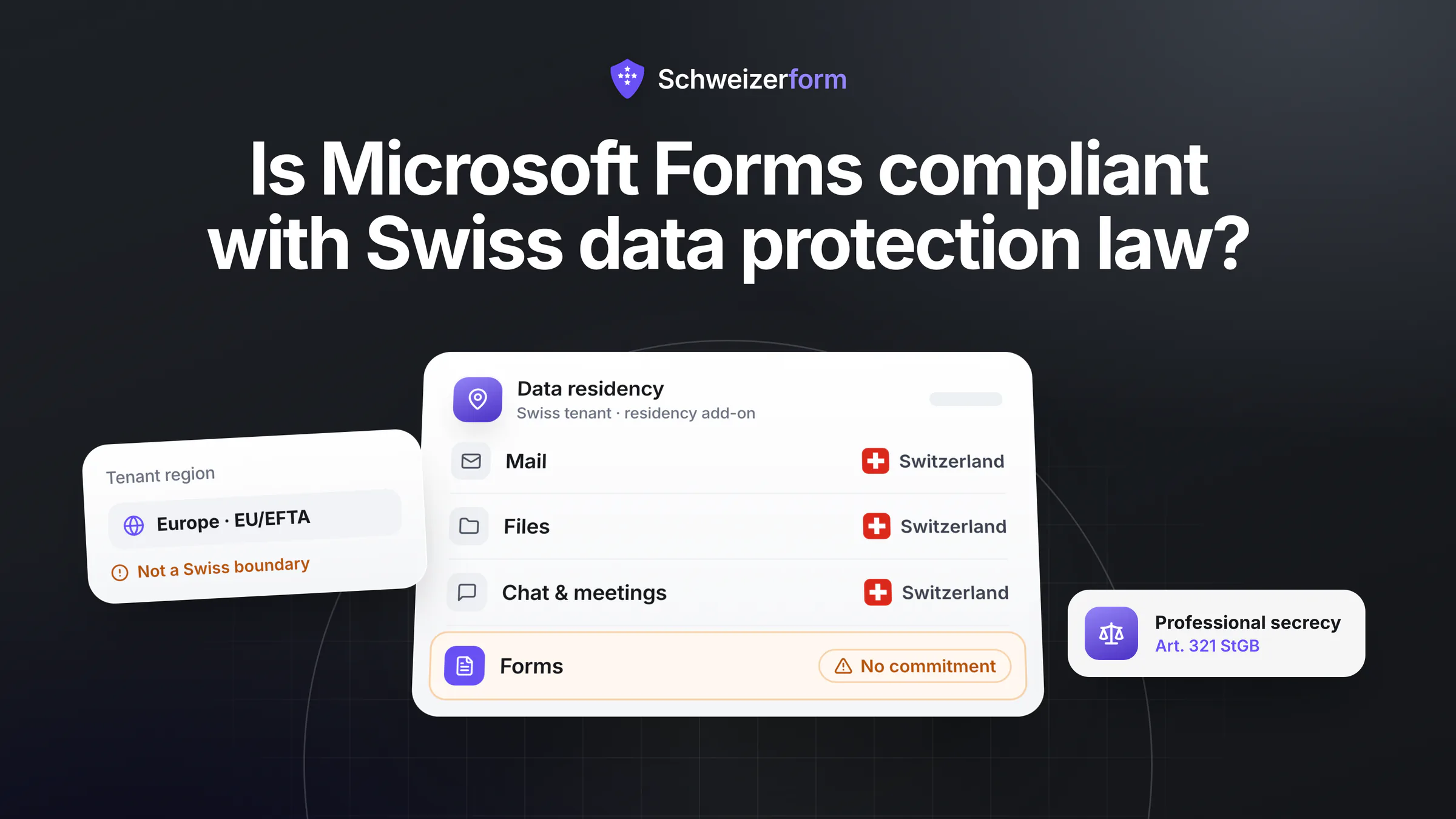
Yes, Microsoft Forms can be used in compliance with the nFADP for ordinary internal collection, and Microsoft's contractual and certification posture does real work. Four Swiss-specific caveats decide the rest: (1) the EU Data Boundary is not a Swiss boundary — a Swiss tenant's Forms data sits in the EU/EFTA macro region, which is a disclosure abroad you must document; (2) Forms is outside Advanced Data Residency, so a Swiss tenant that bought Swiss residency for Exchange, SharePoint and Teams has not bought it for Forms; (3) tenant administrators can read responses by design, which is a feature for governance and a defect for confidential intake; and (4) Art. 321 StGB professional secrecy reaches auxiliary persons — including anyone at the provider who can access readable data. Nothing in points 1 and 2 is unlawful. Points 3 and 4 are where the tool stops fitting.
If your question is whether Forms is encrypted, we answered that separately in is Microsoft Forms encrypted — short answer, yes, in transit and at rest, with Microsoft holding the keys. This article is about whether it is lawful in Switzerland, which is a different test with a different answer.
What the nFADP Actually Requires of You Here
Start with the structure, because it is simpler than the discourse around it. Using a cloud form tool makes you the controller and Microsoft a processor within the meaning of Art. 9 nFADP. You stay responsible. What you owe is a short and checkable list.
- A processing agreement with the processor. Microsoft's Data Protection Addendum, part of the online services terms, is the document — you do not negotiate it, you locate it and file it. Our post on data processing agreements for form tools covers what it must contain and what it does not buy you.
- A basis for the disclosure abroad. EU and EEA states are on the Swiss adequacy list (Annex 1 to the Data Protection Ordinance), so EU/EFTA storage needs no standard clauses. But Microsoft Corporation is a US group, and sub-processors and support access have to be looked at, not assumed away. Full analysis in which form data can legally leave Switzerland.
- Transparency under Art. 19. Respondents must be told who the controller is, the purpose, the recipients and the countries involved. «Microsoft» belongs in that notice, not just in your internal register.
- Proportionality and purpose limitation under Art. 6. The most-failed requirement, and it has nothing to do with Microsoft: it is about which fields you put on the form.
- Security appropriate to the risk under Art. 8, which is where the «who can read this» question turns from philosophy into a compliance test.
- An entry in your record of processing, listing Microsoft as processor, the EU/EFTA storage location and the category of data.
Notice what is not on this list: any requirement that the data be stored in Switzerland. Swiss law has no such rule for private controllers. Residency matters for other reasons — documentation burden, procedural friction, sector overlays — and we set those out in which form tools are hosted in Switzerland.
The Four Swiss-Specific Facts Most Tenants Get Wrong
1. The EU Data Boundary is not a Swiss boundary
Microsoft's EU Data Boundary is a genuine engineering commitment that keeps most Microsoft 365 service data inside EU and EFTA regions. Switzerland is an EFTA state, and Swiss tenants land in the European macro region — which is why the boundary is often reported internally as «our data stays in Europe» and then quietly rounded to «our data stays here». Those are different statements. Storing Swiss respondents' data in an EU datacentre is a disclosure abroad: lawful under Art. 16 because of adequacy, and something you have to be able to name in your record and your privacy notice.
2. Forms sits outside Advanced Data Residency
This is the fact that catches careful organisations, and it deserves precision rather than a slur. Switzerland is an Advanced Data Residency local region geography, so a Swiss tenant can commit Exchange Online, SharePoint, OneDrive and Teams data to Switzerland. Forms, however, is listed among the additional services that carry no specific data-residency commitment. The practical consequence: a canton, hospital or school that procured Swiss residency and believes it applies tenant-wide has an incorrect statement in its own documentation the moment someone builds a form. Verify the current service list before relying on this in either direction — Microsoft's coverage changes.
3. Tenant administrators can read responses — by design
Microsoft 365 ships with eDiscovery, retention and audit tooling precisely so an organisation can search, hold and produce content for legal and governance purposes. That is a legitimate and often legally required capability. It also means the honest answer to «who can read this submission» includes the form owner, co-authors, group members, your tenant administrators, and Microsoft as processor underneath. For a lunch poll that list is fine. For a grievance form, it is the list your respondents are worried about — and no configuration setting removes it, because it is not a misconfiguration.
4. Professional secrecy reaches further than data protection law
Art. 321 StGB binds physicians, dentists, pharmacists, psychologists, lawyers and their auxiliary persons. That last phrase is the one that matters for software: people who can access the protected information in the course of the professional's work are inside the secrecy perimeter. A DPA does not release you from Art. 321 — it is a data protection instrument, not a criminal-law one. For a practice, the cleanest way to keep a vendor outside the perimeter is to use a tool where the vendor cannot decrypt anything, which is the argument we make in collecting health data in forms.
Where Microsoft Forms Is a Perfectly Good Answer
Worth stating clearly, because compliance culture that treats every tool as a threat loses the argument when it matters. If the data is ordinary and the audience is internal, Forms is convenient, already paid for, integrated with your identity system, and encrypted in transit and at rest. Using something else would be paying for protection the data does not warrant.
| Form | Microsoft Forms? | Why |
|---|---|---|
| Internal event or lunch poll | Yes | Low-sensitivity, internal audience, admin visibility is irrelevant |
| Training feedback, room booking, IT request | Yes | Operational data your administrators may legitimately see anyway |
| Team engagement pulse, small and non-anonymous | Usually | Fine if you do not promise anonymity — Forms cannot deliver it against your own admins |
| Anonymous staff survey | Careful | «Anonymous» is a configuration claim here, not an architectural one; say so, or use a tool that can hold the promise |
| HR grievance, whistleblowing, investigation intake | No | Administrator and eDiscovery visibility defeats the purpose of the channel |
| Patient, client or legal intake under Art. 321 StGB | No | Auxiliary-person secrecy reaches everyone who can read the data, including the provider |
| Citizen-facing forms with sensitive content in a public body | Check first | Cantonal law and the privatim position on international cloud services apply on top of the nFADP |
Cantonal Administrations, Hospitals and Schools
Public bodies are the group most likely to have a formal answer already — and most likely to have one that does not cover Forms. Cantonal data protection law applies instead of, or alongside, the federal nFADP depending on the entity, and many cantons and institutions have run their own Microsoft 365 assessments with conditions attached: categories of data that may not be processed, configuration requirements, or a restriction to specific services.
The privatim resolution of November 2025 on international cloud services is the sharpest external reference point here. It treats the use of providers exposed to foreign access as permissible only in narrow cases — with the notable exception where the public body itself encrypts the data and the provider holds no key. That exception is worth reading carefully, because it describes precisely the architecture that lets an organisation use a cloud service for content it could not otherwise place there.
Check what your own approval actually covers
If your institution has an M365 approval, read the service scope in it. Approvals commonly cover Exchange, SharePoint, Teams and OneDrive, list the data categories permitted, and say nothing about Forms — which means the person building an intake form is operating outside the assessed perimeter without knowing it. That is a documentation problem you can fix in an afternoon, and a finding you cannot fix retrospectively.
If You Are Staying on Forms, Do These Six Things
- 1
Write down where Forms data actually sits
Your tenant's macro region, in one sentence, with the date you checked. Not «in Microsoft 365» — the region, and whether any residency commitment applies to Forms specifically.
- 2
File the DPA and the sub-processor list
Locate Microsoft's data protection addendum and current sub-processor list, save them with a date, and reference them from your record of processing. Diarise a re-check at renewal.
- 3
Name Microsoft in the privacy notice
Art. 19 wants recipients and countries. «Responses are processed by Microsoft in the EU/EFTA region» is one line and it is the line that is usually missing.
- 4
Stop promising anonymity you cannot deliver
If a form says «anonymous», check whether the response is genuinely unlinkable — not just that you did not add a name field. Personalised links, sign-in requirements and admin access all break the claim.
- 5
Scope out the sensitive categories deliberately
Write a one-page rule for your organisation: what may not be collected in Forms — health details, grievance content, client matters under professional secrecy, identification numbers, financial data. Microsoft's own product guidance advises against putting sensitive information into forms, which makes this an easy rule to defend internally.
- 6
Set retention on the results, not just the form
Response data outlives the form and gets exported to Excel, which then lives on OneDrive. Set a deletion rule for the workbook too, or you have moved the problem rather than solved it.
When to Use Something Else, and What Changes
The trigger is not sensitivity in the abstract — it is whether the readability of the data by your administrators and by the provider is a problem. When it is, the fix is architectural rather than contractual: end-to-end encryption, where the response is encrypted in the respondent's browser and only the key holder can decrypt it. A tenant administrator sees ciphertext. eDiscovery finds ciphertext. A legal order to the provider produces ciphertext. That is a genuinely different property from «encrypted at rest with provider-held keys», and it is the only one that changes the reader list.
It also costs something, which is worth saying: no server-side search of answers, no provider-side analytics on content, and no recovery if you lose the key. Most organisations end up with a sensible split — Forms for internal, low-stakes collection inside the tenant they already pay for, and an encrypted tool for the narrow set of forms where the content would cause real harm in the wrong hands. Running two tools is scoping, not a failure of consolidation. The feature-level comparison is in Schweizerform vs Microsoft Forms.
Bottom Line
Is Microsoft Forms compliant with Swiss data protection law? For ordinary internal data, yes — with the DPA on file, the EU/EFTA location documented, Microsoft named in the privacy notice and the field list kept proportionate. The Swiss-specific traps are that the EU Data Boundary is not a Swiss boundary, that Advanced Data Residency does not extend to Forms, and that the readability of responses by administrators is a design property rather than a setting.
For confidential intake — HR grievances, whistleblowing, patient and client data under professional secrecy — the answer changes, and it changes for a reason no contract can address: someone other than the intended reader can read the submission. That is the whole test, and it is worth applying to every tool you evaluate, including ours.
Schweizerform is built for the second category: responses encrypted in the respondent's browser, Swiss hosting on every plan including Free, and no provider-side access to content. It is not a Microsoft 365 replacement and does not try to be. Related reading: is Microsoft Forms encrypted, Schweizerform vs Microsoft Forms and the roundup of form and survey tools hosted in Switzerland.
Disclaimer: This article is general information and marketing content, not legal, regulatory or procurement advice. Details about Microsoft Forms and Microsoft 365 — the EU Data Boundary, Advanced Data Residency scope, administrator and compliance tooling, the data protection addendum and sub-processor lists — reflect publicly available vendor documentation as checked in July 2026 and may change; verify current details directly with Microsoft before making procurement or compliance decisions. References to the nFADP (Art. 6, 8, 9, 16, 19), the Data Protection Ordinance, Art. 321 StGB, cantonal data protection law and the privatim resolution of November 2025 are simplified summaries. All product and company names are trademarks of their respective owners, used here for factual comparison only. Competitive details were last verified on 25 July 2026.