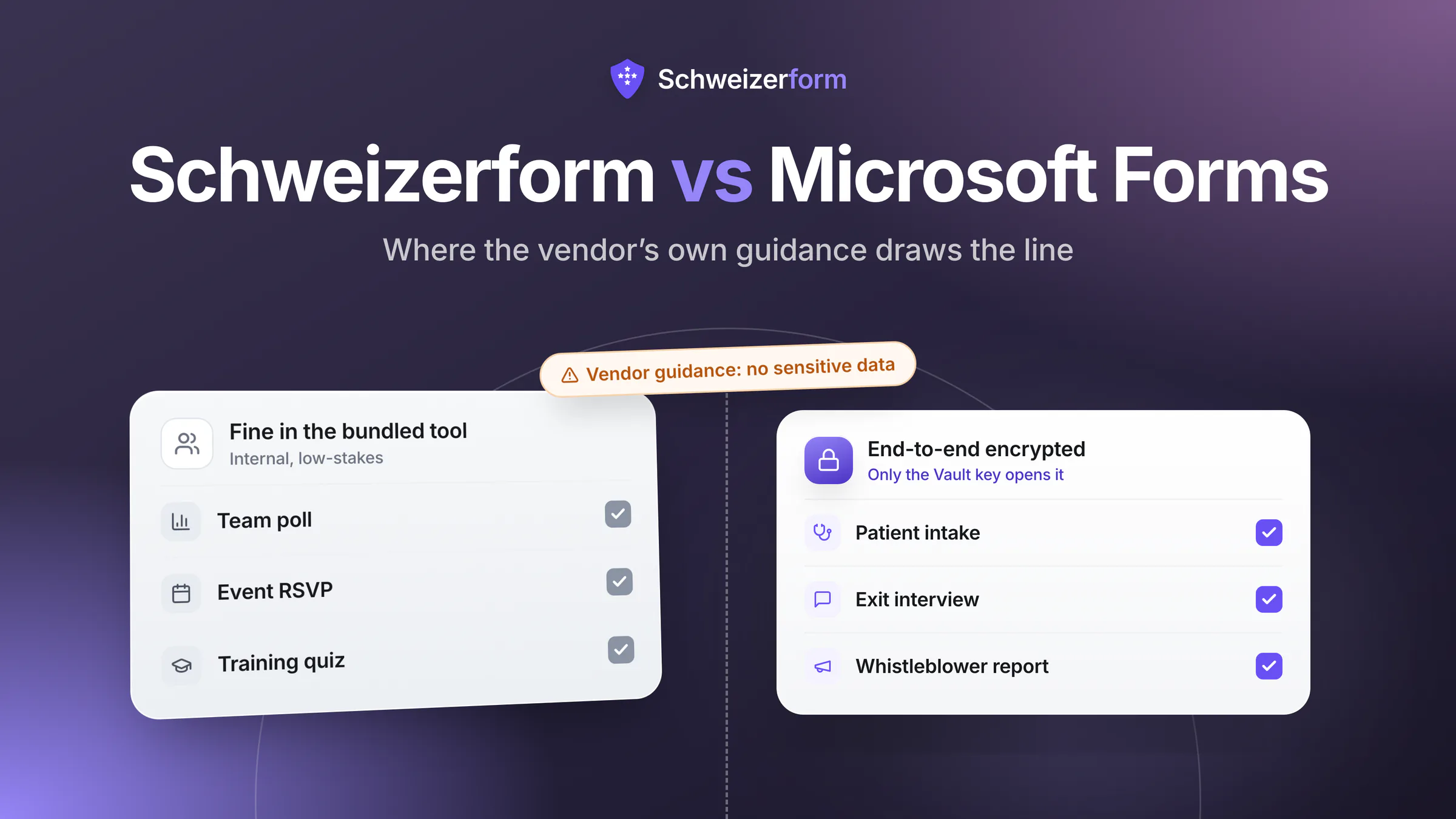
If your organisation runs on Microsoft 365, Microsoft Forms is the form tool you already pay for. It is bundled, decent, well-integrated with Excel, Teams, and Power Automate, and millions of internal surveys and event sign-ups are processed through it every day. For a lot of low-stakes use cases it is exactly the right answer.
It is also a tool that Microsoft itself documents as unsuitable for sensitive personal data. That tension — between the path of least resistance inside an M365 tenant and the actual security and jurisdictional posture of the product — is the substance of this comparison.
Our bias, declared
One of these two products is ours, and that is worth stating up front. But Microsoft Forms is a competent product for the work it is built to do — internal polls, simple surveys, event RSVPs. We will say so where it is the right pick. The goal is to help you draw the line correctly, not to dismiss a tool you may already use well.
How Microsoft Forms and Schweizerform position themselves
Microsoft Forms — bundled, convenient, broad-purpose
Microsoft Forms is included with virtually every Microsoft 365 subscription (Business, Enterprise, Education, and personal). It targets quick, low-friction use: a poll inside Teams, a registration form for an internal event, a quiz for a training module, a Power Automate trigger feeding into SharePoint. Its pitch is convenience, integration depth, and zero marginal cost for organisations already in the Microsoft ecosystem.
Schweizerform — purpose-built for confidential intake
Schweizerform is built around a single architectural decision: every submission is end-to-end encrypted in the respondent's browser, and our servers physically cannot decrypt it. Hosting is in Switzerland, the operating entity is Swiss, and the product is designed for the use cases Microsoft Forms is documented as not being appropriate for — patient intake, legal client onboarding, whistleblower reports, financial KYC, journalism tip lines, HR investigations.
The Security Models — Where the Real Difference Lives
Both tools encrypt data. The word "encryption" hides almost all the detail that matters. Here is what it actually means in each product.
Microsoft Forms — TLS in transit, service-encrypted at rest
Microsoft Forms encrypts traffic between the respondent and Microsoft (TLS) and encrypts data at rest inside Microsoft 365 (BitLocker plus per-file Service Encryption). For some Microsoft 365 SKUs, organisations can layer Customer Key on top so they hold one root key. This is solid baseline security and meets standard enterprise expectations. It is, however, server-held: Microsoft's services see plaintext during processing, and Microsoft administrators in your tenant can view responses through the Forms admin and audit interfaces.
Schweizerform — zero-knowledge end-to-end encryption, by default
Schweizerform encrypts the entire submission inside the respondent's browser before any data reaches our servers. The encryption keys are derived from the form owner's vault key, which never touches our servers and is never transmitted. Submissions live in a vault only the owner can open, and our servers receive ciphertext only. That is what makes it truly end-to-end encrypted: it is true on every form, every field, every plan — including the free tier — and it is not a configuration toggle.
The threat model difference, concretely
A breach of Microsoft Forms infrastructure could expose plaintext responses (encryption-at-rest protects against disk theft, not against running services). A subpoena, warrant, or US CLOUD Act order to Microsoft can compel disclosure of decryptable data. A breach of Schweizerform infrastructure exposes ciphertext with no decryption path; a Swiss lawful request to Schweizerform yields ciphertext only. The difference is structural, not configurational.
Microsoft's Own Guidance on Sensitive Data
This is the most important slide in any honest comparison of Microsoft Forms. Microsoft's product documentation explicitly tells customers not to put sensitive personal data through Microsoft Forms. The exact language varies across pages, but the substance is consistent across years of Microsoft Learn content:
Don't include personal or sensitive information, such as passwords, social security numbers, or financial information, in the form questions or responses.
Read carefully, this is not a UX suggestion. It is a scope limitation. Microsoft is documenting that the product is not engineered for the threat model that sensitive data demands — irrespective of M365's broader compliance certifications. Many organisations encounter this guidance only after they have already been using Forms for patient intake, exit interviews, or client onboarding. By that point, the cleanup is harder than the initial choice would have been.
What this means in practice
If your form collects health data, financial data, identification numbers, account credentials, whistleblower allegations, legal disclosures, or any nFADP/GDPR Article 9 special category — Microsoft's own documentation places that workflow outside Forms' intended scope. A different tool is required, even inside an otherwise Microsoft-only stack.
Microsoft Forms and Schweizerform, feature by feature
| Schweizerform | Microsoft Forms | |
|---|---|---|
| End-to-end encryption (client-side) | Yes — default, all fields | No — TLS in transit, server-side encryption at rest |
| Zero-knowledge architecture | Yes — provider cannot decrypt | No — Microsoft can read responses; tenant admins can view them |
| Vendor-stated suitability for sensitive personal data | Yes — explicit design goal | No — Microsoft documentation advises against it |
| Data hosting | Switzerland | Microsoft cloud (region depends on tenant; EU Data Boundary for EU tenants) |
| Subject to US CLOUD Act | No — Swiss entity, Swiss hosting | Yes — Microsoft is a US company; CLOUD Act reach despite EU Data Boundary |
| nFADP alignment | Designed around the nFADP | Generic Microsoft compliance posture |
| GDPR data subject access requests | Possible via the form owner — Microsoft cannot fulfil for ciphertext | Handled through Microsoft tenant compliance tools |
| Pricing for the form tool itself | Free tier with full encryption; paid tiers raise volume | Free with any Microsoft 365 subscription |
| Branding removed on free plan | Minimal Schweizerform footer only | Microsoft branding fixed; no white-label |
| Custom domain / vanity URL | Custom form URL on paid plans — a vanity slug on our forms domain, not your own domain | No — forms.office.com or microsoft.com URLs |
| Authentication / SSO | Public link, optionally behind an unlock code; no respondent sign-in and no SSO | Anonymous or M365 sign-in (Azure AD / Entra ID) |
| Conditional logic / branching | Yes — show/hide a question based on earlier answers (Pro) | Yes — section-based branching |
| Quiz mode with auto-grading | No | Yes — strong feature |
| File uploads | Encrypted in-browser, up to 100 MB each / 1 GB total | Yes, but only with M365 sign-in (OneDrive-backed); blocked for anonymous responses |
| Native Excel / Power Automate / Teams integration | No integrations — CSV export on every plan, Excel / JSON / PDF / ZIP on paid plans | Yes — deep first-party integration |
| Localisation (EN / DE / FR / IT) | All four, native, fully localised UI | Localised, but the form structure is set by the creator |
| Audit logging | Yes | Yes — through Microsoft Purview / Compliance Centre |
| Designed for whistleblower / journalism / clinical intake | Yes | No — Microsoft documentation excludes these uses |
| AI form creation | Yes — draft from a prompt; the AI never sees responses | Yes — Copilot drafts forms from a prompt (requires a Microsoft 365 Copilot licence) |
| Automatic form translation | Yes — DE / FR / IT / EN; only form text is translated, never responses | No — multilingual forms are supported, but translations must be supplied manually; no auto-translate |
| Team workspaces & roles | Yes — shared workspace, still end-to-end encrypted, role-based | Yes — via Microsoft 365 groups (owner / co-author roles), but responses are not end-to-end encrypted |
Jurisdiction, Hosting, and the EU Data Boundary
Microsoft has invested heavily in regional data residency, including the EU Data Boundary that as of 2024 keeps most Microsoft 365 service data inside EU/EFTA regions for EU customers. This is real and meaningful — disk-level data residency for European tenants is a genuine improvement over the pre-Boundary architecture.
It does not, however, change the parent company's nationality. Microsoft Corporation is a US-headquartered entity, and the US CLOUD Act applies to data held by US providers regardless of the physical location of the servers. Microsoft has resisted overbroad government requests in court (notably the Microsoft Ireland case), and the company publishes detailed law-enforcement transparency reports. But the legal exposure to US compulsory process remains, and is structurally distinct from the position of a Swiss provider operating only under Swiss law.
| Question | Microsoft Forms | Schweizerform |
|---|---|---|
| Where is response data physically stored? | Microsoft cloud region for the tenant; EU Data Boundary for EU tenants | Switzerland |
| What is the legal nationality of the provider? | United States (Microsoft Corporation) | Switzerland |
| Is the provider subject to the US CLOUD Act? | Yes | No |
| Can the provider decrypt responses if compelled? | Yes | No — ciphertext only |
| Adequacy for EU data subjects? | Yes (Data Privacy Framework / SCCs) | Yes — Swiss adequacy decision |
Compliance Frames — nFADP and GDPR
Microsoft 365 carries a long list of compliance certifications: ISO 27001, ISO 27018, SOC 2, HIPAA BAA availability, GDPR DPA, and a range of regional and sectoral attestations. For most enterprise procurement processes, this list is enough. For sensitive personal data — particularly nFADP and GDPR Article 9 categories — certifications are necessary but not sufficient. The architectural question of whether the processor can read the data still determines what notification, transfer, and breach obligations apply.
Schweizerform's architectural argument is simpler. Because we cannot decrypt submissions, we are not a meaningful processor of the personal data inside them — we process ciphertext. This narrows the surface of GDPR Article 28 obligations, simplifies cross-border transfer analysis (Swiss adequacy applies to the metadata we do see), and changes the breach-notification calculation under GDPR Article 33 and nFADP Article 24: a breach that exposes ciphertext is, by definition, not exposing identifiable personal data.
Pricing — Bundled vs Standalone
Microsoft Forms and Schweizerform compete on different cost axes, and a fair comparison has to acknowledge that.
Microsoft Forms' model
Microsoft Forms is included at no marginal cost in any Microsoft 365 subscription you already pay for. There is no Forms-specific upgrade path; capability tiers come from the underlying M365 SKU (Business Basic, Standard, Premium, E1, E3, E5, etc.). Forms is, in practical terms, a free feature of a subscription you have for other reasons.
Where Schweizerform's architecture diverges from Microsoft Forms's
Schweizerform is a paid product with a free tier (3 forms, 100 submissions/month, full encryption) and two paid tiers (Pro and Business) that scale form count and submission volume. There is no "secure" upgrade — every plan is end-to-end encrypted, including the free tier. The cost is for capacity and convenience, never for the cryptographic guarantees themselves.
The structural trade-off: Microsoft Forms is free if you already have M365, but is documented as not appropriate for sensitive data. Schweizerform is paid above a small free tier, but the architectural guarantee — provider cannot read submissions — applies on every plan. For internal polls and event RSVPs, Forms is essentially free. For confidential intake, the cost of using the wrong tool is not measured in CHF per month.
Inside the tenant, or outside anyone's reach
Pick Microsoft Forms when
- The form collects no sensitive personal data — internal polls, event RSVPs, satisfaction surveys, training quizzes
- Respondents are inside your tenant and you want native M365 sign-in / Entra ID enforcement
- Tight integration with Excel, SharePoint, Teams, or Power Automate is the primary value
- Quiz mode with auto-grading is a core requirement (training, certification, classroom)
- You need zero marginal cost and your buyers already pay for Microsoft 365
- The data you collect is acceptable to disclose to your tenant administrators and to Microsoft as a processor
Choose Schweizerform when tenant-admin access is the problem
- The form collects health data, financial data, identification numbers, or any nFADP/GDPR Article 9 special category
- You handle whistleblower reports, journalism source intake, or any workflow where the respondent's safety depends on confidentiality
- You are subject to nFADP and want a Swiss-hosted, Swiss-operated provider with no US legal exposure
- Zero-knowledge — the operator physically cannot read submissions — is a procurement requirement
- Localisation into German, French, and Italian for Swiss/EU respondents is essential
- You need encryption on every form including the free tier without a paid upgrade path
- Your respondents are external — patients, clients, sources, applicants — and are not in your M365 tenant
When You Might Use Both
The honest answer for most M365 organisations is: keep Microsoft Forms for what it is good at, and add Schweizerform for what Microsoft itself recommends against. Microsoft Forms handles the operational, internal-facing forms that flow naturally through your M365 stack — team retrospectives, all-hands surveys, training quizzes, event sign-ups. Schweizerform handles the externally-facing or sensitive-internal forms — patient intake, legal client onboarding, exit interviews, whistleblower reports, sensitive HR investigations.
Splitting the workload this way is not a workaround — it is the architecture both vendors are pointing you toward when you read the documentation carefully.
Moving Sensitive Forms Off Microsoft Forms
Most organisations get to this comparison with a small number of Microsoft Forms that — on review — should not have been Microsoft Forms in the first place. Migrating just those is straightforward.
- 1
Inventory the forms in scope
List every Microsoft Form that collects health, financial, identification, credential, or otherwise sensitive data. Include the Forms that route into SharePoint or Power Automate flows reaching sensitive systems.
- 2
Export historical responses
Microsoft Forms exports to Excel directly. Pull a snapshot for the records you need to retain. Once the form is retired, you will not have ongoing access via Forms.
- 3
Rebuild the form in Schweizerform
Most question types map directly. Conditional logic is supported on the paid plans, so a Microsoft Form that branches by section maps across: page breaks give you the sections, and a rule on a question or on a page break shows or hides it based on earlier answers. For file uploads, plan for our 100 MB per file / 1 GB per submission limits. Localise into the languages your respondents need.
- 4
Update processor agreements
If your DPA listed Microsoft as a processor for the workflow, add Schweizerform and document the architectural arrangement (zero-knowledge, ciphertext-only). For Swiss respondents, the Swiss-to-Swiss processing simplifies the transfer analysis considerably.
- 5
Communicate the change to respondents
If respondents have been submitting via a forms.office.com URL that is being replaced, communicate clearly. For ongoing programs (whistleblower lines, intake forms), the move from a Microsoft URL to a Schweizerform URL is itself a positive trust signal — make it visible.
- 6
Retire the old form
Close the Microsoft Form once live traffic is routed to the new one. Archive the historical export under whatever retention period applies to the workflow. Remove SharePoint/Power Automate flows that depended on the old form.
Microsoft Forms or Schweizerform
Microsoft Forms is a competent tool for the use cases it is built for. It is bundled with a subscription you already have, integrates beautifully with the rest of M365, and is the right answer for hundreds of internal-survey and quiz workflows. Nothing in this comparison argues otherwise.
Microsoft also documents — clearly, in its own product guidance — that Forms is not the tool for sensitive personal data. That guidance is not a marketing footnote; it is a scope statement, and it lines up exactly with how the product is engineered: server-held keys, US-headquartered processor, no client-side encryption. When the data crosses the line Microsoft itself draws, a different tool is required.
Schweizerform is built for the workloads on the other side of that line — patient intake, legal client onboarding, whistleblower reports, financial KYC, journalism source intake. The cryptographic guarantee is the same on the free tier as on the largest plan, the hosting is Swiss, and the operator physically cannot read submissions. That is the comparison, stripped of marketing.
Schweizerform offers zero-knowledge end-to-end encryption, encrypted submissions stored in Switzerland, and full nFADP alignment on every plan — including a free tier with the same cryptographic guarantees as our highest plan. For the forms Microsoft tells you not to put through Microsoft Forms, try Schweizerform with real submissions before you decide.
Disclaimer: Competitive details for Microsoft Forms (features, plan tiers, hosting regions, EU Data Boundary scope, encryption-at-rest specifics, sensitive-data guidance, audit logging, integration depth) reflect publicly available information at the time of writing and may change — verify current details directly with the vendor before making procurement or compliance decisions. This content is general information, not legal, regulatory, or compliance advice. All product and company names are trademarks of their respective owners, and their use here is for factual comparison only. Competitive details were last verified on 25 July 2026.