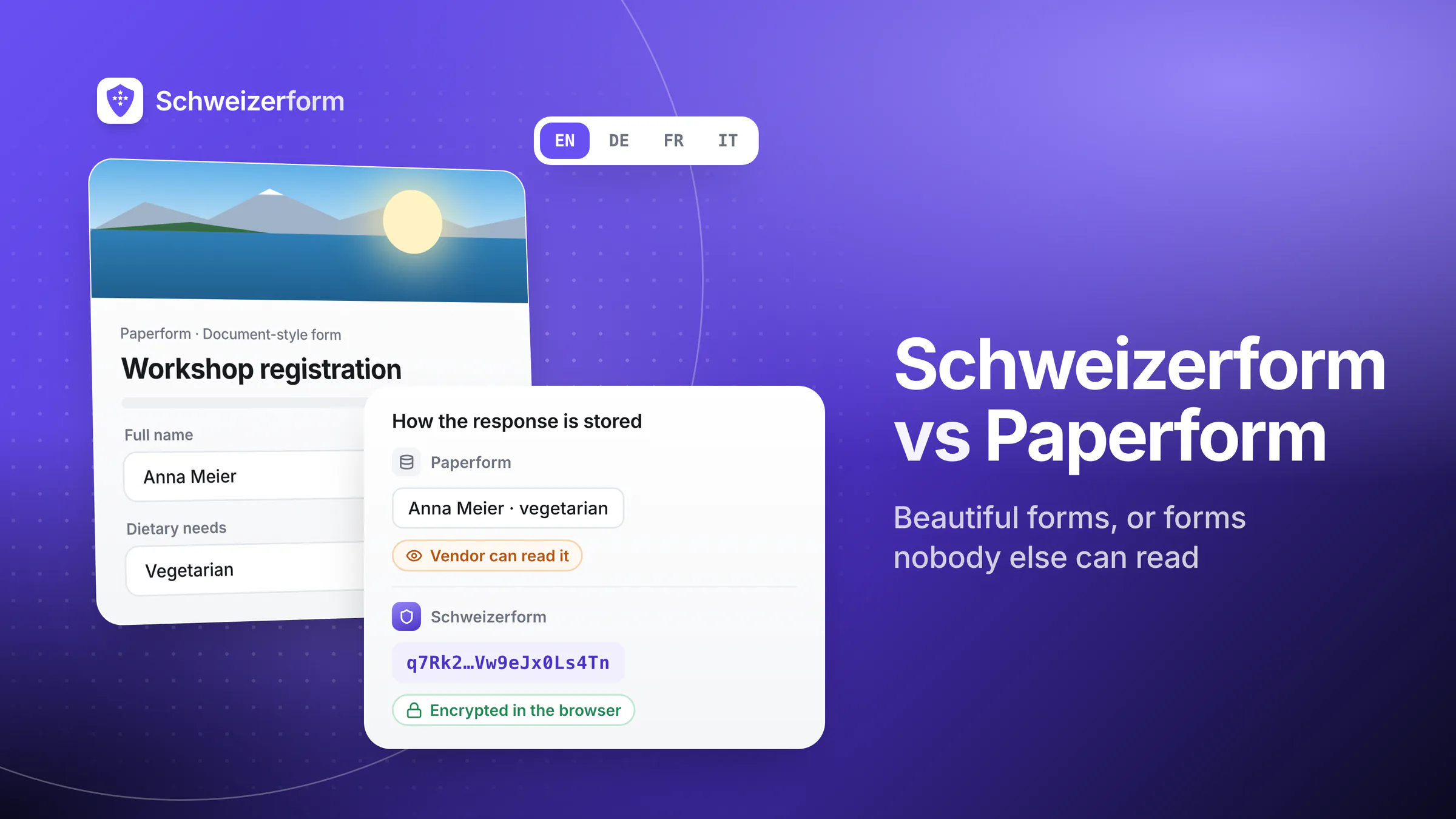
Paperform has earned its reputation by treating forms more like documents than questionnaires. The editor is a writing canvas, the layouts feel branded by default, and the result is a submission flow that often outperforms generic form tools on completion rates. For teams whose forms are part of the customer-facing brand — bookings, lead-capture, gated content, paid signups — Paperform is a serious tool.
Schweizerform is built for the other end of the form spectrum: the submissions you can never afford to leak. Every response is encrypted in the respondent's browser before it leaves the device. We physically cannot read what our customers receive. Hosting is in Switzerland, the four UI languages (EN / DE / FR / IT) are native and not machine-translated, and encryption is included on every plan — including the free one. This page is a direct, side-by-side comparison written for buyers who already know Paperform and want to understand the trade-offs.
Who this comparison is for
Founders, ops leads, marketing teams, and DPOs deciding between Paperform and an encrypted alternative — particularly Swiss and EU teams whose forms collect customer, employee, healthcare, legal, financial, or research data, and who want a clear view of what each platform optimises for.
Where Paperform Genuinely Wins
We will start where Paperform is strong, because honest comparisons should. There are real reasons people choose Paperform:
- A document-like editor that rewards long-form, narrative forms and product configurators
- Strong design control — fonts, spacing, colours, layout — without leaving the builder
- Calculations, conditional logic, and product fields powerful enough to build mini-apps
- Native payment flows (Stripe, Square, Braintree, PayPal) with subscriptions and order forms
- A polished bookings module that competes with dedicated scheduling tools
- An active integrations ecosystem (Zapier, Make, native CRM and email connectors)
- Templates that look closer to landing pages than to forms
If your form is also your sales asset — a paid course signup, a configurator, a quote builder, a branded booking flow — Paperform is in its element. The question this comparison answers is: what changes when the data flowing into the form starts to matter as much as the visual wrapper around it?
The One Thing Paperform Does Not Do
Paperform encrypts data in transit (HTTPS) and at rest on disk — exactly like every modern SaaS. Paperform does not encrypt form data in such a way that Paperform itself cannot read it. Every submission lands on Paperform's infrastructure as plain text inside their database. Paperform staff with the right access, Paperform's cloud sub-processors, anyone who compromises Paperform, and any authority that serves a lawful order on Paperform can read those submissions.
For a public newsletter signup or a paid-course order, that is a non-issue. For an HR intake, a clinical questionnaire, a legal client form, or a whistleblower channel, it is the whole story. "We use HTTPS and AES-256 at rest" is true and standard — and silent on the question buyers increasingly ask: can the vendor read our data? With Paperform, the technical answer is yes.
What "encryption" usually means at SaaS form vendors
TLS in transit + AES-256 at rest is the industry baseline. It protects the data on the wire and from disk theft. It does not protect the data from the vendor itself, the vendor's staff, the vendor's sub-processors, or any party that can compel the vendor. End-to-end / zero-knowledge encryption — what Schweizerform does — is the layer that closes those gaps.
Side-by-Side Feature Comparison
| Capability | Paperform | Schweizerform |
|---|---|---|
| End-to-end / zero-knowledge encryption | No — vendor reads all submissions | Yes — every form, every plan, every submission |
| Encryption at rest | Yes (AES-256, vendor holds keys) | Yes — but ciphertext only; we hold no keys |
| Hosting jurisdiction | AWS (US-region by default; AU origin); US sub-processors | Switzerland — Swiss data centres, no US sub-processors for submission storage |
| Native UI languages | English-first; some translations | Native EN / DE / FR / IT — first-class, not machine-translated |
| Pricing of encryption | Not available at any tier | Included on every plan, including free |
| Document-style editor | Yes — flagship feature | Question-based editor — different optimisation |
| Design / branding control | Extensive — fonts, layout, spacing, themes | Clean defaults; brand colours and logo; intentionally focused |
| File uploads | Yes; vendor can read uploaded files | Yes; encrypted client-side, vendor cannot read content or original filename |
| Conditional logic | Yes | Yes — show/hide a question based on earlier answers (Pro) |
| Calculations / scoring | Yes | No — no calculation or scoring engine |
| Payments (Stripe / others) | Yes — Stripe, Square, Braintree, PayPal | No — no payment fields in forms; Stripe is only how you pay us |
| Bookings / scheduling | Yes — built-in module | Not the core focus |
| Webhooks / API | Yes | No — no public API and no webhooks; export instead (CSV on every plan, Excel / JSON / PDF / ZIP on paid plans) |
| GDPR-aligned data processing | Yes (DPA available; AWS regions configurable) | Yes — plus Swiss adequacy and zero-knowledge architecture |
| nFADP-aligned (Swiss) | Possible via DPA; not the native posture | Native — Swiss-built, Swiss-hosted, Swiss law |
| Subpoena / lawful-access exposure | Plain text on vendor server — vendor can comply with disclosure | Ciphertext only on vendor server — disclosure produces unreadable data |
| AI form creation | Yes — AI drafts a form from a text prompt | Yes — draft from a prompt; the AI never sees responses |
| Automatic form translation | Limited — manual translations only; no automatic form translation | Yes — DE / FR / IT / EN; only form text is translated, never responses |
| Team workspaces & roles | Yes — teams with Admin / User / Viewer roles and Spaces (higher plans) | Yes — shared workspace, still end-to-end encrypted, role-based |
Pricing — How They Stack Up
Paperform sits at the premium end of the form-builder market. The Essentials plan starts around USD 29/month, the Pro plan around USD 59/month, and Agency around USD 159/month — billed monthly with annual discounts. Schweizerform charges modestly across the board and never gates encryption, Swiss storage of encrypted submissions, or four-language UI behind a higher tier. The decision is less about absolute price and more about what each platform refuses to charge for.
| What you get | Paperform (Essentials) | Paperform (Pro / Agency) | Schweizerform (free) | Schweizerform (paid) |
|---|---|---|---|---|
| Starting price (monthly) | ~USD 29 | ~USD 59 / ~USD 159 | Free | Modest tiers |
| Zero-knowledge encryption | Not offered | Not offered | Included | Included |
| Swiss hosting | No (AWS, US/AU) | No (AWS, US/AU) | Yes | Yes |
| Native EN / DE / FR / IT UI | Partial | Partial | Native | Native |
| File upload encryption | TLS + at rest only | TLS + at rest only | End-to-end | End-to-end |
| Submission limits | Plan-based caps | Higher caps | Modest entry caps | Higher tiers raise caps |
| Cost target | Design-led teams, brands | Power users, agencies | Anyone collecting sensitive data | Teams scaling regulated intake |
Paperform earns its price tag for teams whose forms are public marketing assets. Schweizerform earns its position for teams whose forms are private records — patient intake, employee disclosures, client onboarding, source tips. The two are not really competing for the same job.
When Paperform Is the Right Choice
- Public-facing lead capture, sales pages, and order flows where conversion design is the priority
- Paid course signups, digital product checkout, configurators, and subscription forms
- Branded bookings and scheduling pages with calendar integration
- Marketing campaigns where each form is bespoke and visual polish is part of the brand
- Long-form, narrative content where a document-like editor is genuinely better than a question list
- Teams who explicitly do not need encryption beyond TLS, and are comfortable with US/AU hosting and AWS sub-processors
Paperform is well-built and well-loved for these jobs. We do not pretend otherwise. There is just a clear category of forms where the calculus is different.
When design polish is not the deciding factor
- Healthcare, therapy, dental, and clinical-trial intake — patient and participant data covered by professional secrecy or research ethics
- Legal intake, conflicts checks, document submission — privileged information that cannot leak to a vendor
- HR, whistleblower, and safeguarding channels — confidentiality of the reporter is the product
- Financial advisory, KYC, and accounting onboarding — AML duties and high-stakes client trust
- Research surveys, ethics-bound studies, and journalist tip lines — informed consent and source protection
- Swiss and EU teams that need a clean, defensible answer to "where are submissions hosted and who can read them?"
- Anyone who plans to scale forms across regulated processes and wants the same tool from day one
These are not exotic categories — they are the bulk of forms most professional services organisations end up running. The cost of switching tools later is high; choosing one that already encrypts client-side avoids the migration.
Migration — What Moving from Paperform to Schweizerform Looks Like
If you are already on Paperform and considering a move for sensitive forms, the path is short:
- 1
Inventory your Paperform forms
Sort them into two buckets: public-facing marketing forms (likely staying on Paperform) and private intake forms (the migration candidates). Most teams find the second bucket smaller than they expected — and more important than they treated it.
- 2
Export structures and historical responses
Paperform supports CSV export of responses and JSON export of form structures. Past responses you no longer need can be deleted at the source rather than migrated.
- 3
Recreate the sensitive forms in Schweizerform
The free tier is enough to test a single form end-to-end. Most fields and validations have direct equivalents. Conditional logic maps too, on the paid plans — show or hide a question based on earlier answers, and split a long form across pages. Calculations, product fields and Stripe payment flows do not: there is no payment processing here, so keep payments where they are.
- 4
Set up the Vault Key and recovery key
This is the only meaningful step that does not exist in Paperform. Two custodians, written procedure, recovery key stored separately. About 15 minutes for a small team.
- 5
Update embeds, links, and integrations
Replace the Paperform URL with the Schweizerform equivalent in your website, emails, intake flows, and CRM automations. Schweizerform's webhooks decrypt client-side and forward, so downstream tools keep working.
- 6
Document the change in your processor register
Update your record of processing activities to reflect the new processor, the Swiss hosting, and the zero-knowledge architecture. For DPOs, this typically simplifies the analysis compared to AWS-hosted vendors with US sub-processors.
The objections worth answering
"Paperform is more flexible visually — won't Schweizerform feel limited?"
Yes, Paperform's editor is more permissive on layout and typography. Schweizerform's editor is intentionally tighter: brand colours, logo, clean defaults, and a respondent experience that is pleasant without being a design exercise. Different tools, different jobs. The teams who pick Schweizerform are usually not trying to brand a patient-intake form like a landing page — they are trying to make sure the answers stay private.
"We already use Paperform for marketing — won't running two tools be annoying?"
It is more common than it sounds to run a marketing form tool and a sensitive-intake form tool in parallel — they have different threat models and different audiences. If your sensitive forms are a small slice of total volume, dedicating Schweizerform to that slice is usually less work than retrofitting encryption onto the marketing tool (which is not actually possible without rebuilding it).
"Paperform offers a DPA and EU-region hosting — isn't that enough?"
A DPA and a configured AWS region are real and useful — better than the default. They do not, however, mean the vendor cannot read submissions. EU-region plain-text data is still plain-text data, and a US-headquartered cloud sub-processor relationship still pulls extra-territorial regimes into the analysis. For sensitive forms, the question is not just "where does it sit" but "who can read it".
"Encryption will hurt the respondent experience"
It does not, in measurable practice. Encryption happens in the browser during submission, in well under a second. Respondents see a clean form, fill it in, and submit. Schweizerform's UX is closer to Paperform's polished feel than the underlying technical difference suggests.
"What if we lose our vault key?"
We support a recovery-key flow: a second key set up in advance and stored separately. Most teams treat the vault key the way they treat any critical credential — formal procedure, multiple custodians, regular review. The vault key never touches our servers, so if you lose both it and your recovery code, even we cannot open the vault. The trade-off is honest: zero-knowledge means we cannot recover what we cannot read; that property is what gives the guarantees.
Paperform or Schweizerform
Paperform is a high-quality product with a clear positioning: design-first, flexible, payment-ready, and ideal when the form is part of the visible brand experience. Schweizerform is a different product for a different job: the same care for the respondent experience, but designed around a hard guarantee that the vendor cannot read submissions, plus Swiss hosting and four-language native UI.
If your forms are public, branded, conversion-led marketing assets, Paperform earns its place. If your forms touch employee, customer, patient, or candidate data, the comparison stops being about visual flexibility and starts being about which kind of platform belongs in front of those people.
Try Schweizerform on the free plan — encrypted submissions stored in Switzerland, zero-knowledge encryption, native EN / DE / FR / IT — and decide which side of the comparison your forms actually sit on.
Disclaimer: This comparison is general information and marketing content, not legal or compliance advice. Third-party product features change over time; verify current specifics on vendor websites before relying on them. Paperform and other product names are trademarks of their respective owners. Competitive details were last verified on 25 July 2026.