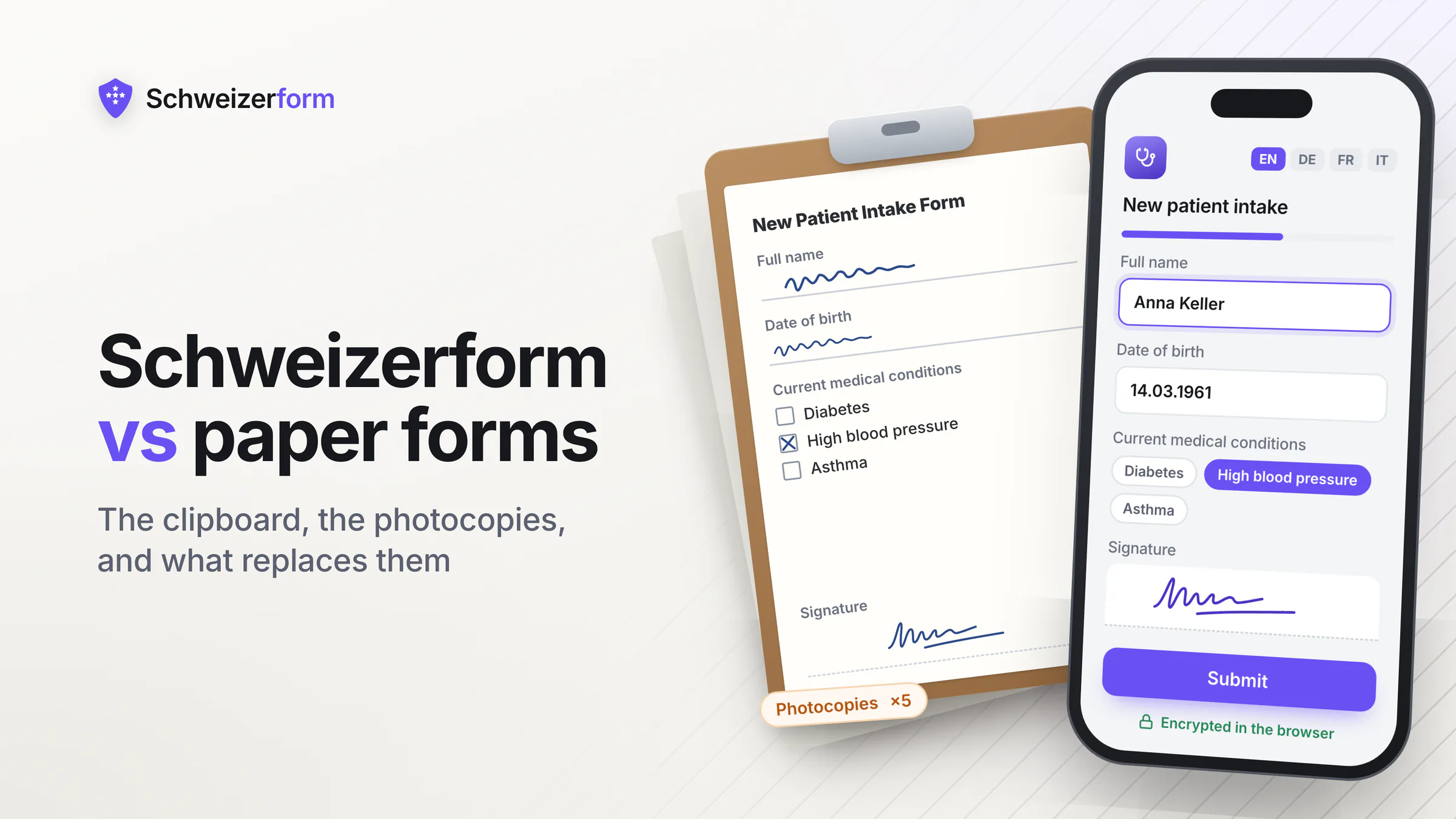
Walk into a typical Swiss or European general practice, dental clinic, law firm reception, or accountancy office, and the intake process still looks the same as it did in 1995. A clipboard, a printed form, a pen on a string. The receptionist photocopies an ID. A binder behind the desk holds the day's intake; at end of day it goes into a locked cabinet in the back office. There is no malice and no neglect in this — it is what works, and what most staff have always done.
What also stays the same is the slow accumulation of risk that paper-based intake quietly carries: forms photocopied multiple times for different files, transcription errors when staff key the data into a practice management system, illegible handwriting, lost forms in transit between sites, retention rules that nobody actually enforces, and a compliance posture that fails any serious audit question — even though the cabinet is locked. This page is for practices ready to look honestly at the trade and at what an encrypted digital form actually changes.
Who this comparison is for
Practice owners, clinic managers, dental and orthodontic practices, law firm partners and office managers, accountants and tax advisors, allied-health professionals, schools and NGOs — particularly in Switzerland and the EU — that still take patient or client intake on paper and are weighing whether the time has come to digitise.
Why Paper "Works" — The Honest Case
We will start with what paper genuinely does well, because the reason regulated practices keep using it is not stubbornness. It is real strengths:
- Universal — every patient or client can fill in a form on a clipboard, regardless of age, language, or technical skill
- Tangible — feels secure because you can see and touch the record; nothing is hidden in the cloud
- No infrastructure — works during internet outages, power cuts, system migrations
- Simple chain of custody — "I handed it to reception, reception filed it in the binder"
- Familiar to staff — no training, no new workflow, no software to learn
- Resilient to a specific class of cyber attack — a ransomware crew cannot encrypt your filing cabinet
These are real properties. Any digital replacement that loses too many of them — by being intimidating to older patients, fragile during outages, or alienating to staff — will fail in practice no matter how impressive on paper. The question this comparison answers is whether you can keep what paper is good for and lose what makes it slowly expensive.
What Paper Quietly Costs
Paper intake does not stay a single piece of paper. It multiplies in ways that are normal in a paper-based practice and impossible to defend in a serious audit:
- Photocopies for the patient/client file, the billing file, the referring practitioner, the lawyer's working folder, the assistant's tray — sometimes five or six copies per intake
- Transcription errors when staff re-key the data into a practice management system, an EHR, or an accounting tool — typically a few percent of fields, more in stressful weeks
- Illegible handwriting that turns into a chart annotation "patient states unclear" — and into a real clinical or legal risk later
- Lost forms in transit between sites, in the post, between staff handovers, or simply mis-filed in the wrong binder
- Retention drift — "we keep records for ten years" becomes "we keep records until the cabinet is full, then we triage"
- Storage cost — physical floor space for years of binders, especially in expensive city locations where every square metre matters
- Disaster vulnerability — fire, flood, mould, burst pipes, building renovations, theft of a single laptop bag containing the day's forms
- Inefficient retrieval — answering a subject access request or producing records for a lawyer means physically searching cabinets
- Onboarding friction — new staff cannot search the archive efficiently and end up duplicating work or asking the same patient to refill
The transcription tax
Most paper-based clinics and offices already enter the same data into a digital system at some point — practice management, EHR, billing, CRM. That means the data is collected twice (handwritten, then typed) with all the cost of paper AND the cost of digital, plus a transcription error rate. Going directly digital removes the duplication entirely.
The Compliance Reality — Paper Is Not Exempt
A common assumption is that GDPR, the Swiss nFADP, professional secrecy rules, and HIPAA "are about computers" and that paper records sit outside them. The opposite is true. The legal definition of personal data covers any identifiable record, regardless of medium, and the obligations that follow apply equally:
- Lawful processing and transparency (GDPR Art. 5–6, nFADP Art. 6, 19) — patients/clients must be informed how their data is used; a paper sign at reception is not a substitute for a clear notice
- Data minimisation (GDPR Art. 5, nFADP Art. 6) — pre-printed forms tend to ask for more than is needed because changing the printed template is expensive
- Storage limitation (GDPR Art. 5, nFADP Art. 6) — defined retention periods that are actually enforced, not aspirational; paper retention is famously aspirational
- Right of access and erasure (GDPR Art. 15 & 17, nFADP Art. 25 & 32) — locating every photocopy of a patient's intake form is rarely feasible across a paper archive
- Integrity and confidentiality (GDPR Art. 5, nFADP Art. 8) — "the cabinet is locked" addresses one specific threat (casual office access) and ignores most realistic ones (insider misuse, lost-in-transit, disaster)
- Breach notification (GDPR Art. 33–34, nFADP Art. 24) — a stolen laptop bag with the day's intake forms is a notifiable breach; a flooded basement of records is a notifiable incident in many cases
- Professional secrecy (medical, legal, financial in Switzerland) — long-standing sectoral duties that are independent of GDPR/nFADP and are not satisfied by physical locks alone
Locked cabinets are a control, not a strategy
A locked cabinet protects against one specific threat: casual unauthorised office access. It does nothing about insider misuse, accidental copies on a clinician's desk, forms lost in transit between branches, fire and flood damage, or the inability to comply with an erasure request. Modern data-protection regimes assess your overall posture, not the specific lock on the specific cabinet.
Side-by-Side: Paper Intake vs Encrypted Digital Form
| Property | Paper forms | Schweizerform |
|---|---|---|
| Where the data lives | Photocopies across files, binders, cabinets, sites | One encrypted record per submission, in one Swiss-hosted system |
| Who can read it | Anyone with physical access to the cabinet, copies, or files | Only holders of the vault key (you) — vendor cannot read |
| Encryption posture | None — physical security only | End-to-end / zero-knowledge — encrypted in the respondent's browser |
| Transcription errors | Routine — typically a few percent of fields | None — the patient/client enters data directly |
| Searchability | Manual cabinet search | Indexed and filterable for the operator |
| Retention enforcement | Aspirational at best; binders pile up | Single record, single retention setting, one place to delete |
| Audit trail | Sign-out sheet, if one exists | Submission log with timestamps and access events |
| Disaster resilience (fire, flood, theft) | Low — physical records are irreplaceable | High — there is no single physical copy to lose; the encrypted record lives in Swiss object storage |
| Right to erasure (GDPR Art. 17 / nFADP Art. 32) | Requires manually finding and shredding every copy | Single deletion removes the record |
| Storage cost | Floor space rented in your practice | Included in plan |
| Patient / client experience | Familiar but slow; clipboard and pen, illegible fields, repeated forms | Tablet kiosk in waiting room or link sent before the visit; native EN / DE / FR / IT |
| Internet outage resilience | Continues to work | Needs a connection — there is no offline mode and no submission queue, so keep a paper fallback for the day the line is down |
What Changes for Patients and Clients
The most common worry from practices considering this switch is "my older patients/clients will not adopt it." In our experience and in published practice studies, the experience usually improves once the form is presented well — and the few who genuinely cannot use a tablet are easy to accommodate as a fallback rather than as the default.
- Patients can fill the intake form at home before the visit, in their language, at their own pace — no waiting-room rush
- Or fill it on a tablet at reception with a large keyboard and the option to switch language with one tap
- No more illegible handwriting; no more "patient states unclear"
- Patients only meet questions that are relevant — conditional logic (Pro) hides the sections that do not apply to them, and page breaks keep a long intake from arriving as one wall of fields
- File uploads (insurance card, ID, referral) happen once, encrypted, instead of being photocopied at the desk
- Returning patients can update their record without restarting from scratch
- Older or less-comfortable patients can still use a paper backup that staff scan into the system — the digital path is the default, not a forced exclusion
If your patients can use a self-checkout at the supermarket, a smartphone, or an online banking app, they can use a Schweizerform on a kiosk tablet. The reason this digitisation sometimes fails is rarely patient adoption — it is usually staff who default to handing out the clipboard out of habit, or a pilot that lacked an obvious paper fallback for the small minority who needed one.
When Paper Is Genuinely Fine
- One-off, very low-risk forms (e.g. a feedback card at reception) where no PII is collected
- Practices in environments where reliable internet is genuinely not available and a tablet kiosk would be unworkable
- Specific legal contexts that require a wet-ink signature — those can co-exist with digital intake for everything else
- Patient or client populations where a structured paper backup is a documented accessibility need (still a fallback, not a default)
- Transitional periods during a digitisation rollout, where paper continues for one workflow while another is moved over
Paper has a place. It just rarely deserves to be the default for every intake conversation in 2026. The split most practices already use is the same one we recommend: digital is the standard channel; paper is the documented fallback for the small minority of cases where it is truly the right tool.
When Digitisation Is Overdue
- General practice, dental, orthodontic, therapy, and clinical-trial intake — where transcription error has a clinical cost
- Law firms with new-client intake, conflict checks, document collection — where privileged data should never sit in shared file rooms
- Accounting and tax practices collecting financial records, IDs, engagement letters
- Insurance brokers and financial advisors handling KYC and risk profiling
- Schools, NGOs, and public-sector offices collecting parent, student, beneficiary, or citizen forms with sensitive content
- Any practice that has had a near-miss with a misplaced file, a data subject request that was painful to answer, or an audit that asked uncomfortable questions about retention
These are not edge cases — they are the bulk of small and mid-sized regulated practices. The migration is much less disruptive than most teams expect, and the operational gains (fewer transcription errors, faster intake, defensible retention, real audit trail) usually pay back the modest software cost within the first few months.
Migration — A Realistic Plan for a Small Regulated Practice
If your current process is paper-based and you want a calm, low-risk way to move, the path looks like this:
- 1
Pick the one form that hurts most
New patient questionnaire, new client intake, KYC pack, consent for treatment, exit interview, complaint form — choose the single form that takes the most staff time, generates the most rework, or carries the most sensitive content. Do not start with all of them.
- 2
Build it in Schweizerform
Field by field, replicate the printed form. Use page breaks to keep it from arriving as one long scroll, and conditional logic (Pro) so the rarely-relevant sections only appear for the patients they apply to. Add file upload for ID or insurance card. Translate to the languages your patients actually speak (the platform ships native EN / DE / FR / IT).
- 3
Set up the Vault Key and recovery key
Two custodians, written procedure, recovery key stored separately. About 15 minutes for a small practice. The vault key never touches our servers, which is what makes the encryption real — without it, the zero-knowledge property is theoretical.
- 4
Pilot with one channel
Either send the form link with the appointment confirmation, or set up a single tablet kiosk at reception. Run paper and digital in parallel for a defined period (two to four weeks). Measure: completion rate, time-to-complete, transcription errors avoided, staff feedback.
- 5
Document the paper fallback
Decide explicitly what happens when a patient cannot or does not want to use the digital form. A printed copy at reception, transcribed into the system the same day. The fallback is written down, not improvised.
- 6
Switch the default
Once the pilot is stable, change the standard reply: "Please complete this secure form before your visit" instead of "Please come 15 minutes early to fill in the forms." Update the website, the appointment confirmations, and the staff scripts.
- 7
Set retention and document it
Define how long submissions live, configure that in the form, and update your processor register and patient information notice. The first time a regulator or insurer asks, you can show one place, one rule, one log.
- 8
Roll out the next form
Move to the second form once the first is stable. Most practices reach "paperless by default" in three to six months on this cadence — without a big-bang project, without staff revolt, without losing the paper fallback for the cases that need it.
Objections from practices still on paper
"Our patients are older and won't use a tablet"
Some won't, most will. The same patients who use online banking, book medical appointments through a portal, or video-call grandchildren are usually fine with a clearly designed form on a tablet — especially with a large font and a "language" button. For the genuine minority who need paper, paper remains the documented fallback. The mistake is treating the minority as the default.
"Paper is more secure because it's tangible"
Paper is secure against remote attack and very insecure against local mishandling. The threats most practices actually face — staff misfiling, photocopies left on a desk, lost-in-transit forms, opportunistic theft of a binder, fire and water damage — are exactly the threats paper does not handle well. Encrypted digital storage with backups handles those threats much better while accepting a different (well-managed) class of remote risk.
"What about internet outages?"
Real consideration, with a small footprint. Brief outages are absorbed by the local form (data submits when the connection returns). True extended outages happen rarely; for those days the paper fallback is intentionally kept as a documented backup. The solution is a hybrid posture, not a refusal to digitise.
"Our practice management system already stores the data"
Often true — and the question is what happens before the data reaches that system. If staff transcribe paper into the system, you are still paying the paper cost (storage, errors, retention). Encrypted intake replaces the paper step; the practice management system continues to be the system of record for clinical/legal data. The two are complementary.
"Won't this be expensive to set up?"
The free tier of Schweizerform is enough to pilot one form end-to-end and prove the workflow. Even paid tiers are typically a few CHF per month for a small practice — well below the cost of one hour of monthly transcription work. The hidden cost of paper (storage, transcription, audit risk) is usually larger than the headline cost of going digital.
"What if the platform shuts down?"
Standard CSV / JSON export is available at any point, and submissions can be decrypted on the client side using your vault key. The data is portable. This is also a stronger position than paper, where there is no export and no backup beyond what you physically maintain.
Paper or encrypted digital
Paper-based intake is a habit, not a strategy. It works because everyone knows how it works — and it stays in place because the costs are diffuse, ignored, and absorbed into the daily friction of practice life. The day a regulator, an auditor, or an insurer asks a serious question about retention, access logs, transcription accuracy, or right-to-erasure compliance, the answer is rarely defensible from a binder alone.
Schweizerform is built for exactly this entry point: a simple way to digitise one form, then another, with end-to-end encryption that the vendor cannot read, Swiss hosting, and native UI in the four languages your patients and clients actually speak. It does not force you to abandon paper overnight; it gives you a defensible default with paper as the documented exception.
Try Schweizerform on the free plan — encrypted submissions stored in Switzerland, zero-knowledge encryption, native EN / DE / FR / IT — and digitise the one intake form that takes the most staff time today.
Disclaimer: This comparison is general information and marketing content, not legal, clinical, or compliance advice. Specific obligations under GDPR, nFADP, HIPAA, professional-secrecy rules, and sector-specific regulations depend on jurisdiction and use case; consult qualified counsel and (where relevant) clinical or accreditation bodies before relying on any framing here.